CASE IH PRO VISION OPERATING SYSTEM GUIDE
24
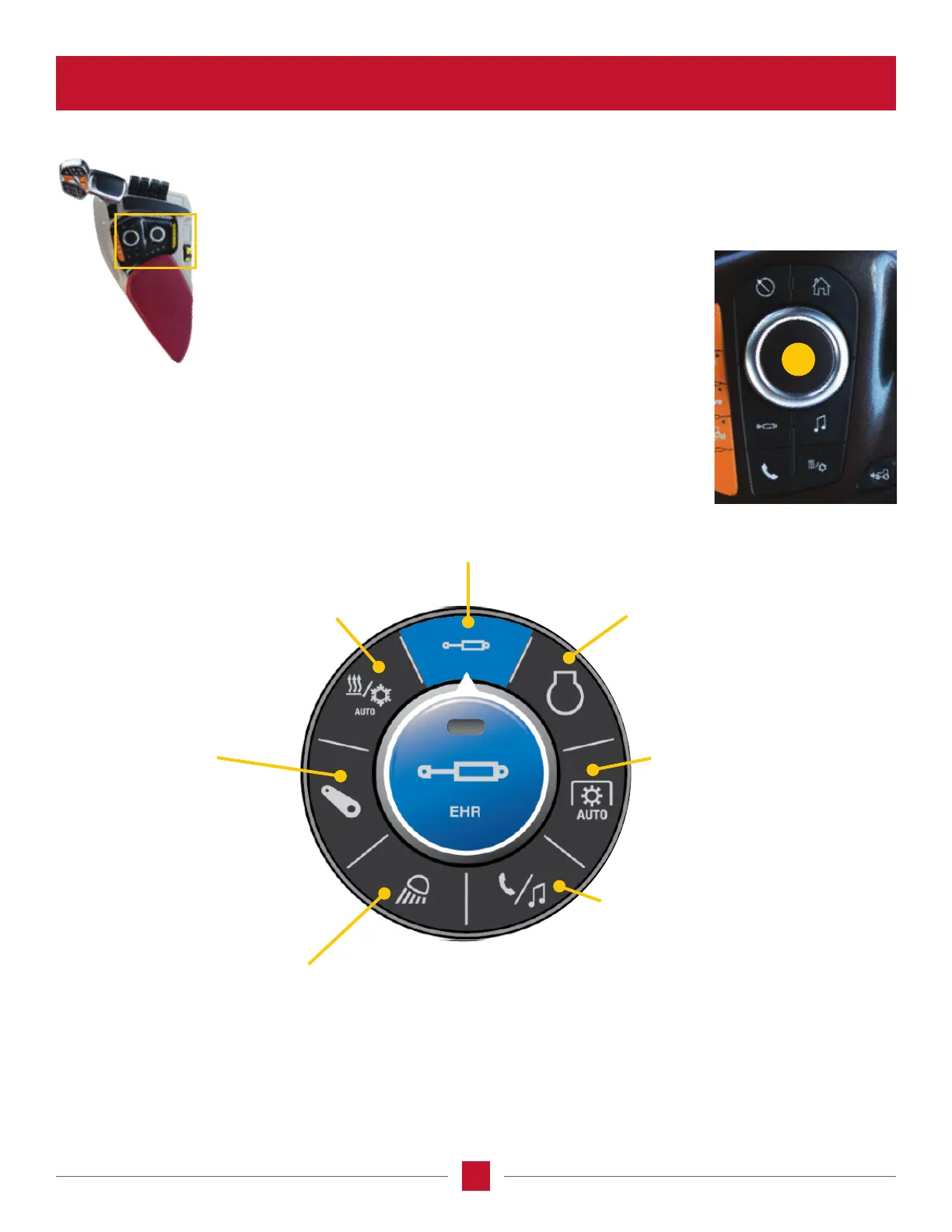
Pressing the button (21) on the armrest will display an image
on the AFS Pro 1200 screen. Turn the knob to adjust the
menu items available.
EHR Remotes – Select a remote valve for
updating, rotate the knob to the desired
rear or front valve and press the knob
(Enter), or press the icon for the desired
rear or front valve on the display screen.
Engine – Change the RPM setting
for constant engine speed 1 or 2,
or change engine brake operation
to automatic, manual or off
(as equipped).
Lighting – Change the settings for instrument
lighting, to assign lighting groups to memory
controls, or to change the lighting settings
when entering/exiting the cab.
Auto PTO – Change the rear or
front PTO auto engage or auto
disengage height (as equipped),
or to change the rear PTO engage
rate between automatic or heavy.
Hitch – Adjust controls
for the front and rear hitch
(as equipped) – change the
limit and speed settings and
position control settings. For
rear hitch only, change the draft,
ride control, slip limit controls
or Automatic Depth Control (ADC)
settings for a rear implement.
Phone/Media – Adjust tractor
speaker volume for your cell
phone, radio or other media, or to
change any of the audio settings.
Climate Control – Change the temperature
setting for the cab, to change fan speed,
to change where the air is directed in
the cab, or to interact with any of
the HVAC system controls.
ARMREST WALKAROUND
MAIN ARMREST PANEL
Operations Screen/Navigation Encoder Knob
21








 To Next Page