20070201
u Matrix Data Input Format [OPTN]-[MAT]-[Mat]
The following shows the format you should use when inputting data to create a matrix using
the Mat command.
= [ [a
11
, a
12
, ..., a
1
n
] [a
21
, a
22
, ..., a
2
n
] .... [a
m
1
, a
m
2
, ..., a
mn
] ]
→
Mat [letter A through Z]
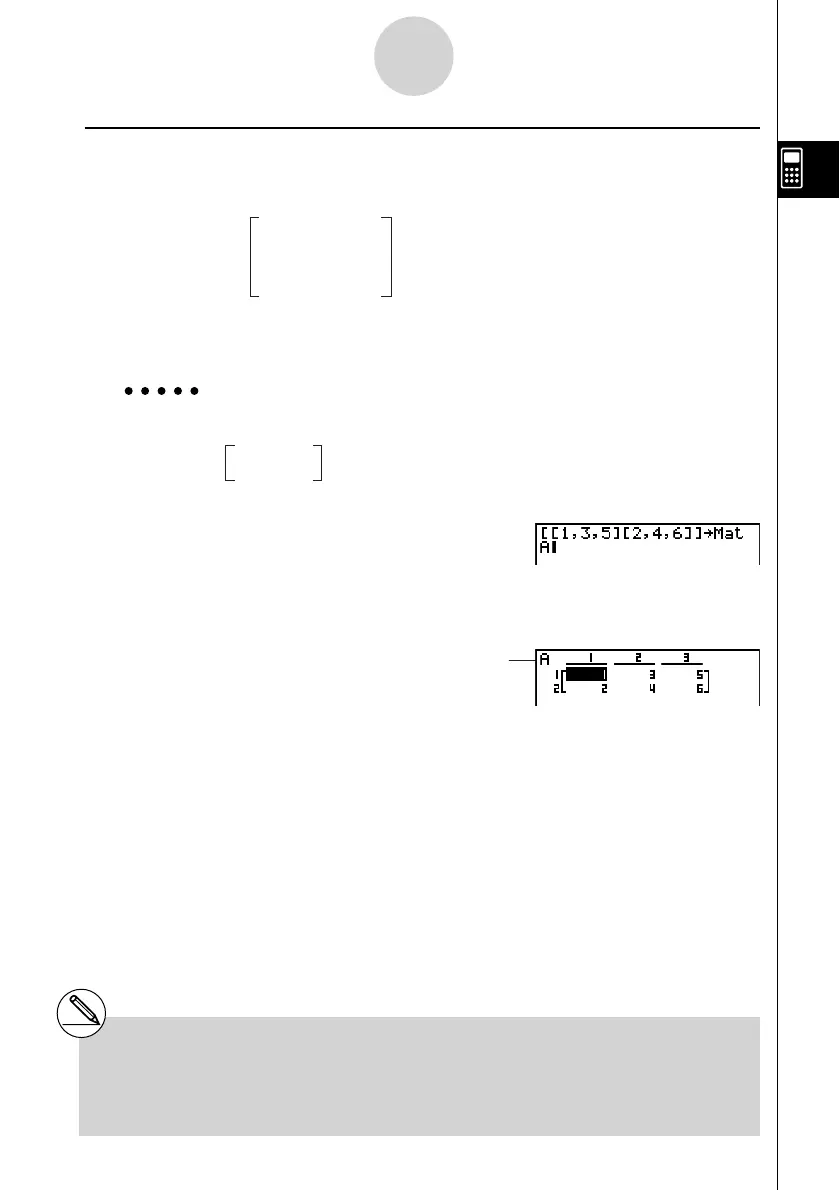
Example 1 To input the following data as Matrix A :
!+( [ )!+( [ )b,d,f
!-( ] )!+( [ )c,e,g
!-( ] )!-( ] )aK2(MAT)
1(Mat)av(A)
w
Matrix name
a11
a
12
... a
1n
a
21
a
22
... a
2n
a
m1
a
m2
... a
mn
...
...
...
a
11
a
12
... a
1n
a
21
a
22
... a
2n
a
m1
a
m2
... a
mn
...
...
...
1 3 5
2 4 6
1 3 5
2 4 6
2-8-11
Matrix Calculations
# You can also use !c(Mat) in place of
K2(MAT)1(Mat).
# The maximum value of both
m and n is 255.
# An error occurs if memory becomes full as you
are inputting data.
# You can also use the above format inside a
program that inputs matrix data.


 To Next Page
 Loading...










