20070201
5-2-8
Controlling What Appears on a Graph Screen
# You must specify two different points for box
zoom, and the two points cannot be on a
straight line vertically or horizontally from each
other.
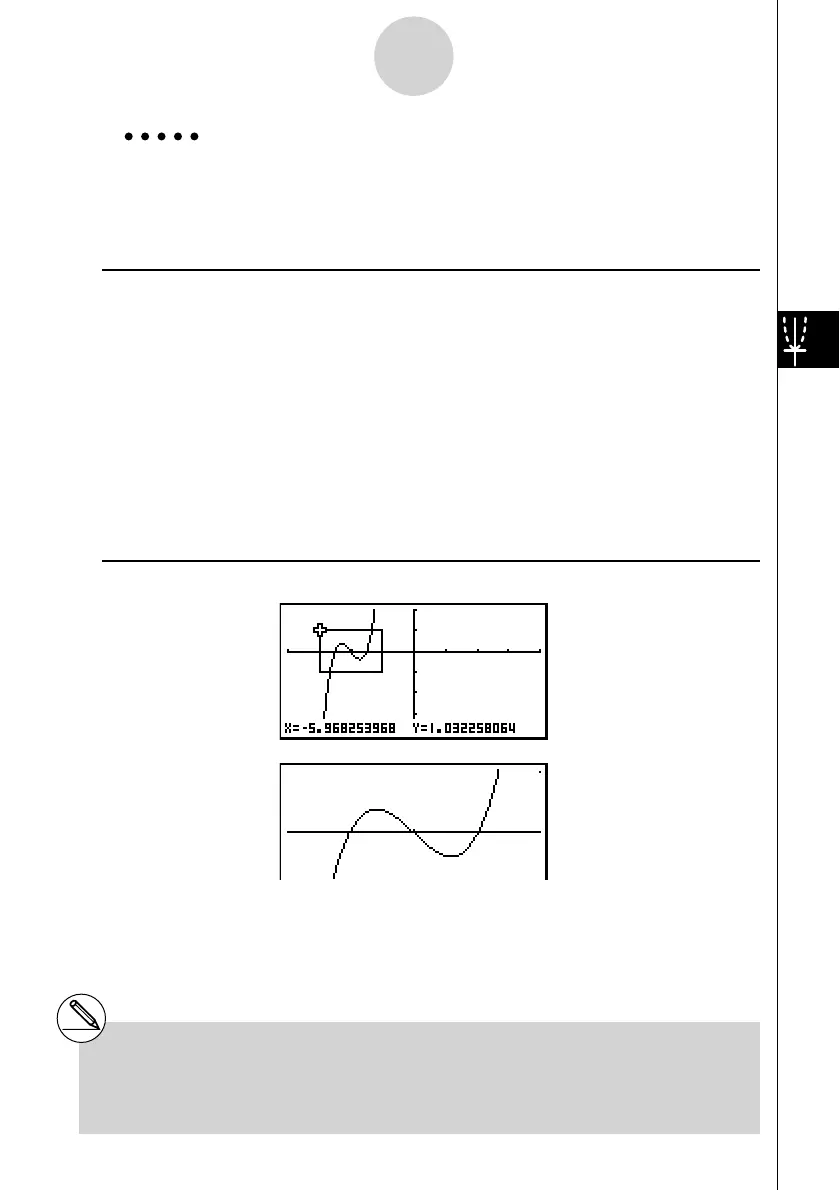
Example Graph
y = ( x + 5)( x + 4)( x + 3), and then perform a box zoom.
Use the following V-Window settings.
Xmin = –8, Xmax = 8, Xscale = 2
Ymin = –4, Ymax = 2, Yscale = 1
Procedure
1 m GRAPH
!3(V-WIN) -iwiwcwc
-ewcwbwJ
3(TYPE)1(Y=)(v+f)(v+e)
(v+d)w
6(DRAW)
2 !2(ZOOM)1(BOX)
3 d~dw
4 d~d,f~fw
Result Screen


 To Next Page
 Loading...










