25
Quick Start Basics
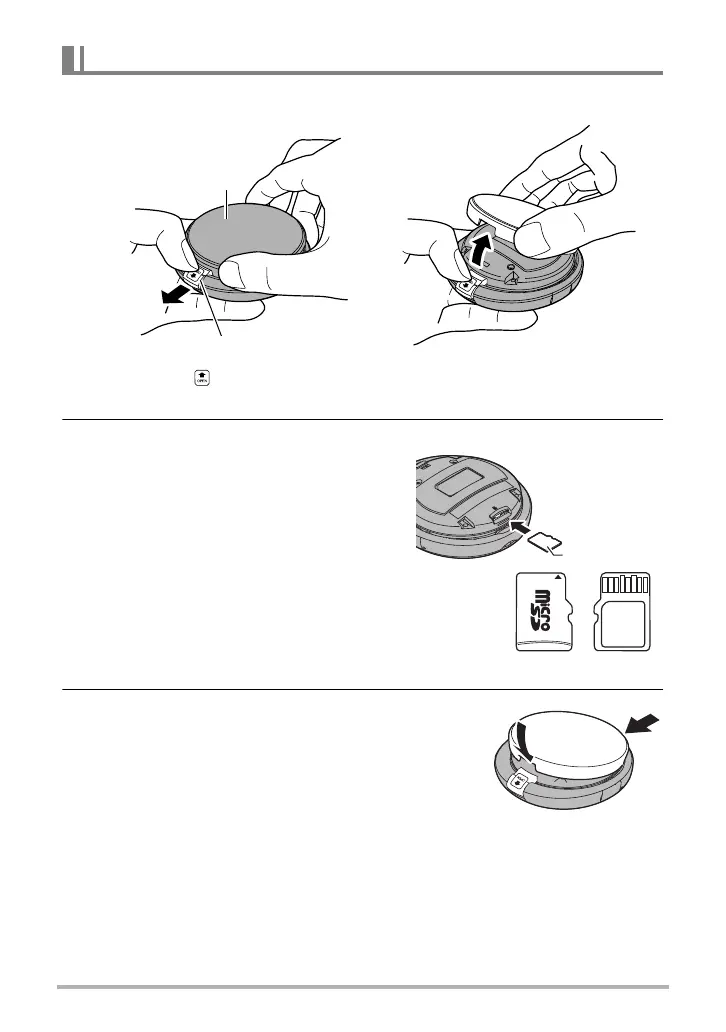
1. While sliding the cover lock in the direction indicated by the arrow,
open the top cover.
2. Load a memory card.
Positioning the memory card as shown in
the nearby illustration insert it into the
camera’s memory card slot and press
until you hear it click into place.
3. Replace the top cover.
To load a memory card
Cover lock
Top cover
• Remove the sticker before using the camera for the first time after
purchasing it.
After hooking the cover at point
,
close the cover.










 To Next Page