39
Recording Images
Your camera is equipped with various types of zoom: SR Zoom and digital zoom.
1. Perform the required screen operation to change the zoom factor as
desired.
Zoom in: Spread
Zoom out: Squeeze
2. Press the shutter button to shoot the image.
• Telephoto images are prone to blurring caused by camera movement when you
press the shutter button. Because of this, stabilizing the camera by placing it on a
level surface, etc. is recommended.
•“Ù” is displayed on the monitor screen while digital zoom is being used.
• SR Zoom is disabled while any one of the following recording modes (page 35) is
selected: Make-up, Cool, Natural, Cute.
Shooting with Zoom
SR Zoom
Applies super resolution technology to suppress image
deterioration.
Digital zoom
A digital process is used to enlarge the center of the image, so
there is deterioration of image quality.
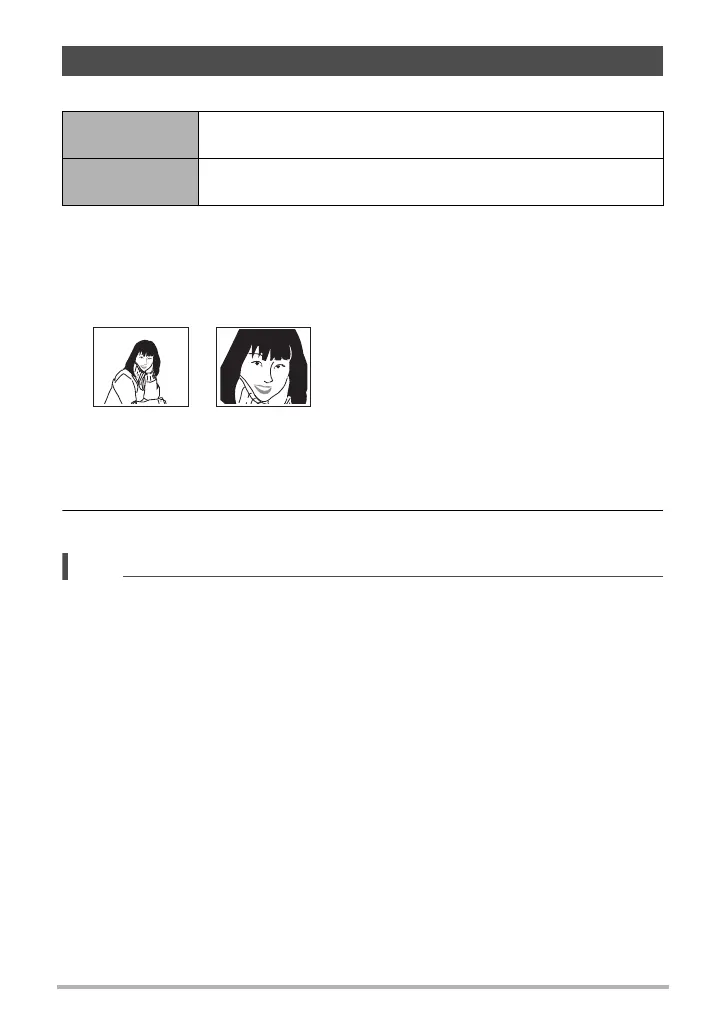
Wide Angle : Reduces the size of the subject and broadens the range.
Telephoto : Enlarges the subject and narrows the range.










 To Next Page