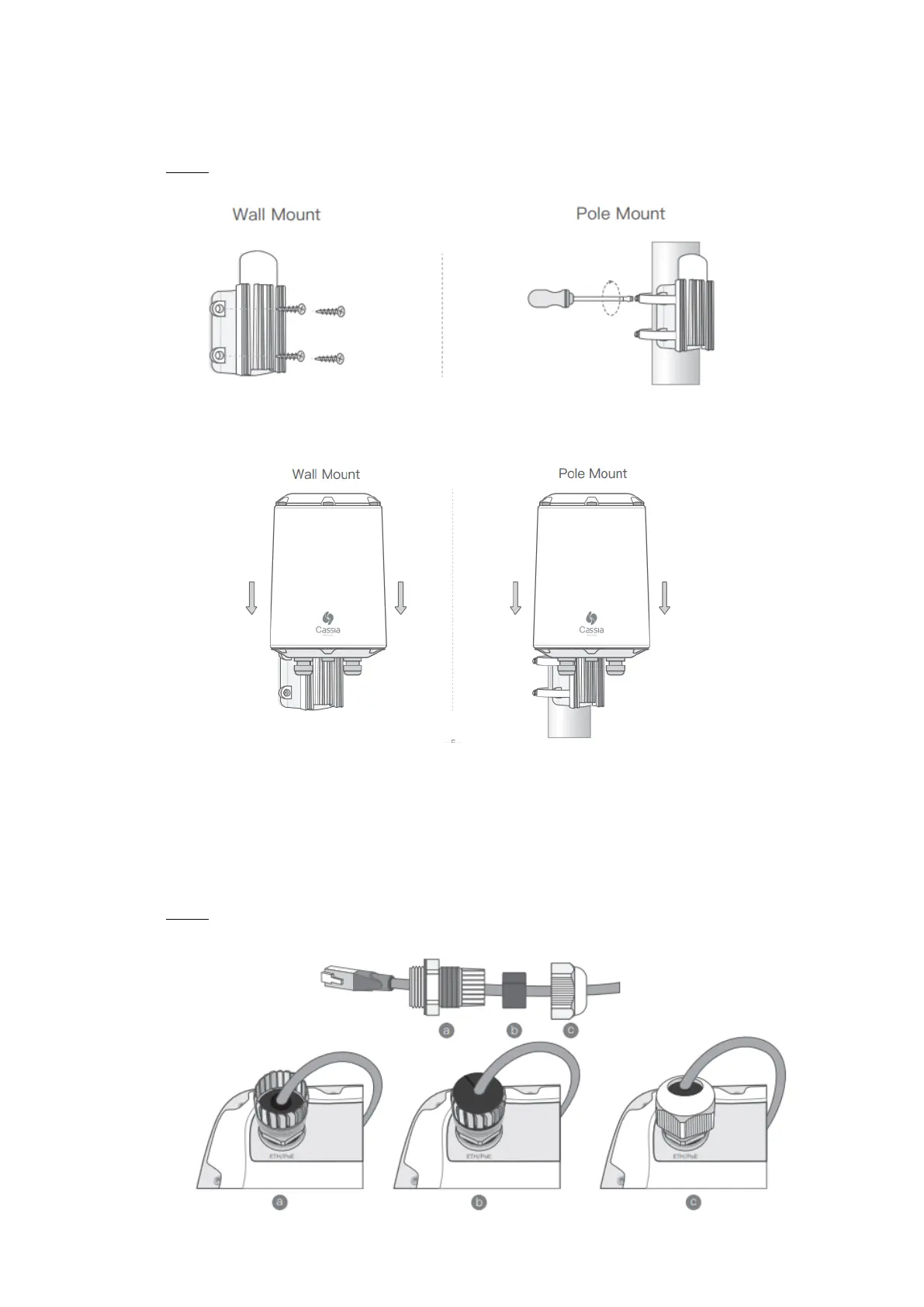
3. Mount the X2000 mounting bracket in a vertical orientation onto a wall or pole with
the supplied mounting kit
NOTE: The side of the mounting bracket facing the wall and pole is sharp. Please don’t
hurt your hands.
4. Slide X2000 down on the X2000 mounting bracket
5. Connect Ethernet cable and PoE
Remove the ETH/PoE plug (M22X1.5. Please don’t mix with the USB hole plug), pass
the Ethernet cable through the cable gland, insert the RJ-45 connector into the
Ethernet port of X2000, and tighten the cable gland in the order of a, b, c. The torque
of step c should be less than the torque of step a.
NOTE: When removing the cable gland, please follow the order of c, b, a. Otherwise
X2000 will be damaged.



 To Next Page