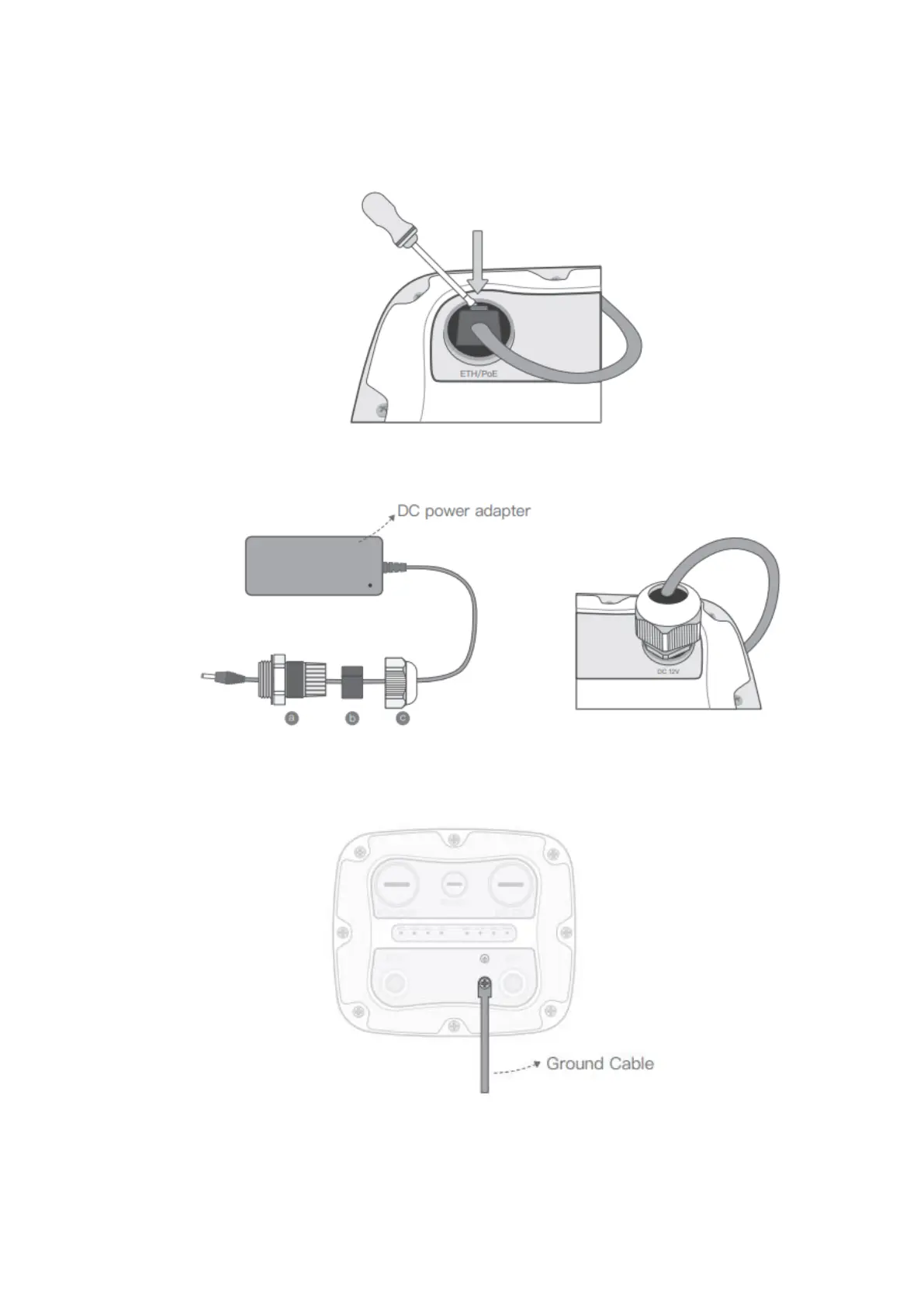
To remove the Ethernet cable once it's been installed, please use the supplied
screwdriver in the X2000 box or a small pointed tool of your choosing to depress the
plastic release tab on the cable. See the image below.
6. Connect 12V DC power cable and cable gland to X2000 in the same way as step 5
7. For outdoor X2000 installations, please connect the ground cable to ensure X2000’s
safety



 To Next Page