Copyright 2023 Cassia Networks, Inc.
Version: EN-2023039-YJ
The Container tab page displays Operating System, Container Status, Container Version,
Storage Usage, Transmit Rate, Transmit Bytes, Receive Rate, Receive Bytes, CPU Usage, and
Memory Usage of the container.
The core of the container, e.g. Ubuntu 16.04.3 in release 1.3
Working status of the container
The firmware version of the container
Storage usage and reserved by the container (out of 2.3GB storage)
Transmit Rate by the container
Transmit Bytes by the container
Receive Rate by the container
Receive Bytes by the container
CPU used by the container (out of 2 CPU cores)
Memory used by the container (out of 128MB RAM for E1000 and
X1000, and out of 700MB RAM for X2000)
Cassia gateway configuration page – Container cont.
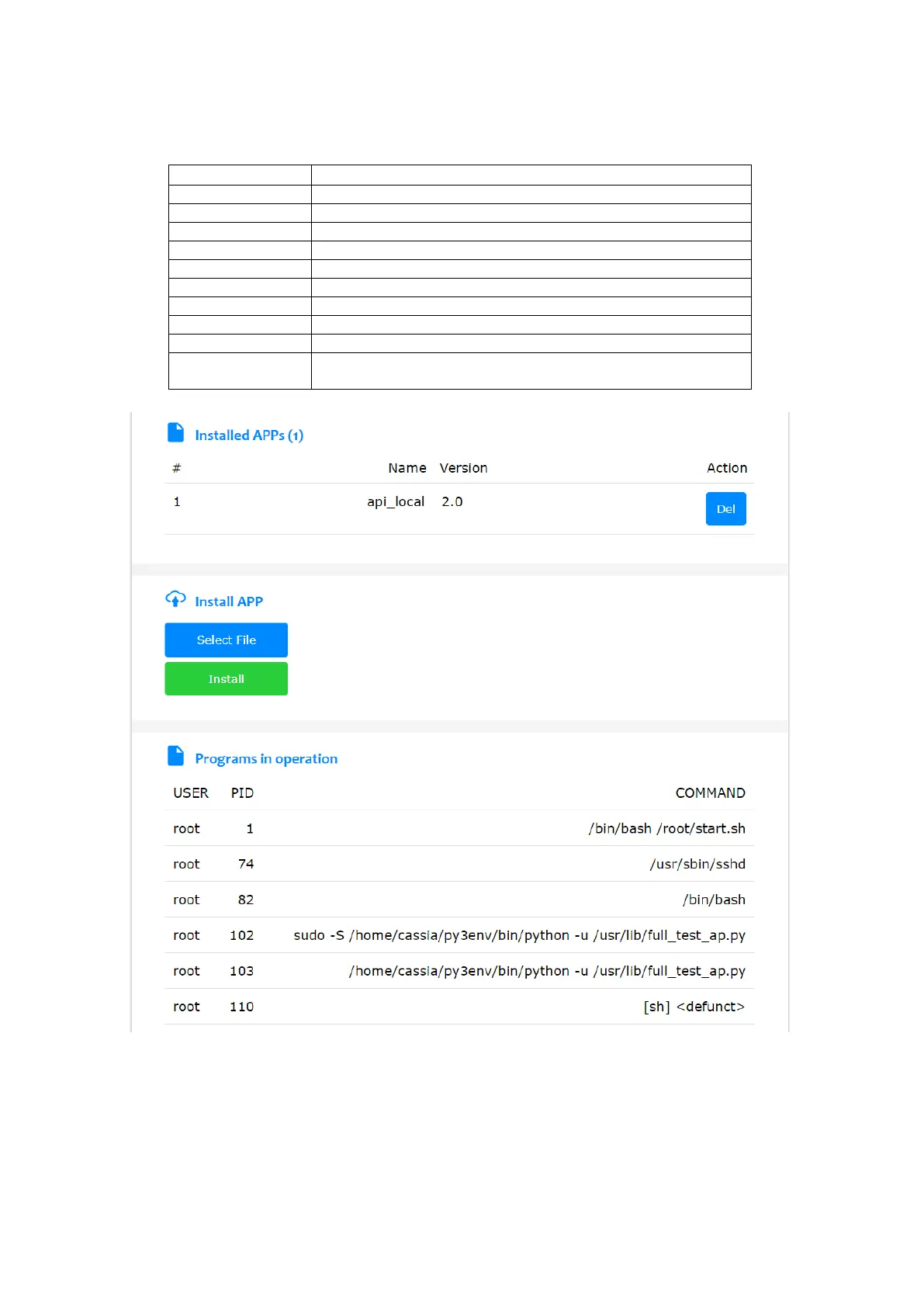
The Container tab page also displays the installed APP on the container and the programs in
operation.
The user can update the APP by clicking the button “Select File and Install”. From firmware
2.1.1, container and APP can be continuously downloaded after being disrupted (MQTT



 To Next Page