should be used between gateway and AC). From firmware 1.4.2, the user can update the
APP from the smartphone locally. Please save the APP on your smartphone in advance and
login gateway’s local console from the Wi-Fi hotspot (2.4GHz only) or the gateway’s private
IP.
From firmware 2.0.3, the user can delete the installed APP by clicking the Del button. This
action will delete /root/apps/${app_name}.sh and /root/apps/${app_name}.version, but
will remain all other APP files unchanged (avoid deleting important customer data). Please
delete the other APP files, if necessary, by adding delete script (recommended, available
from firmware v2.1.1), adding codes in autorun.sh of the new APP, or by SSH into the
container.
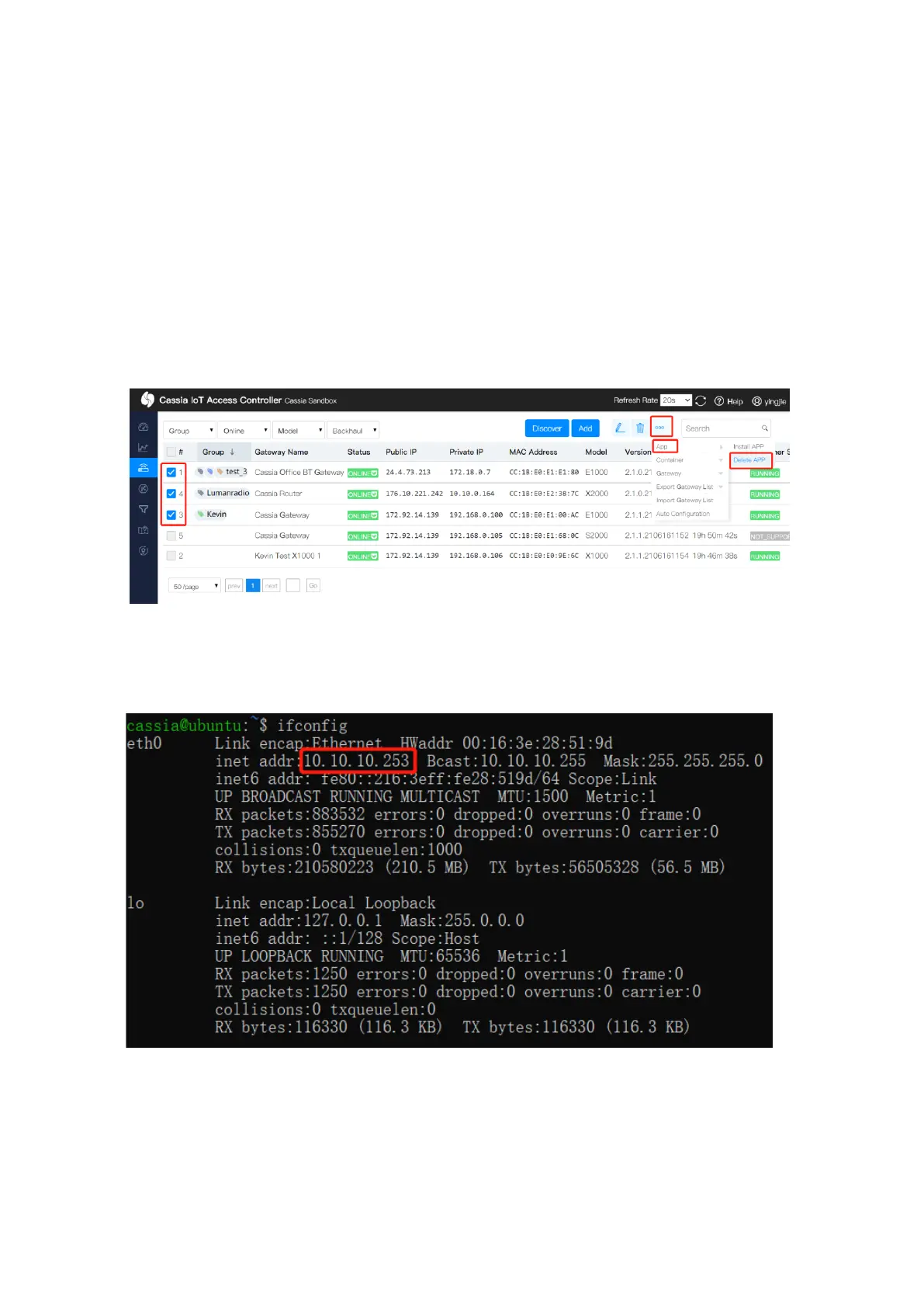
The user can also follow the below steps to install or delete APP for a batch of gateways.
After the container is installed, the gateway and container will be in the same subnet. The
IP address of the gateway is 10.10.10.254/24. The IP address of the container is
10.10.10.253/24.
APP in the container can call local RESTful API like below (Turn on scanning as an example).
$curl –v 10.10.10.254/gap/nodes/?event=1&active=1



 To Next Page