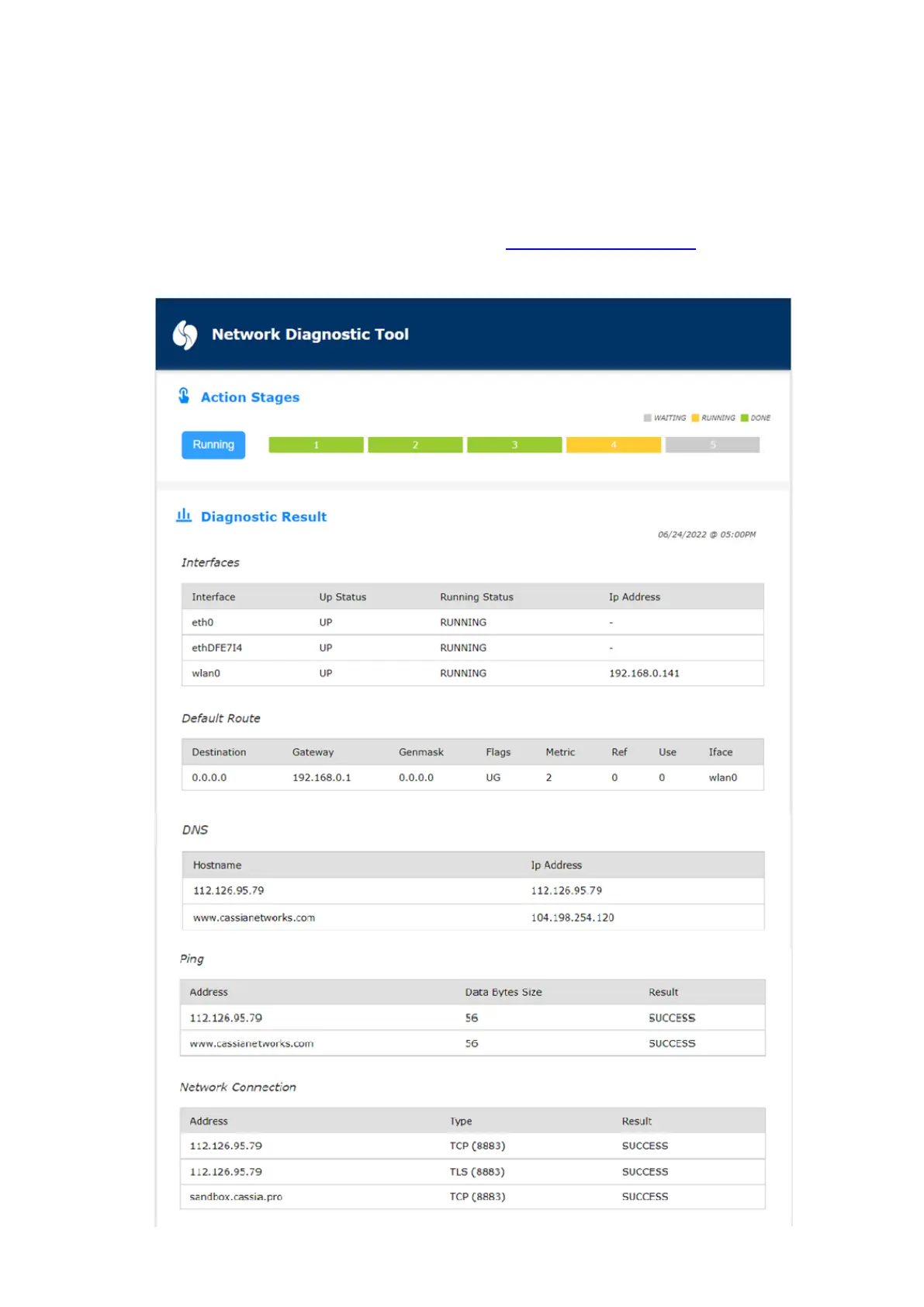
If you have run network diagnostic on this gateway before, you will see the diagnostic result
of last time. Please click the Start button to start new network diagnostics.
Below is an example of network diagnostics. In this example, the “AC Server Address” is
112.126.95.79 and the gateway uses Wi-Fi as uplink. According to the diagnostic result, the
Wi-Fi interface is up and has got the IP, the DNS works well, ping to AC success, and the TCP
and TLS connection to the AC also works fine. The www.cassianetwork.com and
sandbox.cassia.pro is used as a reference for the diagnostics.



 To Next Page