9. Press either of the two display control pushbuttons on the receiver to set the required timeout value on
the LCD display. This value may be set anywhere between 0.1 and 15 minutes in 0.1 minute increments.
Note that (1) depressing Pushbutton #1 or Pushbutton #2 will increment or decrement their respective
display values, and (2) it will take approximately two seconds for the receiver to register a key press.
10. After setting the lock-out time, set the antenna which will be used for Close Start. To unlock the system,
momentarily press and release both receiver buttons to show the following screen:
SET CLOSE START
ANTENNA: 1
11. The number 1 indicates that antenna 1 is currently selected for use with Close Start. Press either of the
two buttons to select the designated Close Start Antenna noted in step 3, above. It will take approximately
two seconds for the receiver to register a key press.
12. The last parameter to be set is the Close Start RF signal level. This is directly related to the unlock
distance. Momentarily press and release both receiver buttons to show the following screen:
CLOSE START -dBm
RSSI-65 SET-70
The example display above shows the controller’s Receive Signal Strength Indication (RSSI) value at
-65 dBm and the Close Start set value at -70 dBm. The close start set signal level should be set slightly
below the RSSI from the controller. This ensures repeatability while limiting the close start distance.
The RSSI level is the strength of the RF signal received from the controller which should be transmitting,
or the background noise level if no signal is being broadcast. The Set value is the signal strength limit for
three consecutive controller transmissions with the same address for the receiver to unlock. In the above
example, the signal strength must be at least -70dBm for three consecutive controller transmissions
before Close Start will unlock and pass data to the decoder. Note that an RSSI of -65 dBm is a
stronger RF signal than -70 dBm and, in this example, the receiver needs to see an RF signal
greater than -70 dBm to unlock.
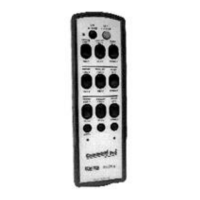
13. The person with the controller should slowly turn around while transmitting, as well as moving within two
or three feet of his or her normal operating position in all directions. Observe the displayed RSSI from the
controller while the operator is moving about the normal operating position, noting the weakest received
signal.
14. Press either of the two buttons to select the desired Close Start signal level which should be set to a
value between 3 and 5 dBm less than the weakest RSSI from the controller noted in step 13 above.
Remember that -65 dBm is a stronger signal than -70 dBm. It will take approximately two seconds for the
receiver to register a key press.
15. Press and hold both buttons for approximately three seconds to exit the options menu. The receiver will
then cycle through its power-up self check.
16. If applicable, de-activate the controller function previously maintained in step 7 above. Set the controller
power to ‘OFF’.
17. As required, set the Gold Box power to ‘OFF’, replace the lid, close the cover of the receiver/decoder
enclosure, and apply power to the controlled machine motors.



 To Next Page