TABLE OF CONTENTS
vi
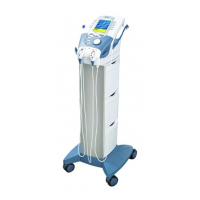
Vectra Genisys® Therapy System
CLINICAL RESOURCES LIBRARY CLINICAL PROTOCOLS™ ....93
Clinical Protocols™...............................................93
Access Clinical Resources........................................93
Access Clinical Protocols™.......................................93
Select Body Area ................................................93
Select Clinical Indication ........................................94
Select Pathological Condition...................................94
Select Pathological Severity.....................................94
View Waveform Rationale .......................................95
View Electrode Placement.......................................95
Prepare Patient ..................................................95
Edit Modality Parameters .......................................95
Optional Patient Interrupt Switch ..............................96
Set Modality Intensity ...........................................96
Intensity Knob Rotation .........................................96
Start Treatment..................................................97
Pause Treatment.................................................97
Stop Treatment ..................................................97
Save to Patient Data Card .......................................97
CLINICAL RESOURCES LIBRARY
CREATING USER PROTOCOLS ...............................98
General Information.............................................98
Select Modality ..................................................98
Edit Modality Parameters .......................................98
Select Clinical Resources Library ................................98
Enter User Protocol Name .......................................99
CLINICAL RESOURCES LIBRARY
DELETING USER PROTOCOLS ..............................100
General Information........................................... 100
Select Clinical Resources Library .............................. 100
Select User Protocol to Delete................................. 100
Delete User Protocol...........................................100
CLINICAL RESOURCES LIBRARY
USING USER PROTOCOLS ..................................101
Access User Protocols ......................................... 101
Select User Protocol ...........................................101
View Waveform Rationale ..................................... 101
View Electrode Placement..................................... 102
Prepare Patient ................................................ 102
Edit Modality Parameters ..................................... 102
Optional Patient Interrupt Switch ............................ 102
Set Modality Intensity ......................................... 103
Intensity Knob Rotation ....................................... 103
Start Treatment................................................ 103
Pause Treatment............................................... 104
Stop Treatment ................................................ 104
Save to Patient Data Card ..................................... 104
CLINICAL RESOURCES LIBRARY
CREATING NEW SEQUENCES...............................105
General Information........................................... 105
Access Sequencing ............................................ 105
Select Sequence ............................................... 105
Select First Waveform or Current.............................. 105
Edit First Waveform or Current ................................ 106
Select Second Waveform or Current .......................... 106
Saving New Sequence......................................... 106
Enter Sequence Name......................................... 107











 To Next Page