TABLE OF CONTENTS
vii
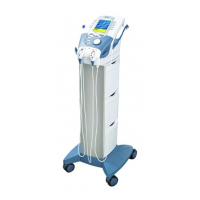
Vectra Genisys® Therapy System
CLINICAL RESOURCES LIBRARY
DELETING SEQUENCES ....................................108
General Information........................................... 108
Access Sequencing ............................................ 108
Select Sequence ............................................... 108
Delete Sequence .............................................. 108
CLINICAL RESOURCES LIBRARY
USING SEQUENCES ........................................109
Access Sequencing ............................................ 109
Select Sequence ............................................... 109
Select Waveform/Current ..................................... 109
View Waveform Rationale ..................................... 110
View Electrode Placement..................................... 110
Prepare Patient ................................................ 110
Optional Patient Interrupt Switch ............................ 110
Set Sequence Intensity ........................................ 111
Intensity Knob Rotation ....................................... 111
Start Treatment................................................ 112
Pause Treatment............................................... 112
Stop Treatment ................................................ 112
Save to Patient Data Card ..................................... 112
CLINICAL RESOURCES LIBRARY
MMC GRAPHICAL LIBRARY ................................113
General Information........................................... 113
Select Clinical Resources Library .............................. 113
Select MMC Graphical Library................................. 113
Select Body Area .............................................. 113
Select Library Type ............................................ 114
INSTALLATION/REMOVAL ............................115-133
INSTALLATION CHANNEL 3/4 ELECTROTHERAPY,
NiMH BATTERY, AND LASER MODULE .....................115
Possible System Congurations............................... 115
Nomenclature- Channel 3/4 Electrotherapy Module ......... 116
Specications.................................................. 117
Waveform & Current Specications . . . . . . . . . . . . . . . . . . . . . . . . . . . 117
Disconnect Mains Power ...................................... 118
Remove Lead Wires and Accessories .......................... 118
Remove Therapy System from Cart ........................... 118
Release Ribbon Cable ......................................... 119
Position Therapy System and Module......................... 119
Connect Ribbon Cable......................................... 119
Set Therapy System onto Module ............................ 120
Secure Therapy System to Module ........................... 120
Front Access Panel ............................................ 120
Install Lead Wires and Accessories ............................ 121
Install Front Access Panel ..................................... 121
Mount to Therapy System Cart ................................ 121
Connect Mains Power ......................................... 121
Turn Therapy System On ...................................... 122
REMOVAL CHANNEL 3/4 ELECTROTHERAPY,
NiMH BATTERY, AND LASER MODULE .....................123
Disconnect Mains Power ...................................... 123
Remove Lead Wires and Accessories .......................... 123
Remove Therapy System from Cart ........................... 123
Remove Screws Securing Module ............................ 124
Disconnect Ribbon Cable at Module .......................... 124
Store and Secure Ribbon Cable ............................... 124
Front Access Panel ............................................ 125











 To Next Page