Connecting Cables to MHO-170
Quantum Maestro Getting Started Guide|111
Connecting to the Management Ports with Breakout Cables
Important:
n
When you connect two Quantum Maestro Orchestrators for redundancy, the
Check Point Management Server connects only to one of the Quantum Maestro
Orchestrators.
n
It is possible to connect breakout cables only to the top odd ports 1 to 29. When
the top ports are in a split mode, the bottom even ports 2 to 30 are disabled. The
default Management ports are Port 1 and Port 2. When you connect a breakout
cable, the Management port 2 is disabled. See
"MHO-170 Splitting Options" on
page85
.
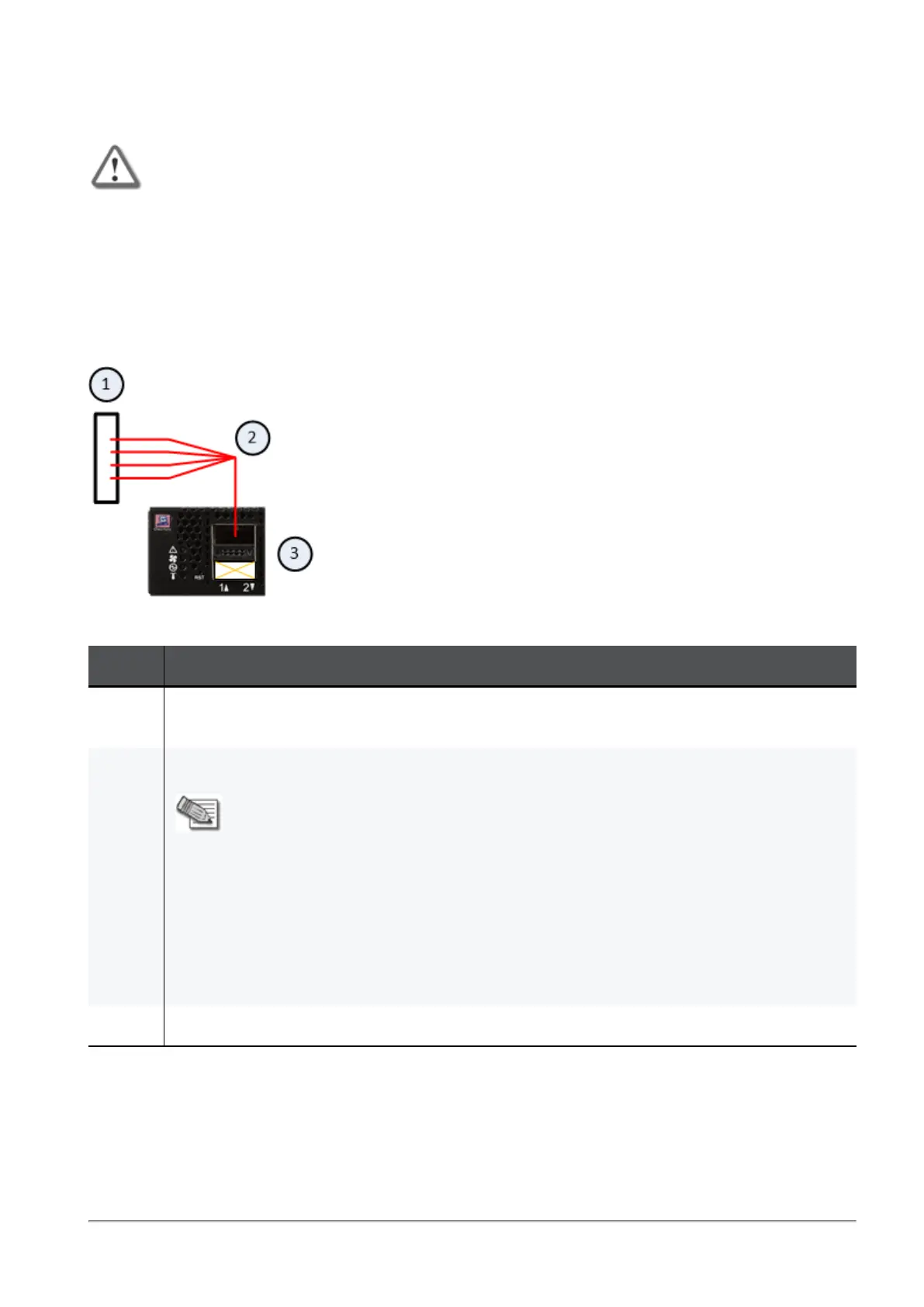
Example:
Explanations:
Item Description
1 Layer 2 switch.
To this switch you connect the Check Point Management Server(s).
2 A Breakout cable connected to the Management port 1. See
"Breakout Cables" on page82
.
Notes:
n
This cable splits the Management port 1 into four interfaces.
n
This connection disables the bottom Management port 2.
n
You assign these split Management interfaces to the applicable Security
Groups.
Shared Management feature allows to assign the same Management port
(interface ethX-MgmtY) on a Quantum Maestro Orchestrator to different
Security Groups.
The assigned Management port has a different IP address and a different
MAC address in each Security Group, to which this port is assigned.
3 The first Quantum Maestro Orchestrator.









 To Next Page