LEDs
Quantum Maestro Getting Started Guide|31
LEDs
In This Section:
LED Notifications
31
System Status LED
32
Fan Status LED
34
Power Supply Unit Status LEDs
36
Bad Port LED
39
Port LEDs
39
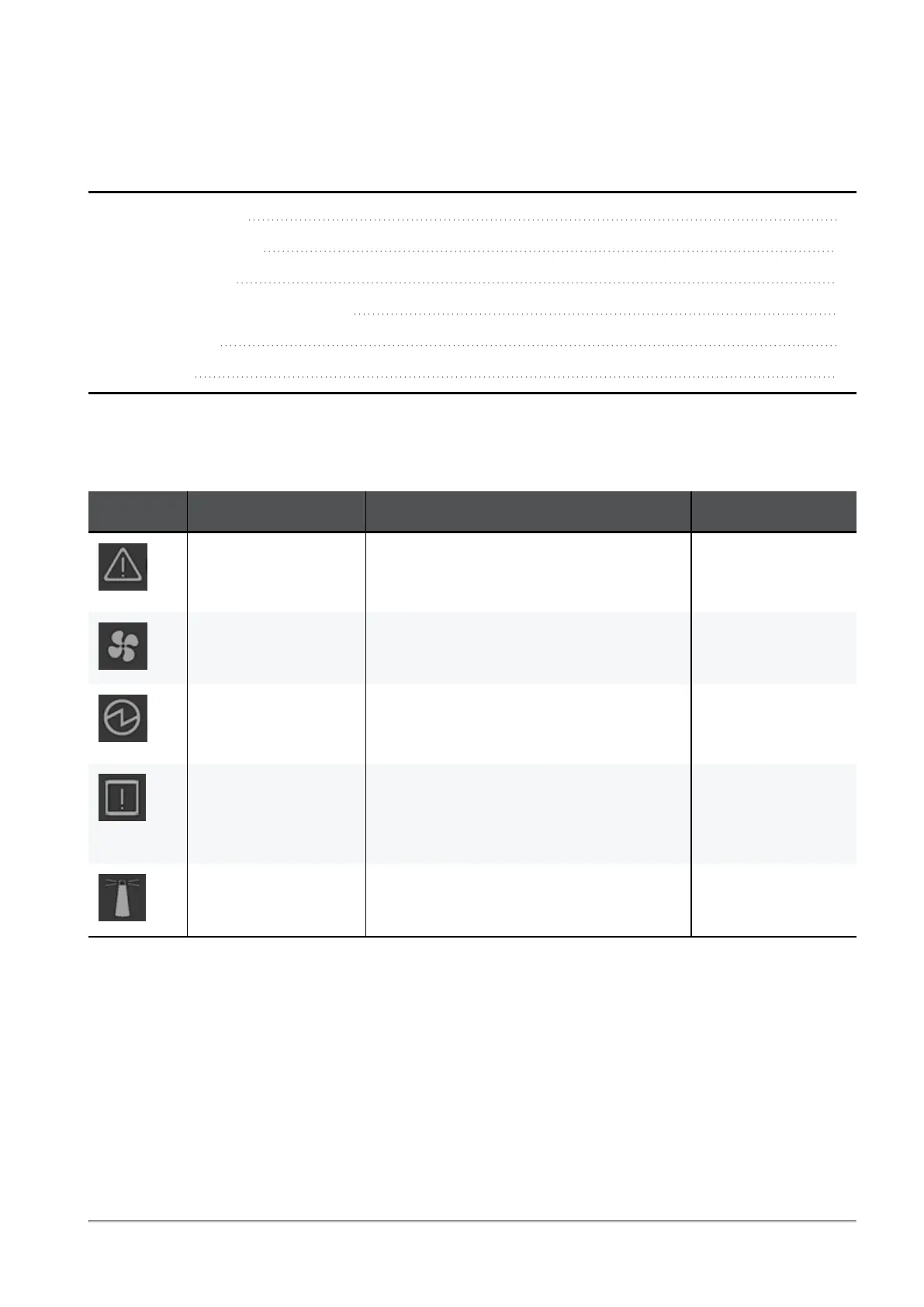
LED Notifications
The LEDs are an important tool for hardware event notification and troubleshooting.
Symbol LED Name Instructions Normal Condition
"System Status
LED" on the next
page
Shows the health of the Quantum Maestro
Orchestrator.
Steady green or
flashing green
during boot.
"Fan Status LED" on
page34
Shows the health of the Fan Units. Steady green.
"Power Supply Unit
Status LEDs" on
page36
Shows the health of the Power Supply
Units.
Steady green.
"Bad Port LED" on
page39
Lights up when the Quantum Maestro
Orchestrator detects an error with one of
the ports.
Exists only in MHO-170 and MHO-140.
Off.
Unit Identifier
Not supported by Check Point Gaia OS.
Off.









 To Next Page