Single Site
Quantum Maestro Getting Started Guide|84
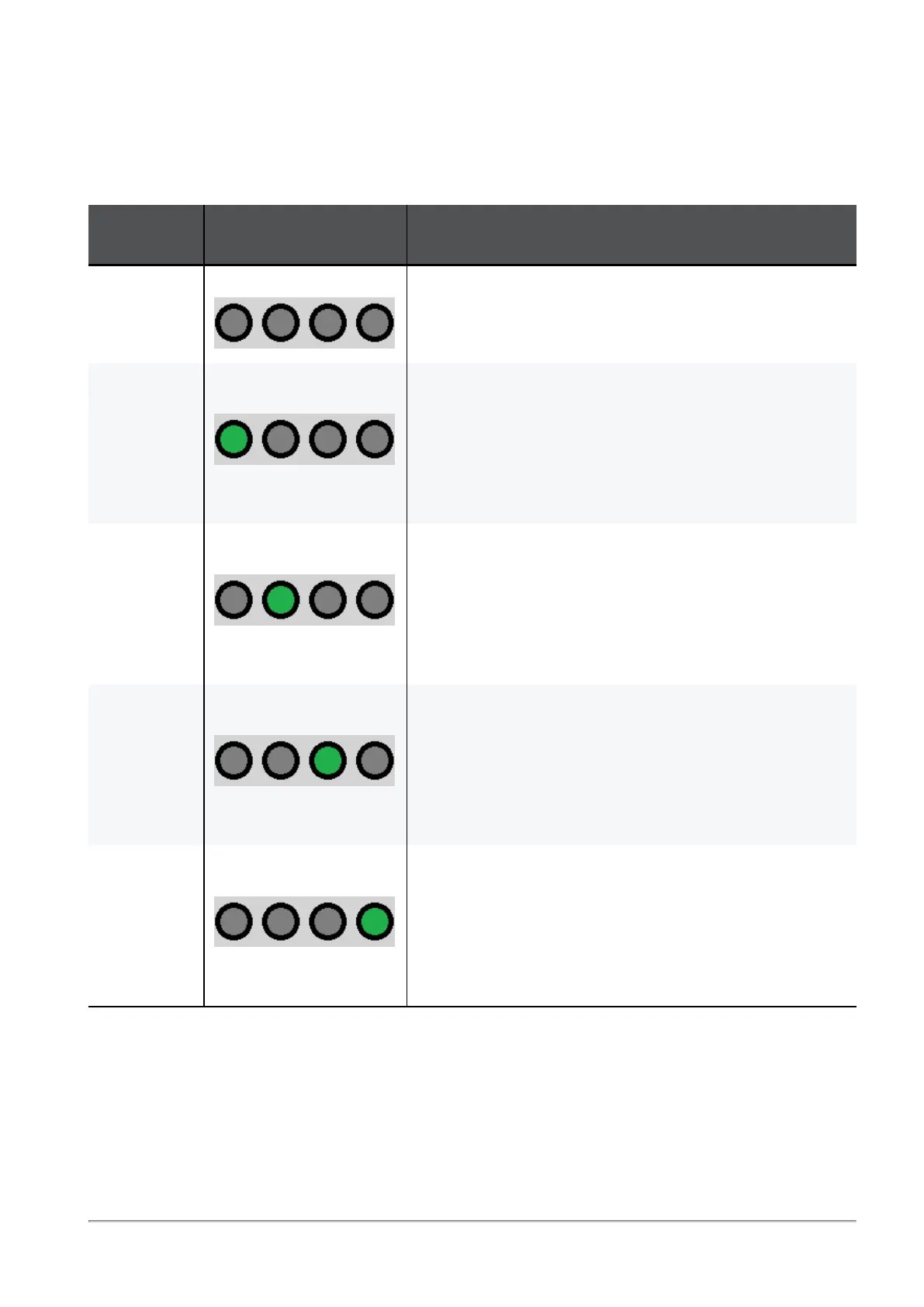
To see the state of split ports, it is necessary to use the control button to select the LED indication mode.
The control button (item 1) selects one of the five available LED indication modes in a cycle.
The four LEDs in the section SPLIT /1 /2 /3 /4 (item 2) show the current LED indication mode.
The port LEDs (item 3) show the port state - link (up or down) and traffic (flowing or not).
Indication
Mode
LEDs in the section
"SPLIT"
Description
0 All LEDs are off Port LEDs show the state of physical ports.
Use this indication mode when no breakout cables are
connected.
/1 Only the first LED from
the left is lit (/1)
Port LEDs show the state of the first split port of the physical
port.
Example:
If you connect a breakout cable to port 8 (interface eth1-
29), then in this LED indication mode /1,
the port LED 8 shows the state of the interface eth1-29
(Port 1/8/1).
/2 Only the second LED
from the left is lit (/2)
Port LEDs show the state of the second split port of the
physical port.
Example:
If you connect a breakout cable to port 8 (interface eth1-
29), then in this LED indication mode /2,
the port LED 8 shows the state of the interface eth1-30
(Port 1/8/2).
/3 Only the third LED from
the left is lit (/3)
Port LEDs show the state of the third split port of the
physical port.
Example:
If you connect a breakout cable to port 8 (interface eth1-
29), then in this LED indication mode /3,
the port LED 8 shows the state of the interface eth1-31
(Port 1/8/3).
/4 Only the fourth LED from
the left is lit (/4)
Port LEDs show the state of the fourth split port of the
physical port.
Example:
If you connect a breakout cable to port 8 (interface eth1-
29), then in this LED indication mode /4,
the port LED 8 shows the state of the interface eth1-32
(Port 1/8/4).









 To Next Page