MANUALPC-2010 CHAPTER IV - OPERATION Page 24
CHAPTER IV - CONTROLLER OPERATION
Chapter IV describes the menus and submenus used to
operate the CHEMTROL® PC controllers. For an overview,
refer to the Menu Tree at the beginning of this manual.
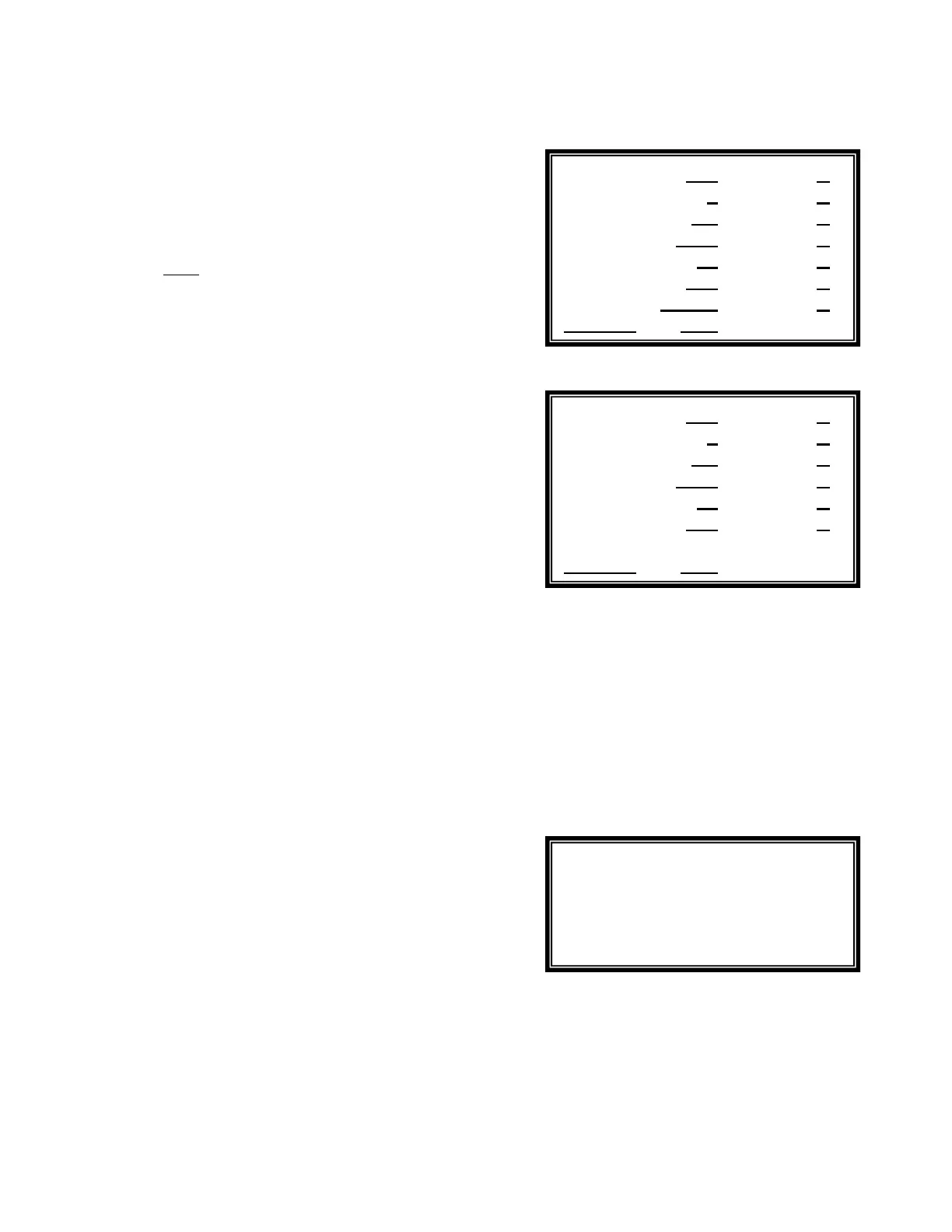
On the right are shown screens for the standard version and
for the two models: the PC7000 and the PC5000. The PC6000
and PC3000 are similar except that the Free Chlorine sensor is
not included for sanitizer control.
The underlines
on this screen, and all menus and
submenus, show operator adjustable entries, selections and
calibrations.
Access
The submenus are accessed by first highlighting a line in the
Main Display screen with the UP and DOWN ARROW keys
and then pressing the RIGHT ARROW key to enter the
submenu. Each menu or submenu is therefore identified by a
series of numbers - from 1 to 8 - which correspond to the
display lines that are used to access it. For instance,
Submenu 8.1.4 for Configuration/Initial Setup/Clock is
accessed by scrolling down to and pressing on line 8 on the
Main Display Screen, then line 1 on the Configuration Menu
and finally line 4 on the Initial Setup Submenu. To return to
any previous menu, press the UP ARROW key.
For ease of operation, the Configuration and Setup (Menu 6) is
discussed first. The other menus are discussed afterwards in
numerical order.
Default Setup
The controller is initially loaded with standard default values
that allow it to start operating normally. It is therefore not
required to initialize it in order to operate the controller, as it
defaults automatically to standard setup values, such as
“English” language, “U.S. Units”, “No password”, as well as
standard setpoints and alarm values.
The operator can change the original default settings at any
time to fit his preferences. If needed, the original default
values can also be restored through the Reset Submenu.
They will always be automatically restored in case of complete
loss of power, including backup battery power.
8 - CONFIGURATION MAIN MENU
A
s shown on Menu 8, the Configuration Menu is used for Initial
Setup, Operations, viewing or printing of Reports (data logs)
and Communications.
To access the Configuration Menu, use the DOWN ARROW
key on the Main Display screen to highlight the time/date line
and then press the RIGHT ARROW key to show the next
menu. It includes the three submenus shown on the right
(Menu 8).
PC7000 Main Display
PC5000 Main Display
Menu 8
Initial Setup
Operations
Reports
Communications
SANITIZER 1 ppm A
>ACID 7.5 pH A
COND 2000 uS X
TEMP 82 F A
>PUMP 200 gpm A
FILTER N.A.
08/10/96 5:30 LSI OK
SANITIZER 1 ppm A
>ACID 7.5 pH A
COND 2000 uS X
TEMP 82
F A
>PUMP 200 gpm A
FILTER 25 / 20 psi X
08/10/96 5:30 LSI OK


 To Next Page