TRANSTIG 170Pi
DISASSEMBLY PROCEDURE 7-2 Manual 0-5242
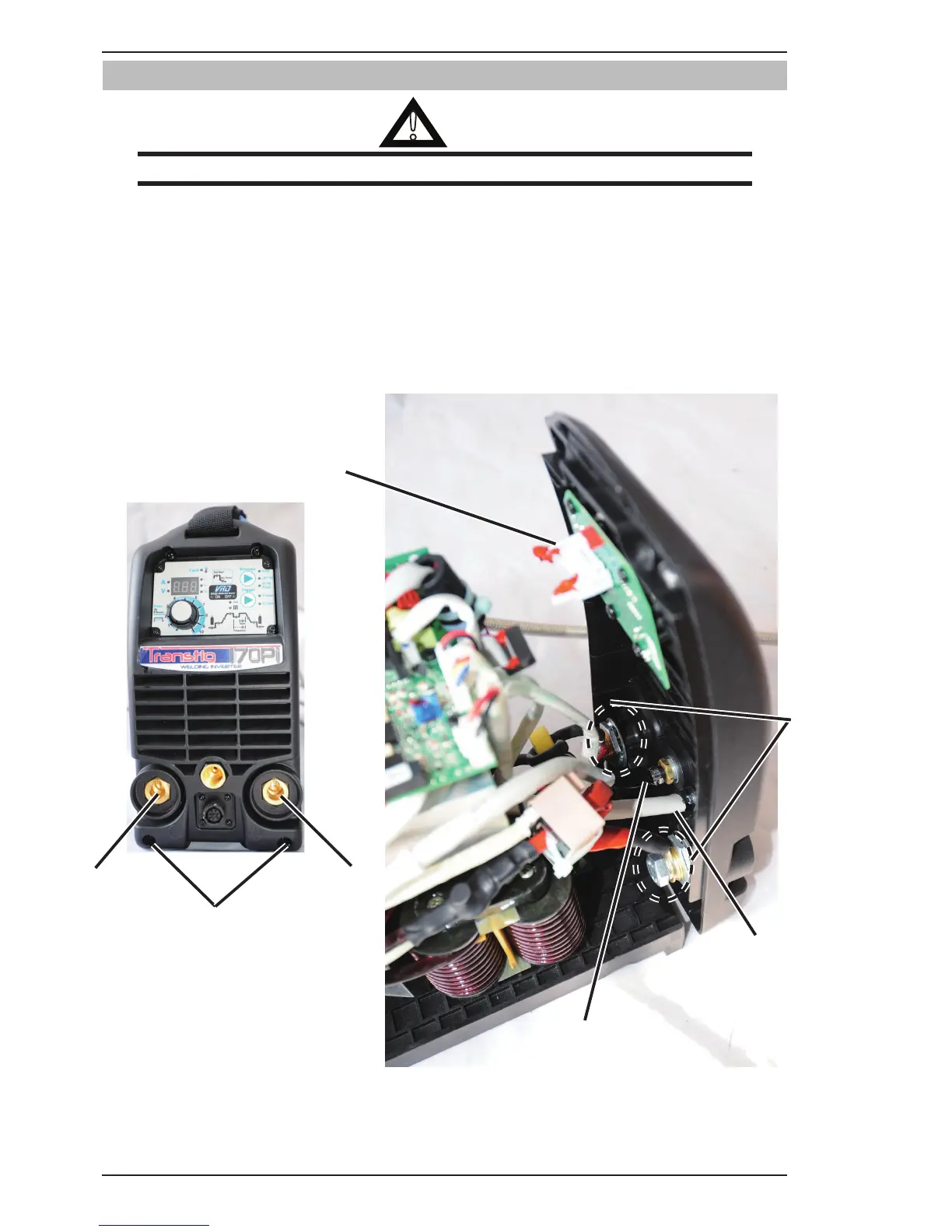
7.03 Front Panel Removal
!
WARNING
Read and follow safety information in Section 6.04 before proceeding.
1. Remove the two screws at the bottom of Front Panel.
2. Power supply output Negative
3. Power supply output Positive
4. Output terminal bolts. Unscrew power supply output terminal bolts.
5. Disconnect the MB harness from Display PCB.
6. Disconnect the Gun harness from Inverter PCB.
7. Disconnect the gas hose.
1
2
3
4
5
6
7
Art # A-11825
Figure 7-2: Front Panel Removal



 To Next Page