TRANSTIG 170Pi
Manual 0-5242 8-3
ASSEMBLY PROCEDURE
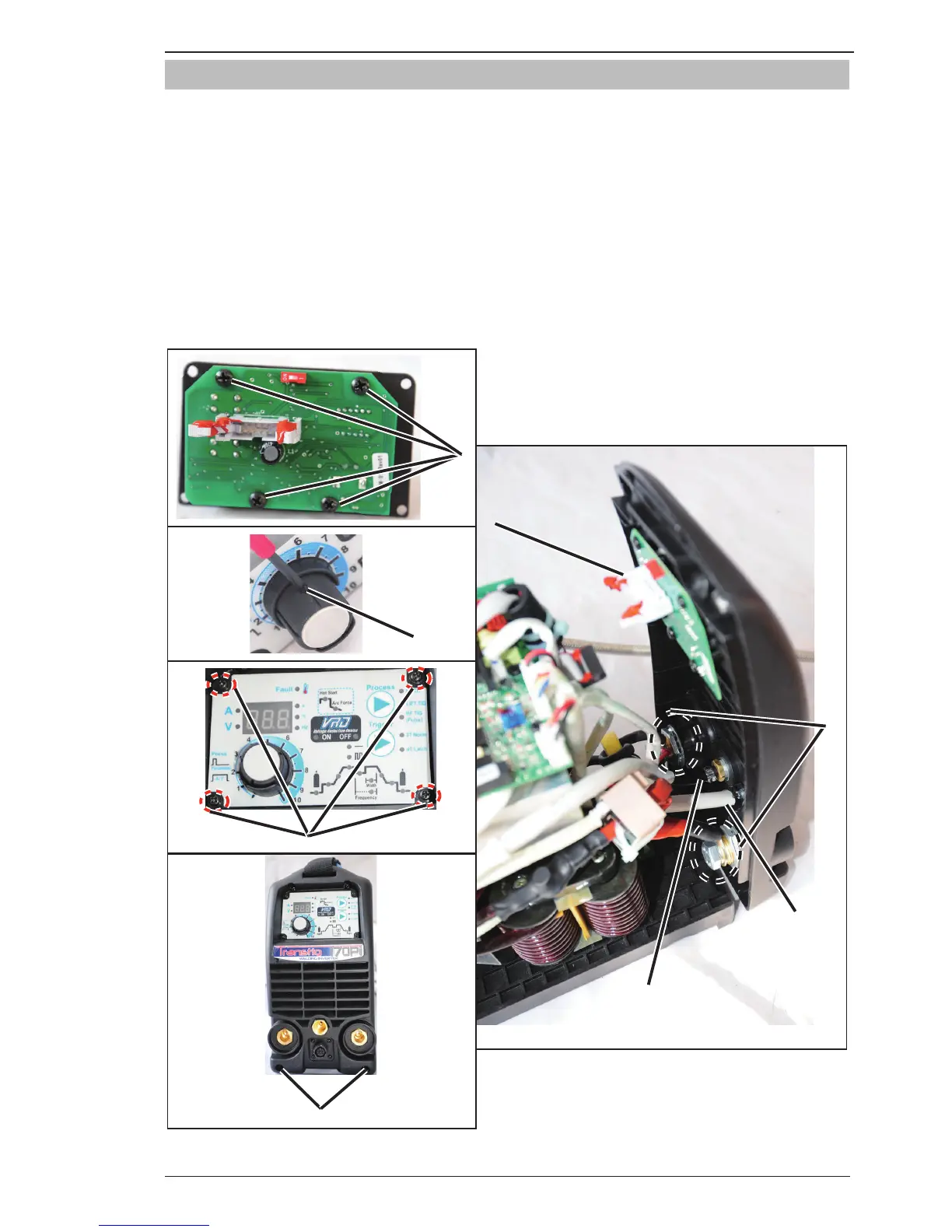
8.03 Installing Front Panel
1. Install the four screws and secure Display PCB to Front Panel.
2. Install the screw on the control knob.
3. Install the four screws on Front Panel.
4. Reconnect the gas hose.
5. Reconnect the gun harness to Inverter PCB.
6. Reconnect the MB harness to Display PCB. Make sure it is correctly installed with the levers in the
locked position.
7. Tighten power supply output terminal bolts.
8. Install the two screws and secure Front Panel to Base Panel.
3
2
1
8
6
5
4
Art # A-11834
7
Figure 8-3: Installing Front Panel







 To Next Page