1 2 3 4
5 6 7 8
9 10 11 12
13 14 15 16
English
21 EN
to change sel.
to confirm
21 SEP 17 15:15
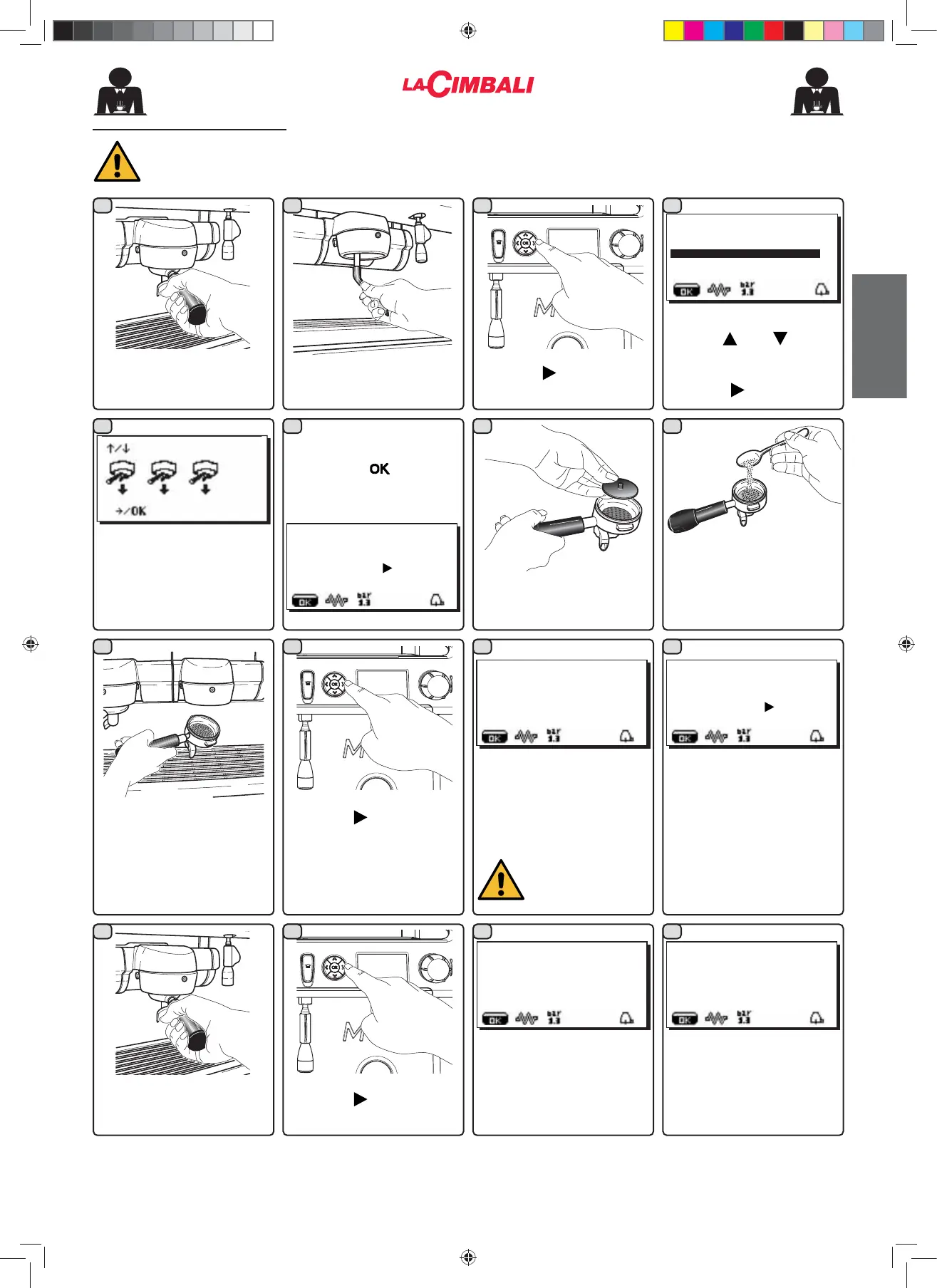
INSERT. FILTER HOLDER
push
to confirm
21 SEP 17 15:15
GR... WASH
21 SEP 17 15:15
REMOVE FILTER HOLDER
push
to confirm
21 SEP 17 15:15
GR... RINSE
21 SEP 17 15:15
SIMULTANEOUS WASHING
5HPRYHWKH¿OWHUKROGHUIURP
WKHFRႇHHJURXS
Using a brush, clean the
cover gasket.
Use the
and keys to
position the cursor (black
line) on the desired line, then
press the key.
Insert the rubber disk into
WKH¿OWHUKROGHUZLWKLWV¿OWHU
+RRNDOOWKH¿OWHUKROGHUVWR
the groups.
&RQ¿UPWKHZDVKLQJPRGH
using the key WKHVFUHHQ
will display:
Press the key.
The wash cycle will start and
the "GR... WASH" message
will appear in alternated way
on the display.
Do not remove the
¿OWHU KROGHU GXULQJ
FRႇHHGLVSHQVLQJ
At the end of wash cycle,
the message "REMOVE
GROUP FILTER HOLDER"
will appear.
5HPRYHWKH¿OWHUKROGHUV
The message "GR... RINSE"
will appear in alternated way
on the display.
The washing cycle is
complete after the rinsing
phase.
Press the key.
Press the key.
The simultaneous washing
screen (preset mode) will
appear on the display.
Procedure to follow at the end of the working day on all groups or when signalled by the machine.
Pour in 5 g of detergent
powder, equal to about one
teaspoon.
À
CUSTOMER PROG.
KEY MENU
SELF-LEARNING
WASHING
DATA MENU
CUSTOMER
02_M26_UNICO_EU_2314.indd 21
02_M26_UNICO_EU_2314.indd 21
07/04/2023 12:05:15












 To Next Page