+
$
1 2
3 4
English
34 EN
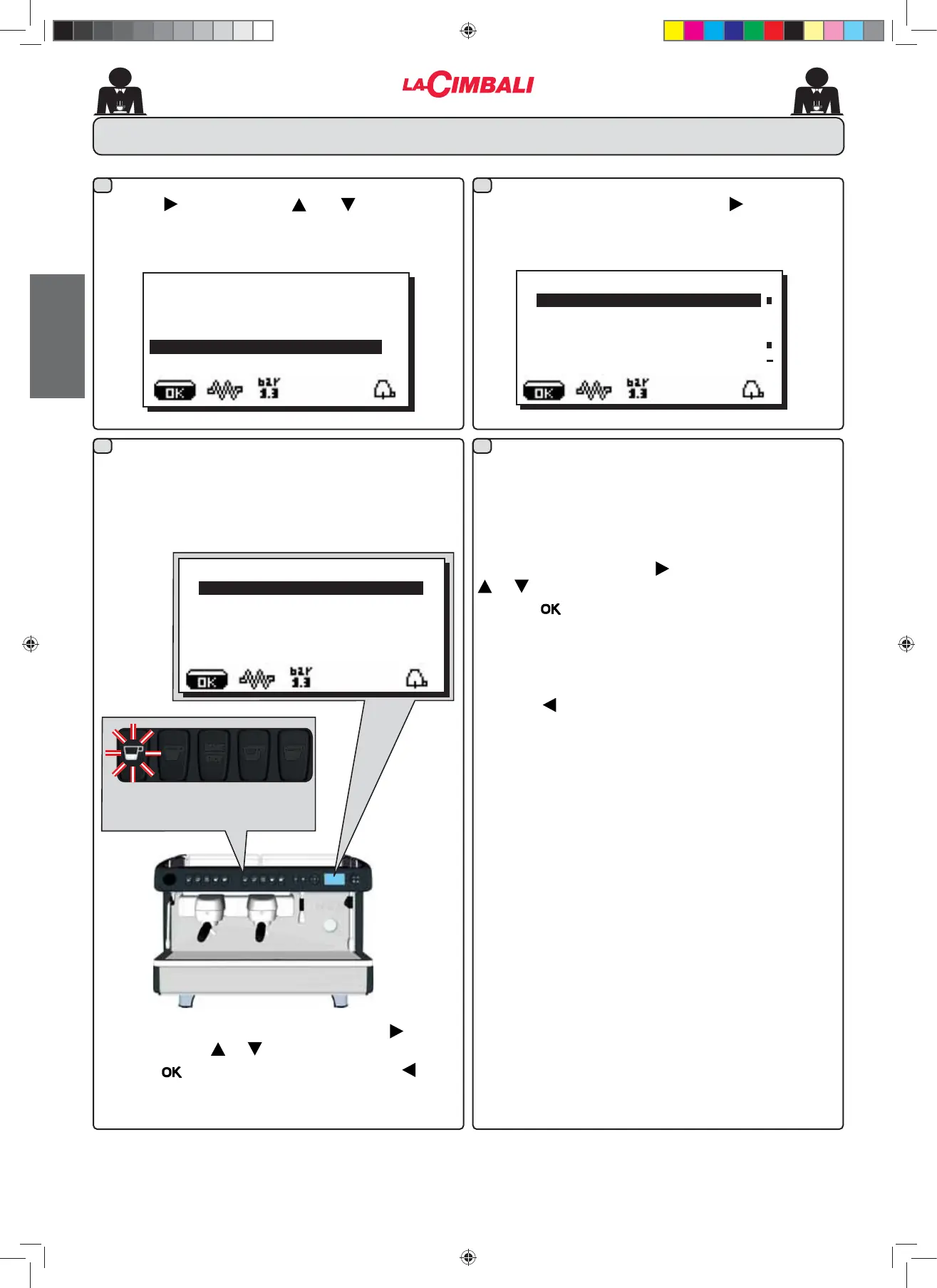
27. DATA menu - Counter display and zeroing
ÀCOUNTERS MENU
KEY MENU
NFRႇHHJU
NFRႇHHJU
NFRႇHHJU
N° water 01234
Parameters calculated are:
1FR௺HHQXPEHURIFRႇHHEHYHUDJHV
- N. water (number of times water is dispensed)
1WRWFR௺HHWRWDOQXPEHURIFRႇHHEHYHUDJHV
Counters can be zeroed by aligning the cursor on the
selected entry, pressing the key, and then pressing the
or key.
Press the NH\WRFRQ¿UP]HURLQJ
7KH1FRႇHHHQWU\DSSHDUVIRUDVPDQ\WLPHVDVWKHUH
are machine groups.
Note: Parameters that cannot be zeroed are:
1WRWFRႇHH
Press the key to return to the main menu.
ÀSELECTION COUNTER
Tot. sel. 01234
Press the key and use the and keys to position
WKH FXUVRU EODFN OLQH RQ WKHGHVLUHGOLQH WKH IROORZLQJ
message will appear on the display:
By pressing any dispensing key, the associated LED remains
OLWDQGWKHGLVSOD\VKRZVWKHQXPEHURIWLPHVFRႇHHKDV
been dispensed with that key:
Counters are displayed by pressing the key.
The following message appears on the display:
Selection counters can be zeroed pressing the key, and
then pressing the or key.
Press the NH\WRFRQ¿UP]HURLQJSUHVVWKH key to
return to the main menu.
À
CUSTOMER PROG.
KEY MENU
SELF-LEARNING
WASHING
DATA MENU
CUSTOMER
02_M26_UNICO_EU_2314.indd 34
02_M26_UNICO_EU_2314.indd 34
07/04/2023 12:06:03












 To Next Page