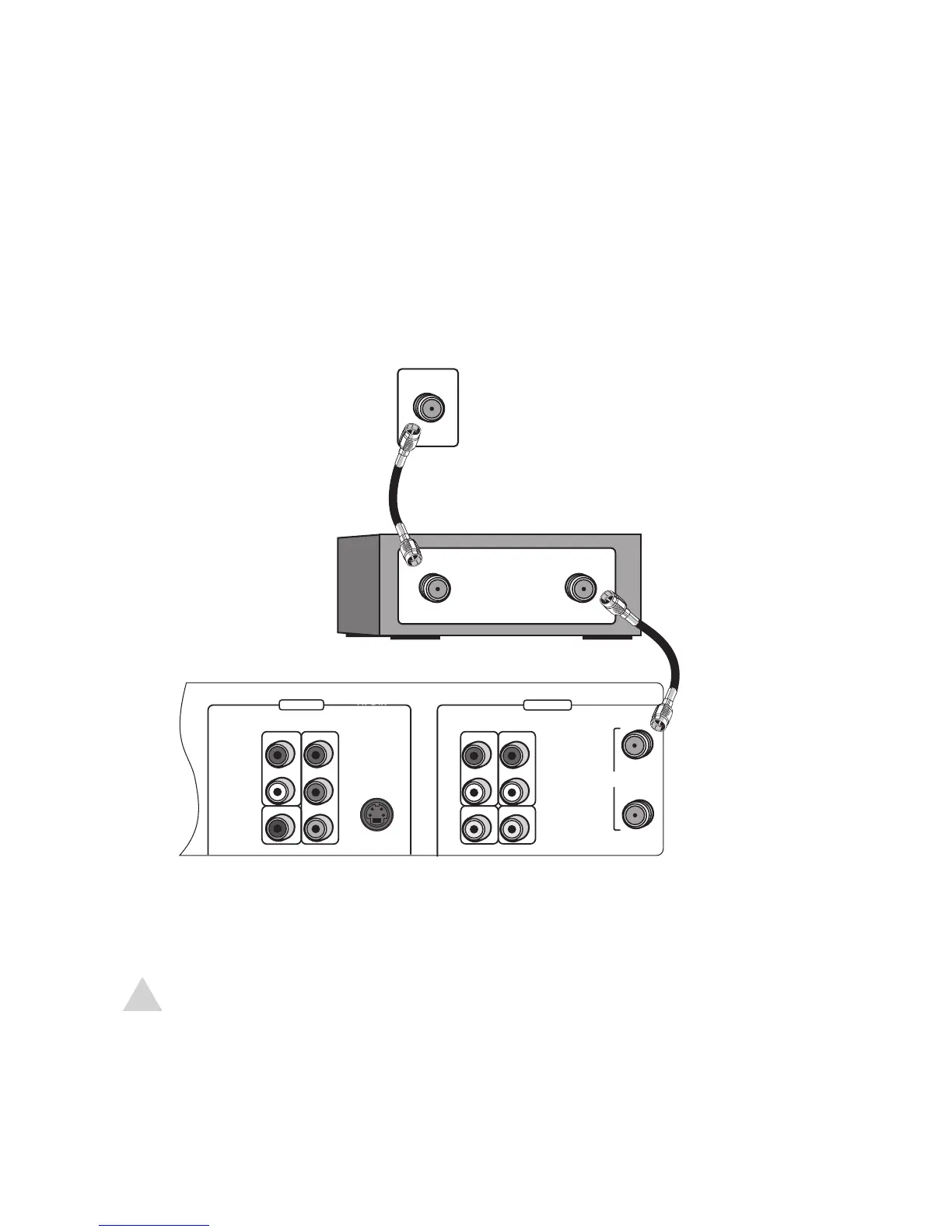
If you are using a cable box or satellite receiver:
1 Connect an RF cable from the wall outlet to the cable box/receiver.
2 Connect an RF cable from the cable box/receiver to the DVD+VCR.
3 Connect the DVD+VCR to your TV; see page 15.
NOTE:
• With this connection, set the DVD+VCR to channel 3 or 4 and then select channels on
the cable box/receiver. For Cable Box Setup options, see page 24.
• If your cable box/receiver is equipped with AV Out jacks, use the Rear or Front AV
Connections for better picture and sound quality; see pages 18-19.



 To Next Page