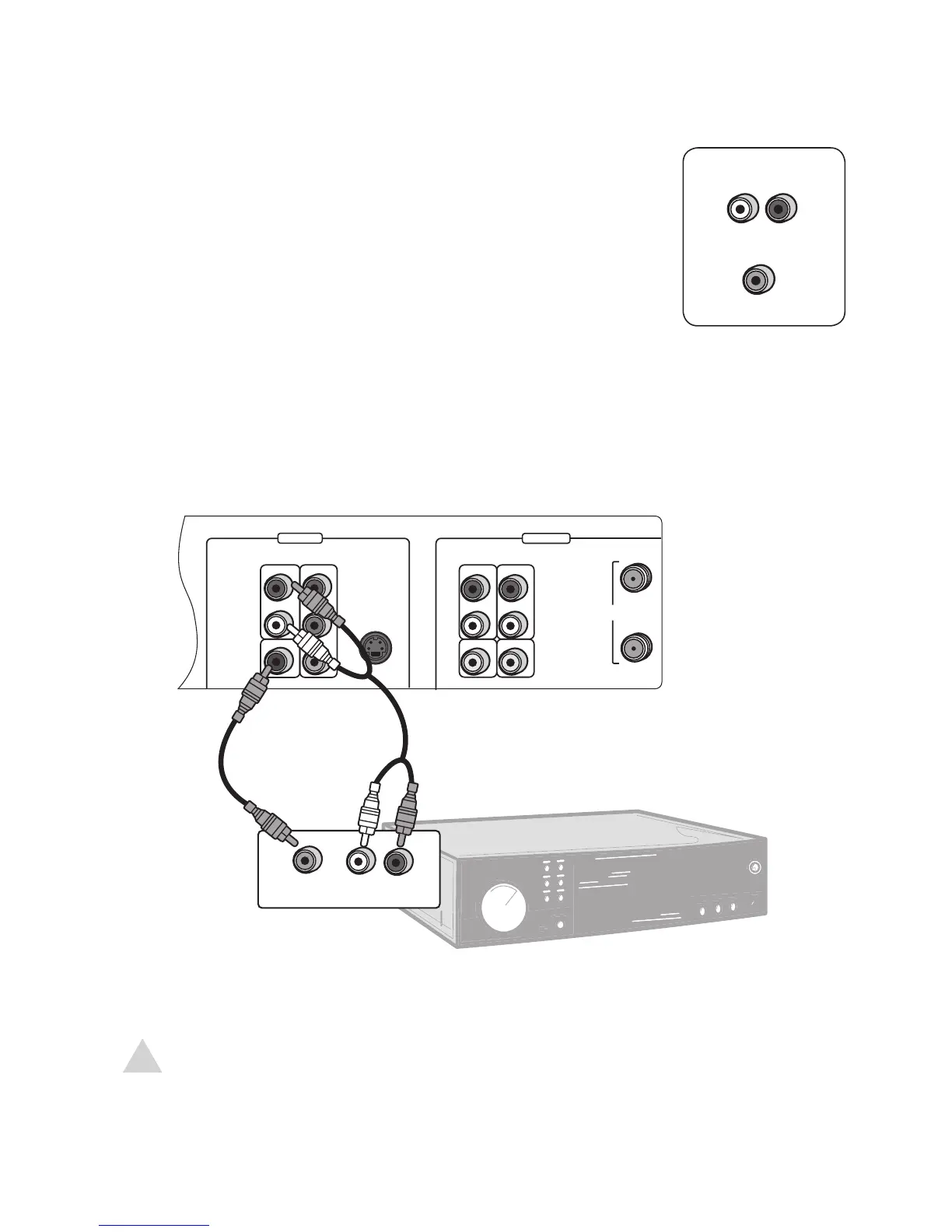
If you have a stereo system or digital audio receiver, you can enjoy
superior sound quality.
1 Connect left/right audio cables from the DVD+VCR to your
stereo system as shown.
OR
Connect a digital coaxial cable from the DVD+VCR to your digi
-
tal audio receiver as shown.
2 Select the appropriate audio input on your stereo or receiver to
hear the DVD+VCR.
• If you used the coaxial connection, you must set Digital Out in the DVD Setup
menu; see page 29.
2 - Connections
NOTE:
• If your receiver is equipped with a Dolby Digital and/or DTS decoder your can enjoy
5.1 surround sound playback while watching DVD movies.



 To Next Page