16 DVD+VCR User’s Guide
Enhanced Video Options
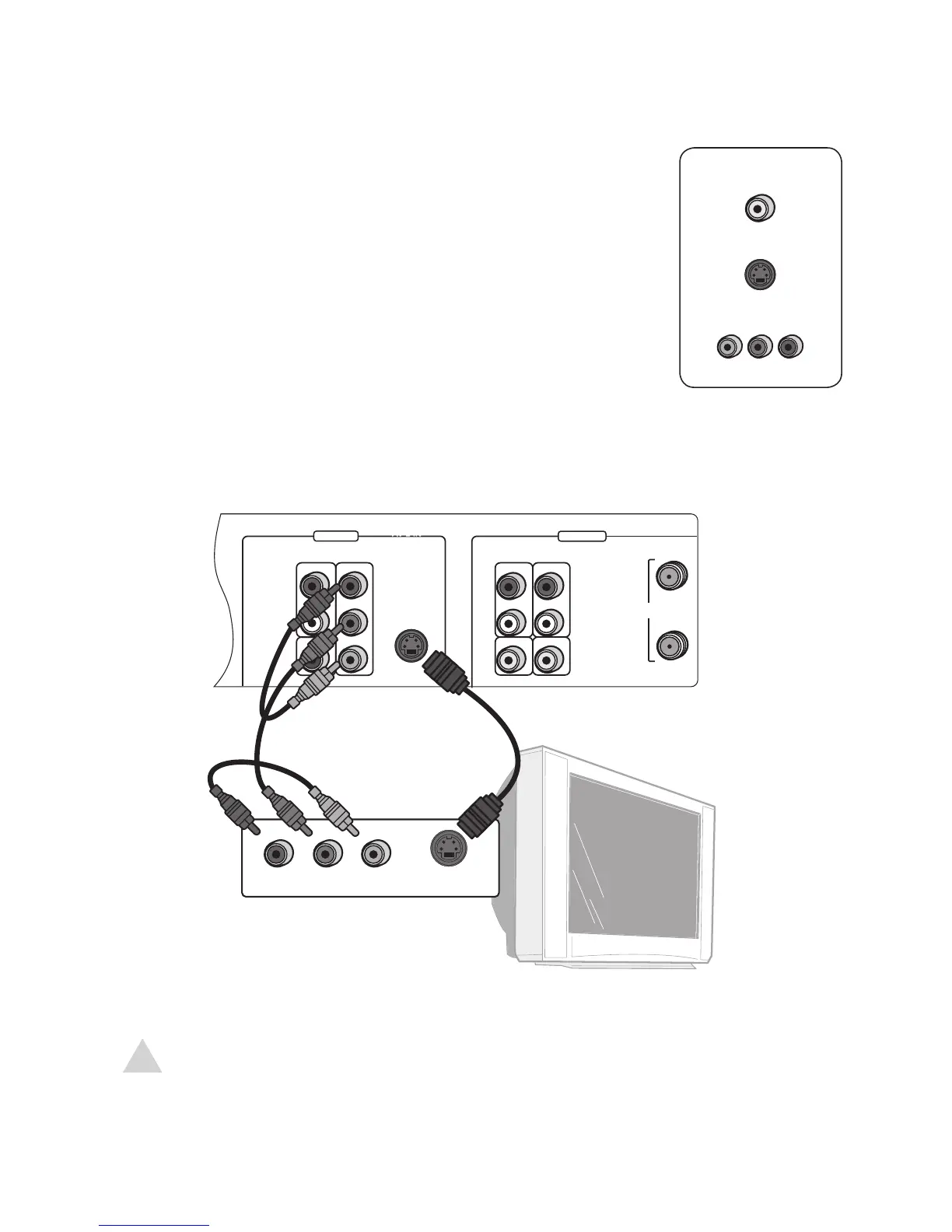
If your TV has S-Video or Component Video inputs, you can enjoy
superior picture quality (DVD playback only).
1 Connect an S-Video cable OR set of Component Video cables
from the DVD+VCR to your TV as shown.
2 Select the S-Video or Component Video input on your TV to
view the DVD+VCR.
• If you use the S-Video Out or Component Video connec
-
tion, you must set Video Out and Scan Mode in the DVD
Setup menu; see page 28.
NOTE:
• Be sure to choose one of the audio connection options on page 17.
• The S-Video and Component Video connections are for DVD playback only!



 To Next Page