EasyManua.ls Logo

cineVision DVR2000 - Rear AV Connections

Default Icon
48 pages
Print Icon
To Next Page IconTo Next Page
To Previous Page IconTo Previous Page
Loading...
18 DVD+VCR User’s Guide
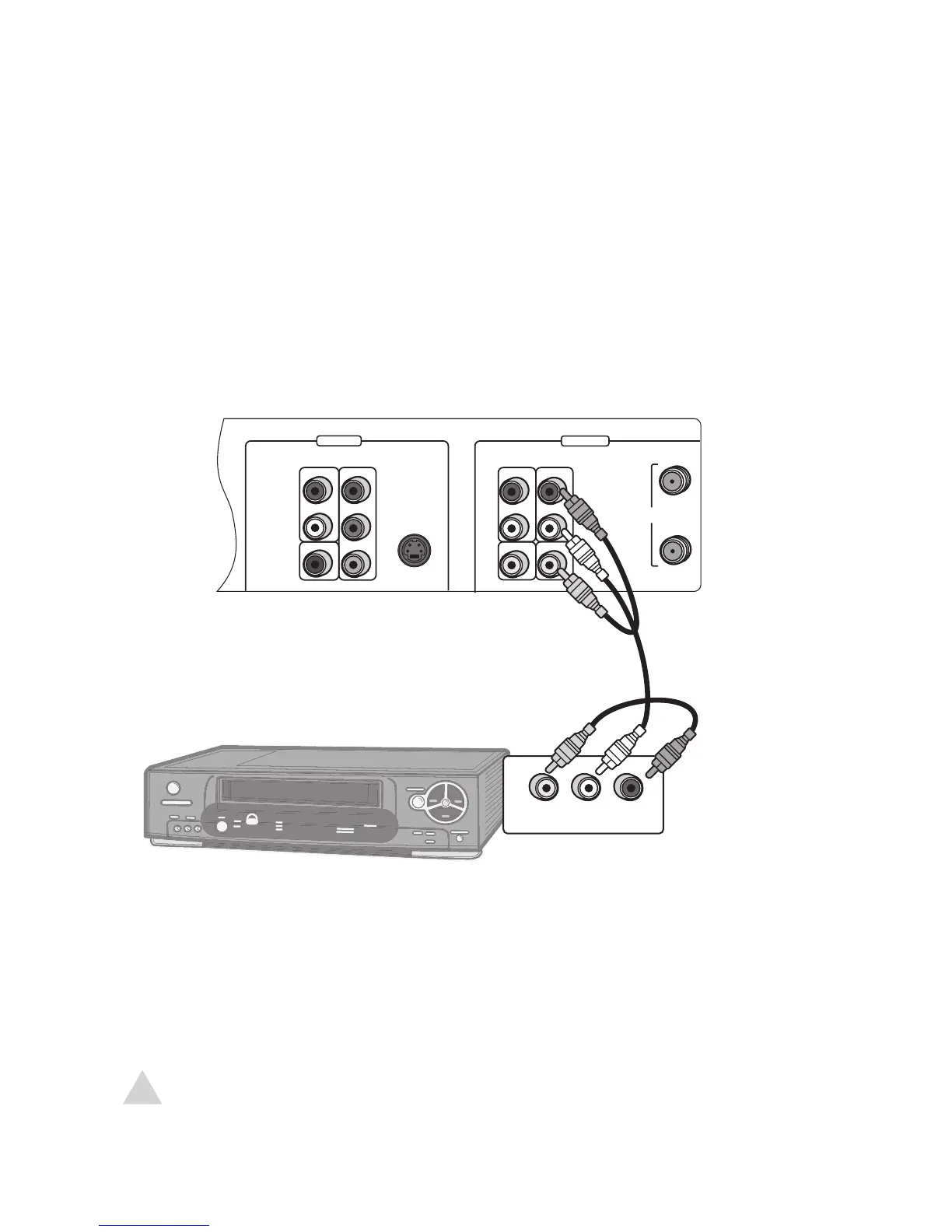
Rear AV Connections
DVD ONLY DVD + VCR
AUDIO
OUT
R
L
R
L
Pr
Pb
Y
DIGITAL
AUDIO OUT
COAXIAL
COMPONENT
VIDEO OUT
VIDEO
OUT
VIDEO 1
IN
IN
(FROM ANT.)
OUT
(TO TV)
RF
S-VIDEO OUT
AUDIO
VIDEO



 

You can view and record from an external device, such as a VCR, connected to the rear
AV inputs.
1 Connect standard audio/video cables from the outputs of the external device to
the inputs of the DVD+VCR as shown.
2 Press TV VIEW until Video 1 appears on the screen.
NOTE:
To record from the external device, see page 38.

Related product manuals