30 DVD+VCR User’s Guide
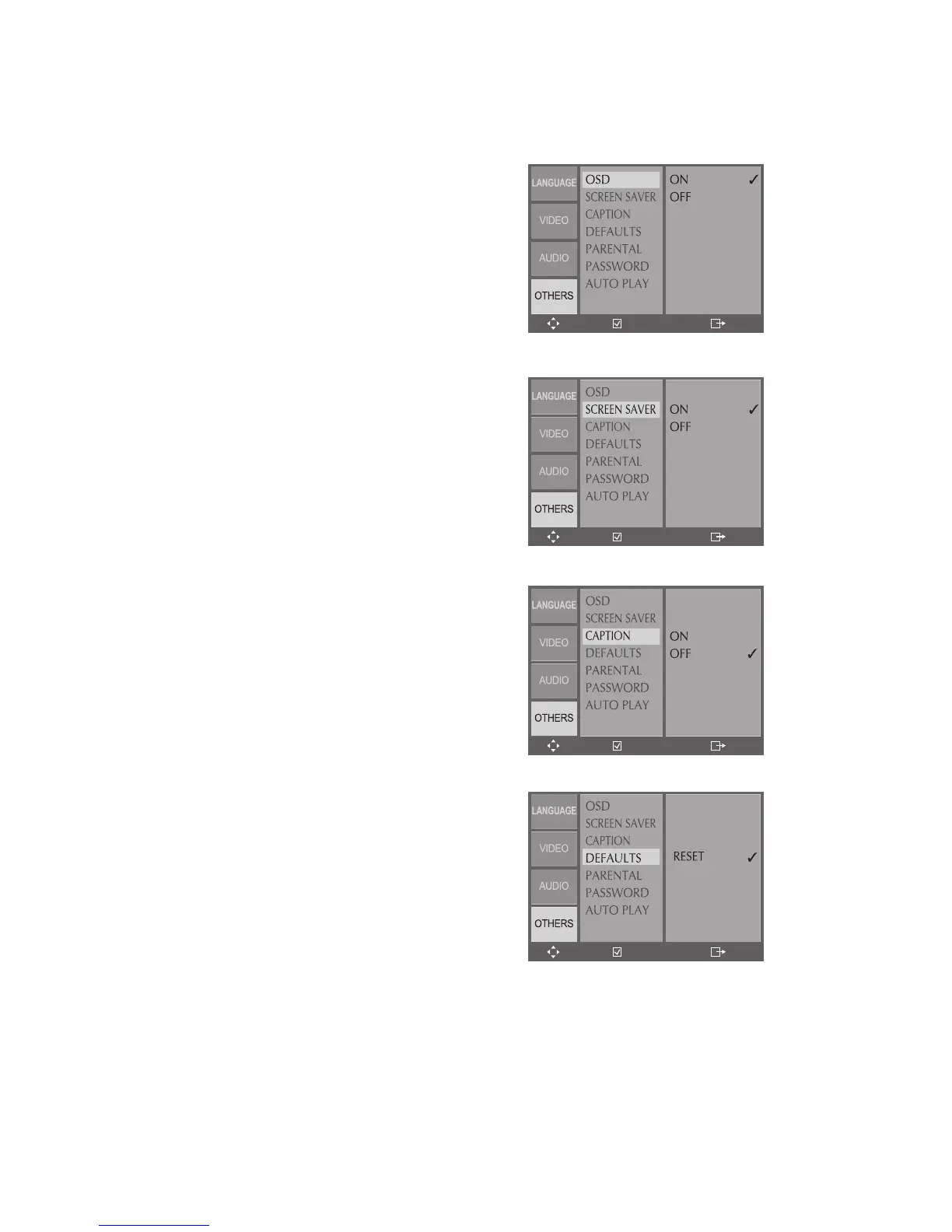
On-Screen Display
Enables the on-screen display (OSD),
which provides feedback on the current
status of the DVD+VCR.
1 In DVD Stop mode, press SETUP.
2 Select Others > OSD.
3 Turn On-Screen Displays on or off.
Screen Saver
Enables the built-in screensaver, which
appears automatically if the DVD+VCR is
left in Stop for longer than 5 minutes.
1 In DVD Stop mode, press SETUP.
2 Select Others > Screen Saver.
3 Turn the Screen Saver on or off.
Closed Captions
Enables closed captions, i.e., subtitles that
appear while watching a movie.
1 In DVD Stop mode, press SETUP.
2 Select Others > Captions.
3 Turn Closed Captions on or off.
Restore Defaults
Restores the DVD+VCR to its original
factory settings.
1 In DVD Stop mode, press SETUP.
2 Select Others > Defaults.
3 Select Reset and press ENTER.
• The DVD+VCR will restore all menu
settings (except Parental Control) to
their original factory defaults.
Other DVD Settings



 To Next Page