EasyManua.ls Logo

cineVision DVR2000 - VCR Setup Menu Overview; About VCR Menu Navigation

Default Icon
48 pages
Print Icon
To Next Page IconTo Next Page
To Previous Page IconTo Previous Page
Loading...
21
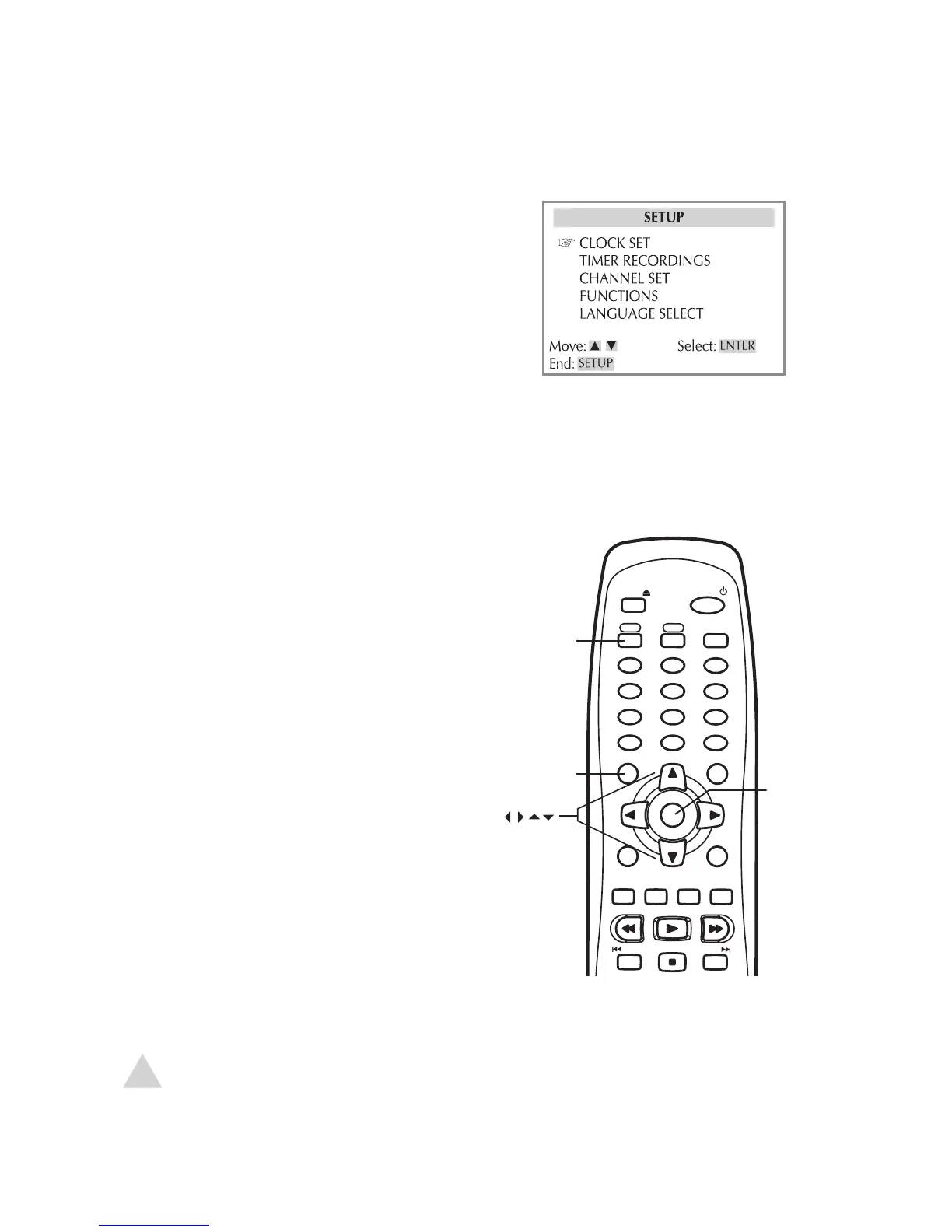
VCR Setup Menu Overview
About VCR Menu Navigation
The VCR Setup menu allows you to set your preferences for the VCR deck. Choose from
these categories:
Clock Settings – see page 22
Channel Settings – see page 23-24
Other VCR Settings – see page 25
Press VCR to switch to VCR mode.
Press SETUP to display the VCR Setup
menu.
Use the  keys to move up and down.
Use the  keys to move left and right.
Press ENTER to make selections.
Press SETUP again to go back and exit the
Setup menu.

EJECT
POWER
VCR
DVD
TV VIEW
1
2
3
4
5
6
7
8
9
0
100+/P.SCAN
CLEAR
TRK-
TRK+
SETUP
CH+
DISPLAY
TITLE
CH-
ENTER
MENU
REW
PLAY
FF
LAST CH.
REPEAT
SUBTITLE
AUDIO
SEARCH
ZOOM
TV/VCR
AUTO PLAY
MARK
ANGLE
SKIP REPLAY
A-B
PROG.
STOP
SPEED
REC
PREV
NEXT
3 - Setup
NOTE:
For DVD Setup, see page 26.

Related product manuals