EasyManua.ls Logo

cineVision DVR2000 - Special VCR Playback Options

Default Icon
48 pages
Print Icon
To Next Page IconTo Next Page
To Previous Page IconTo Previous Page
Loading...
35
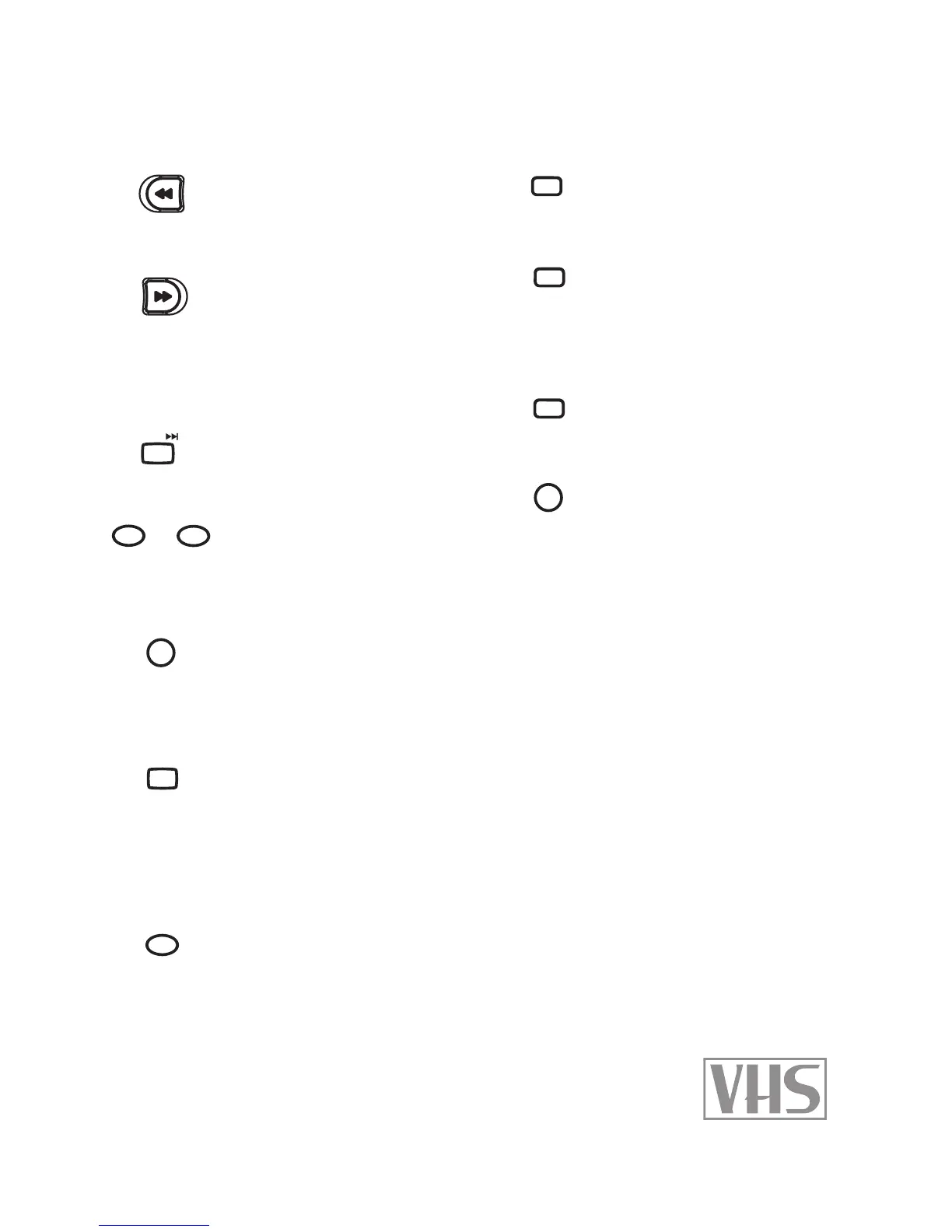
Special VCR Playback Options
REW
Scans backward at high
speed. In Stop mode, re-
winds the tape.
FF
Scans forward at high
speed. In Stop mode, fast-
forwards the tape. In Pause
mode, plays in slow mo-
tion (forward only).
NEXT
In Pause mode, steps for-
ward one frame at a time.
TRACKING+/-
Manually reduces noise
on the screen during tape
playback.
DISPLAY
Displays the clock and cur-
rent playback information,
including elapsed time
and playback status.
AUDIO
Sets tape audio to Hi Fi,
Linear (Mono), or Mix.
While watching TV, selects
Stereo, Mono, or SAP (Sec-
ondary Audio Program).
CLEAR
Resets the current tape
counter position to
00:00:00.
LAST CHANNEL
Selects the last channel
viewed while watching TV.
SKIP
Skips ahead 30 seconds
while playing a tape (the
typical length of a TV com-
mercial).
REPLAY
Replays the last 15 sec-
onds while playing a tape.
SETUP
Press SETUP, select “Func-
tions”, and then choose
from the following:
Index Search
Scans or searches for Index
marks. Note: Index marks
are placed at the start of
every new recording.
Go-To Search
Fast-forwards or rewinds
the tape to any counter
position.
Set Auto Repeat
Sets the VCR to play the
currently loaded tape in a
continuous loop.
4 - Operations

100+/P.SCAN
1
TRK-
3
TRK+
DISPLAY
TITLE
MENU
PLAY
REW
FF
SUBTITLE
AUDIO
SEARCH
ZOOM
REPEAT
A-B
AUTO PLAY
MARK
ANGLE
SKIP
REPLAY
PROG.
STOP
PREV
NEXT
CLEAR
TV/VCR
100+/P.SCAN
1
TRK-
3
TRK+
DISPLAY
TITLE
MENU
PLAY
REW
FF
SUBTITLE
AUDIO
SEARCH
ZOOM
REPEAT
A-B
AUTO PLAY
MARK
ANGLE
SKIP
REPLAY
PROG.
STOP
PREV
NEXT
CLEAR
TV/VCR
100+/P.SCAN
1
TRK-
3
TRK+
DISPLAY
TITLE
MENU
PLAY
REW
FF
SUBTITLE
AUDIO
SEARCH
ZOOM
REPEAT
A-B
AUTO PLAY
MARK
ANGLE
SKIP
REPLAY
PROG.
STOP
PREV
NEXT
CLEAR
TV/VCR
100+/P.SCAN
1
TRK-
3
TRK+
DISPLAY
TITLE
MENU
PLAY
REW
FF
SUBTITLE
AUDIO
SEARCH
ZOOM
REPEAT
A-B
AUTO PLAY
MARK
ANGLE
SKIP
REPLAY
PROG.
STOP
PREV
NEXT
CLEAR
TV/VCR
100+/P.SCAN
1
TRK-
3
TRK+
DISPLAY
TITLE
MENU
PLAY
REW
FF
SUBTITLE
AUDIO
SEARCH
ZOOM
REPEAT
A-B
AUTO PLAY
MARK
ANGLE
SKIP
REPLAY
PROG.
STOP
PREV
NEXT
CLEAR
TV/VCR
100+/P.SCAN
1
TRK-
3
TRK+
DISPLAY
TITLE
MENU
PLAY
REW
FF
SUBTITLE
AUDIO
SEARCH
ZOOM
REPEAT
A-B
AUTO PLAY
MARK
ANGLE
SKIP
REPLAY
PROG.
STOP
PREV
NEXT
CLEAR
TV/VCR
100+/P.SCAN
1
TRK-
3
TRK+
DISPLAY
TITLE
MENU
PLAY
REW
FF
SUBTITLE
AUDIO
SEARCH
ZOOM
REPEAT
A-B
AUTO PLAY
MARK
ANGLE
SKIP
REPLAY
PROG.
STOP
PREV
NEXT
CLEAR
TV/VCR
100+/P.SCAN
1
TRK-
3
TRK+
DISPLAY
TITLE
MENU
PLAY
REW
FF
SUBTITLE
AUDIO
SEARCH
ZOOM
REPEAT
A-B
AUTO PLAY
MARK
ANGLE
SKIP
REPLAY
PROG.
STOP
PREV
NEXT
CLEAR
TV/VCR
100+/P.SCAN
1
TRK-
3
TRK+
DISPLAY
TITLE
MENU
PLAY
REW
FF
SUBTITLE
AUDIO
SEARCH
ZOOM
REPEAT
A-B
AUTO PLAY
MARK
ANGLE
SKIP
REPLAY
PROG.
STOP
PREV
NEXT
CLEAR
TV/VCR
SETUP
LAST CH.

Related product manuals