23
Channel Settings
3 - Setup
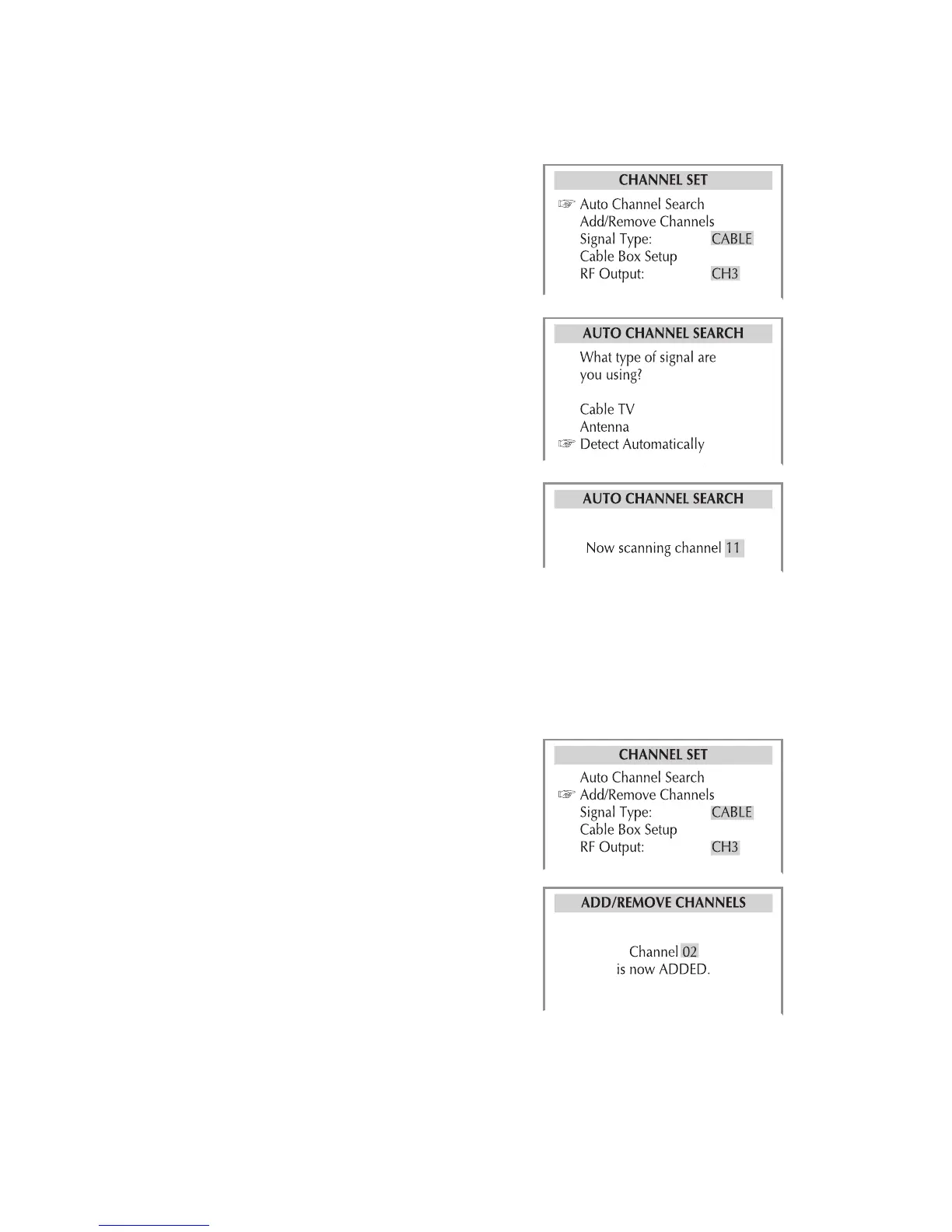
Auto Channel Search
Automatically searches for all available TV
stations from antenna or cable TV. If you
are using a cable box or satellite receiver,
you do not need to run Auto Channel
Search.
1 Press VCR, then press SETUP.
2 Select Channel Set > Auto Channel
Search.
3 Choose from the following:
Cable TV - Select if the DVD+VCR is
connected to a cable TV source.
Antenna - Select if the DVD+VCR is
connected to an antenna.
Detect Automatically - Select to
have the DVD+VCR detect your signal
source automatically.
4 The DVD+VCR searches for all avail-
able stations. This may take several
minutes to complete.
5 When finished, the DVD+VCR tunes to
the lowest channel found.
Add/Remove Channels
Allows you to manually add or remove
channels.
1 Press VCR, then press SETUP.
2 Select Channel Set > Add/Remove
Channels.
3 Add or remove channels:
• Use to select the desired chan-
nel.
• Press to add or to remove the
channel.
4 When finished, press SETUP to exit.



 To Next Page