5.4.- RELAY OUTPUT 1
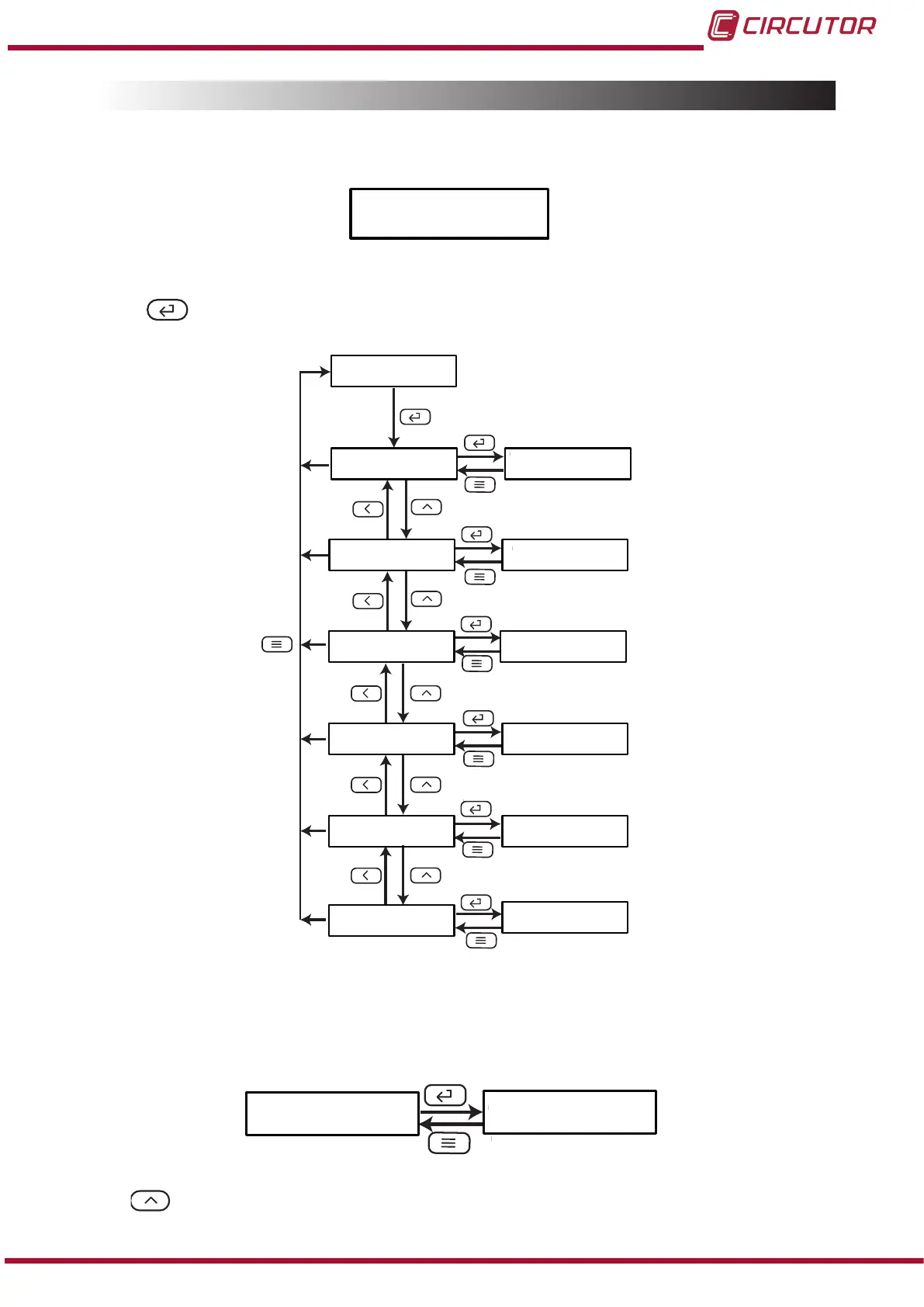
Figure 16, shows the main screen of the conguration menu of relay output 1.
do-1
Figure 16: Conguration menu of relay output 1, main screen.
Press the key to open the setup menu.
do-1
ñnodE
ñ-
tinE
itEn
dELy
HyS
uALE
ñ-
ñ-
000.0
0000
0010
oFF
000.5
i--H
Figure 17:Conguration menu of relay output 1.
5�4�1�- RELAY MODE
This screen is used to congure the operating mode of relay 1.
ñnodE
oFF
Use the key to browse the different options:
25
Instruction Manual
DHC-96 Aac











 To Next Page