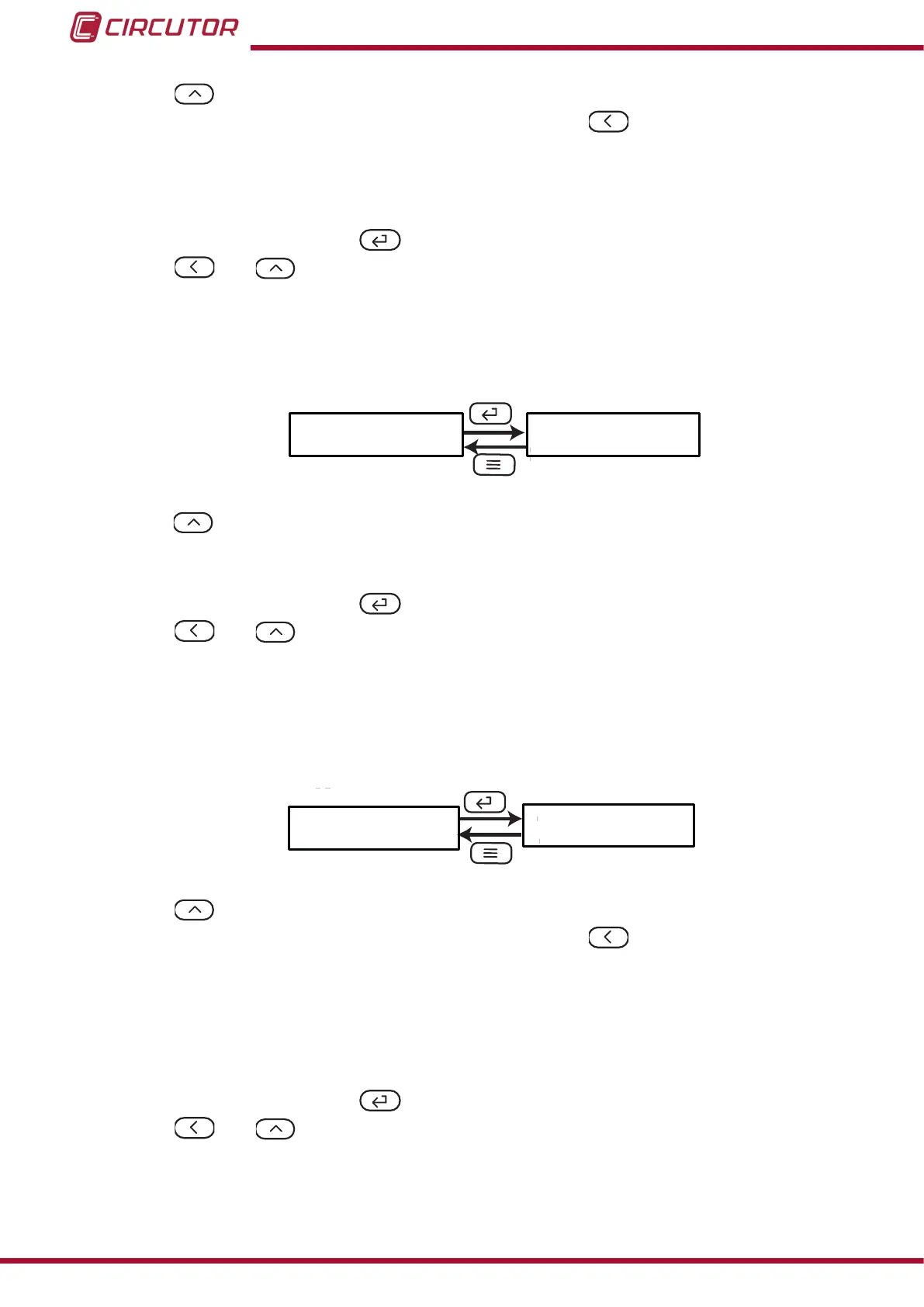
Use the , key to modify the value of the ashing digit
When the desired value is shown on the screen, press the key to skip the digit.
Minimum conguration value: 0
Maximum conguration value: 9999
To validate the data, press the key.
Use the and keys to browse the conguration screens of the menu.
5�6�2�- BRIGHTNESS OF THE DISPLAY
The brightness of the display is congured on this screen.
LiGH
L3
Use the , key to browse the different options: the display has 5 brightness levels, from L1
to L5.
To validate the data, press the key.
Use the and keys to browse the conguration screens of the menu.
5�6�3�- LIGHT ALARM
If the current value measured by the device is higher than a % of the nominal value, the device
can make the digits on the display start ashing, in the form of a light alarm.
Alr
120.0
Use the , key to modify the value of the ashing digit.
When the desired value is shown on the screen, press the key to skip the digit.
Minimum conguration value: 30.0%
Maximum conguration value: 120.0%
Note: If the a value of 0 is programmed, the light alarm will be deactivated.
To validate the data, press the key.
Use the and keys to browse the conguration screens of the menu.
30
DHC-96 Aac
Instruction Manual











 To Next Page