5�- CONFIGURATION
Press and hold the key for more than 3 seconds to enter the conguration menu of the
device.
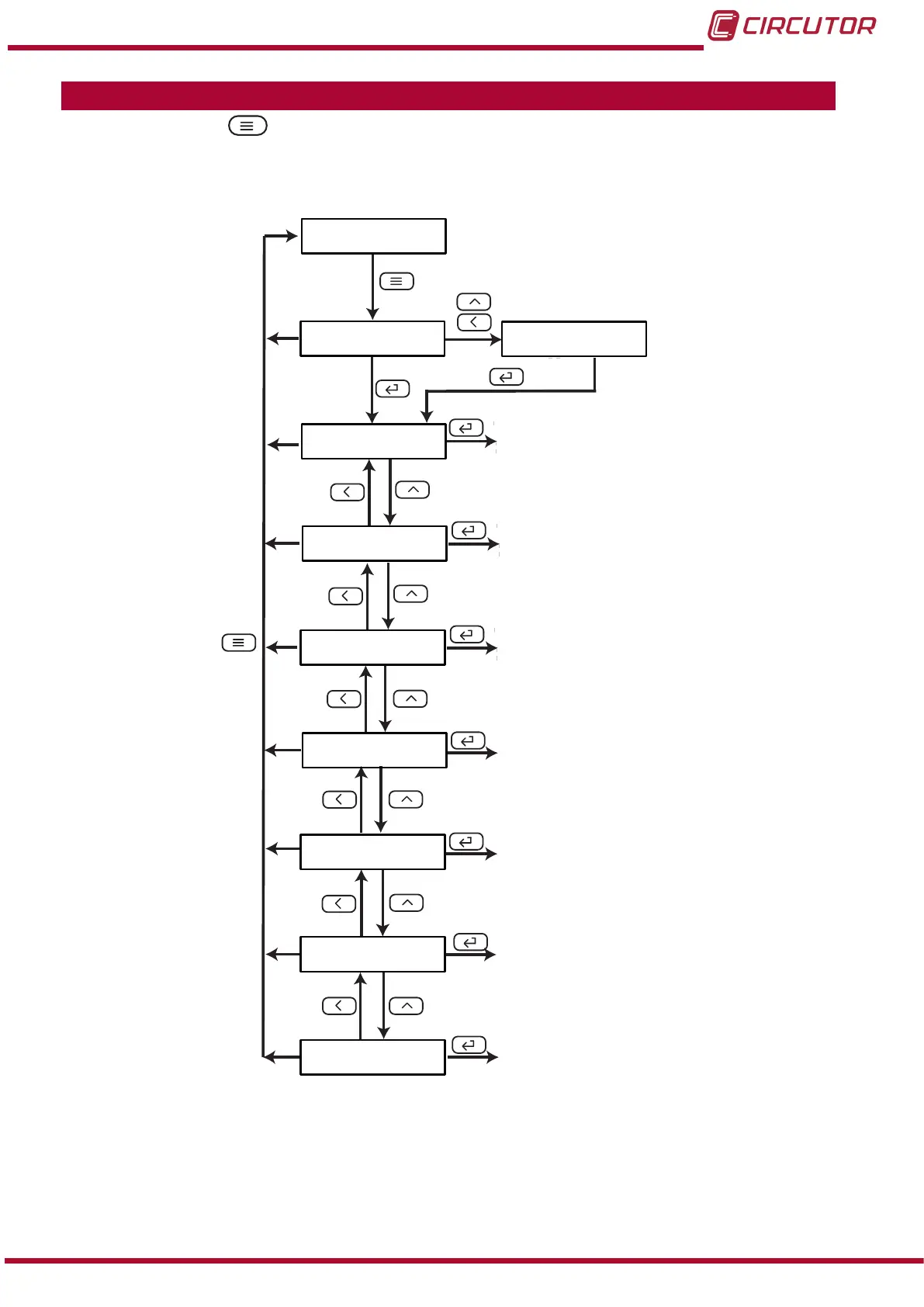
The conguration of the device is organized in different menus, Figure 7.
rEAd
inPt
do-1
do-2
SEt
uEr
>3s
ProG
ñ- ñ-
Conguration of
the input
Relay output 1
Relay output 2
Conguration of
the display
Software version
Communications
Analog output
5.000
Conn
Ao-1
Figure 7: Conguration menu of the DHC-96 Aac�
From any screen of the conguration menus, if no key is pressed for 4 minutes, the device
leaves the conguration menu and returns to the display screen.
Note: In “ANNEX A.- CONFIGURATION MENU” you can see the complete conguration menu.
15
Instruction Manual
DHC-96 Aac











 To Next Page