3.2.- INSTALLATION
Terminals, opening covers or removing elements can expose parts that are
hazardous to the touch while the device is powered. Do not use the device
until it is fully installed.
The device should be installed inside an electric panel or enclosure, and panel-mounted.
To install it, take the following steps:
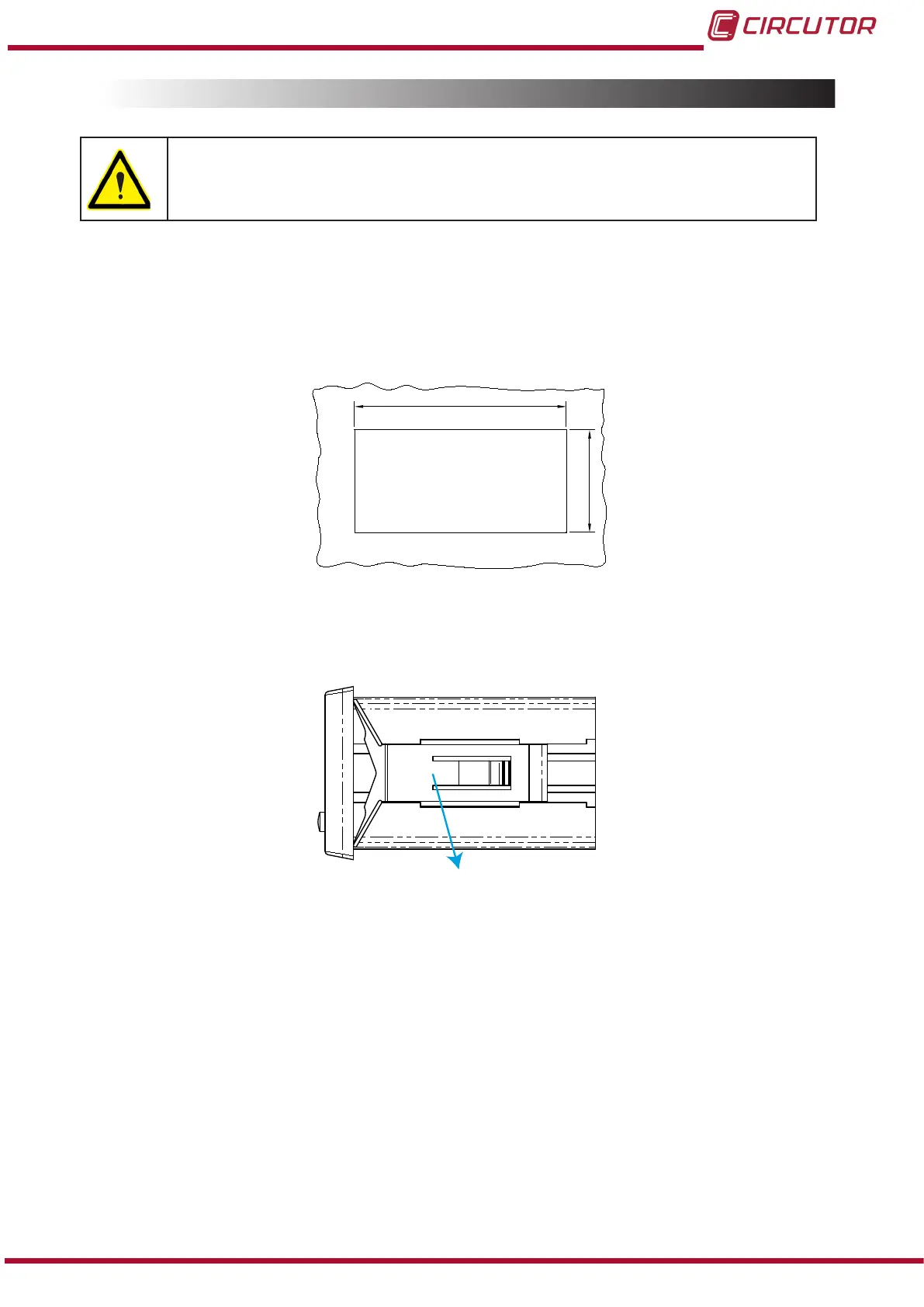
1�- Make a cut in the panel, according to the dimensions in Figure 1�
91
44
Figure 1: Cut in the panel�
2�- Remove the device’s xing clips (Figure 2).
Clip de jación / Fixing clip
Figure 2: Installation�
3�- Insert the device into the cut in the panel.
4�- Fit the xing clips until the device is xed to the panel.
The device should be connected to a power circuit protected by a fuse with a maximum nominal
current of 0�25 A.
9
Instruction Manual
DHC-96 Aac











 To Next Page