Static routes are typically used if there is a need to do any of the following
in context of the network:
• Access a remote subnet that does not belong to a local network•
Access other Cisco radio units or client devices across the
local network
• Reach gateways (such as Internet gateways)
• Create networks that include 'fixed' devices (such as CCTV
cameras)
To change the Static Routes settings, click the -static routes link under
ADVANCED SETTINGS in the left-hand settings menu.
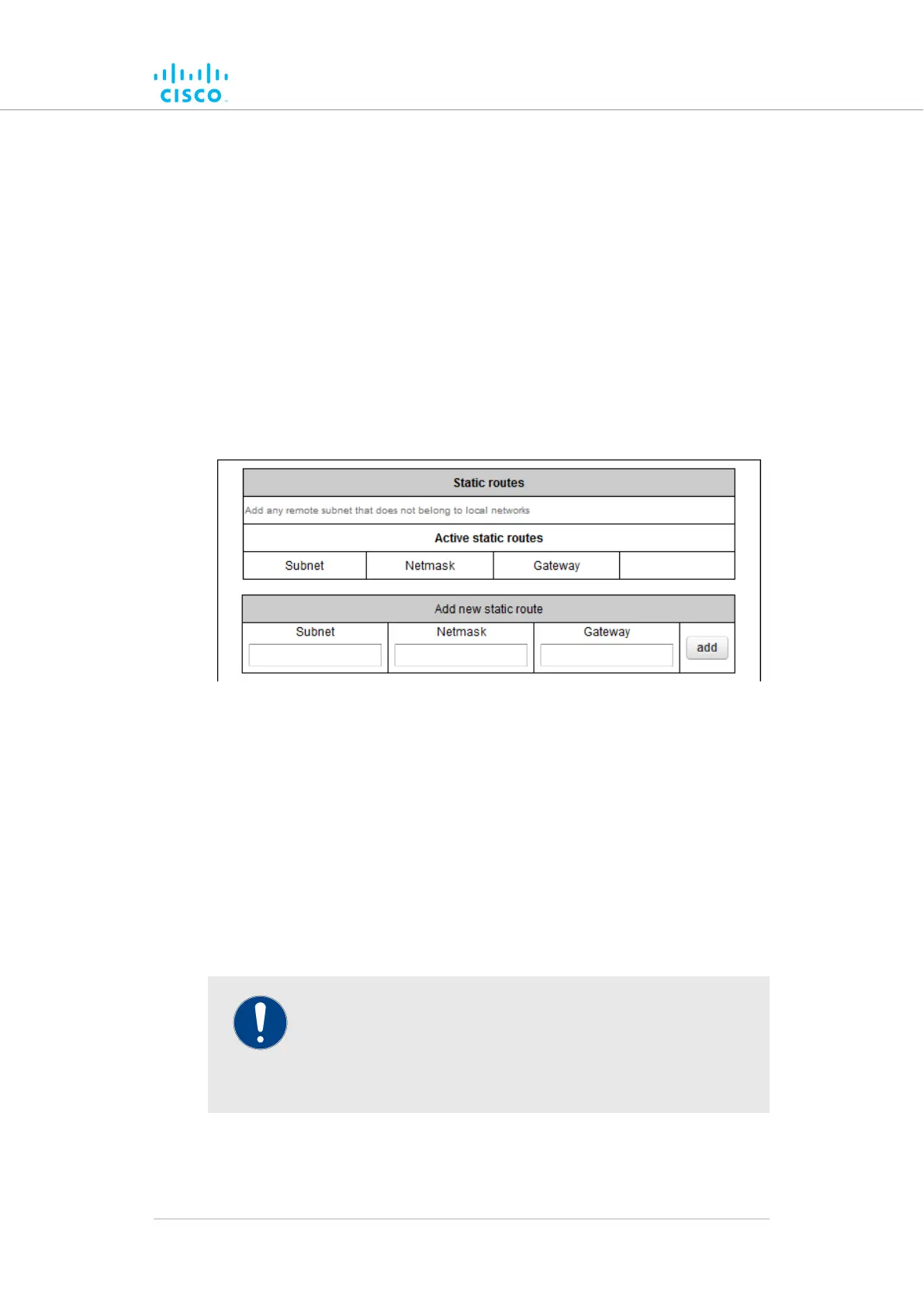
• The Static Routes dialog will be shown (Figure 36 (page 109)).
Figure 36. Configurator GUI (Static Routes window)
To enter a new static route, do the following steps:
1. Enter the Subnet, Netmask and Gateway designators in the
correct fields of the Add new static route section.
Click the2. add button.
• If the new static route is valid, it will be added to the Active
static routes list.
7.6.4. Pass lists and Block lists
IMPORTANT
The Pass list or Block list feature is only available if the Cisco
FM4200 Fiber is set to Mesh Point mode or Mesh End mode
mode. If the unit is set to Bridge mode, the –pass list / block
list menu option will not be available.
The Pass list or Block list function is a security feature that prevents fake
IP addresses from intercepting or intruding on the network.
Device configuration using the configurator interface
© 2021 Cisco and/or its affiliates. All rights reserved. Page 109 of 189



 To Next Page