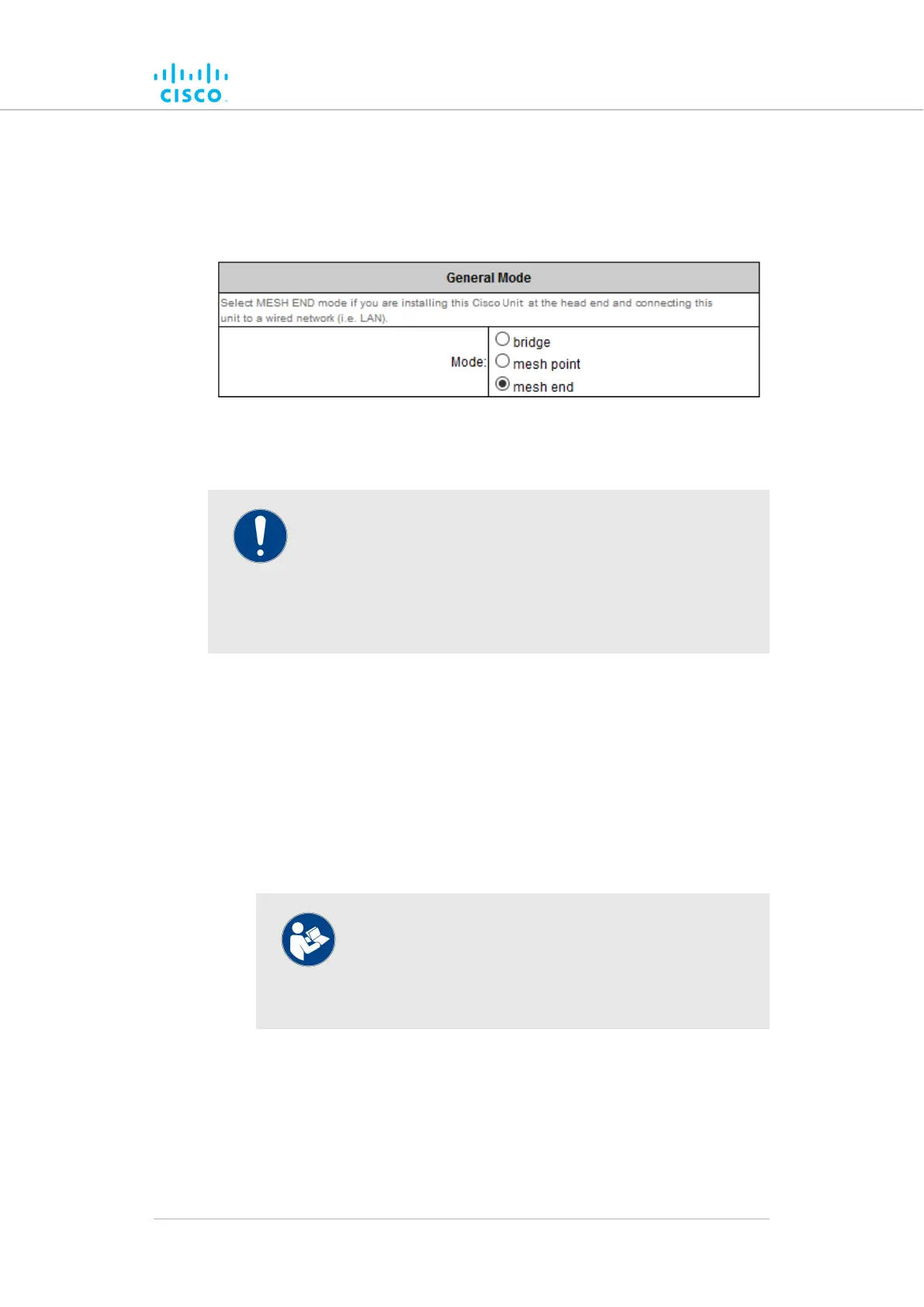
Changing the operational mode
Changing the operational mode on a mesh network-capable unit
The General Mode box (below) contains the operational mode controls.
Cisco radio transceiver units that are capable of operating within a
mesh radio network are shipped from the factory in Mesh End mode.
IMPORTANT
When designing the required network layout, remember that
the wireless network must always connect to the wired LAN
through a unit configured to be a Mesh End unit.
This is necessary for correct wireless mesh network operation,
even if the network consists only of two wireless units.
If needed, change the unit's operational mode by clicking one of the
following Mode: radio buttons:
• bridge (This mode creates a layer 2 connection between the local
unit and another Bridge unit.)
• mesh point (This mode allows you to use the unit as a relay point
in the mesh network and/or attach an IP edge device, such as a
CCTV camera or video encoder, to the unit.)
• mesh end (This mode allows you to install the unit as the junction
point between the wireless network and a wired LAN.)
NOTE
If the bridge option is chosen, the Cisco device ID
number of the unit that forms the opposite side of the
wireless bridge will be shown in the Configurator
window heading block (Figure 24 (page 72)).
Device configuration using the configurator interface
© 2021 Cisco and/or its affiliates. All rights reserved. Page 71 of 189



 To Next Page