IMPORTANT
The Cisco FM4200 Fiber is shipped from the factory with no
fiber-optic transceiver installed. For the unit to have fiber-optic
capability, the SFP port must be equipped with a separate
fiber-optic transceiver.
5.1.4. Rebooting the firmware and resetting the unit to factory
defaults
The Cisco FM4200 Fiber hardware can be rebooted and reset to factory
default condition using the procedures in this section.
IMPORTANT
The following procedure shows how to do a 'hard' (device
firmware) reboot. To do a 'soft' (device software) reboot, refer
to “Resetting the unit to factory defaults” (page 154).
To do a 'hard' (device firmware) reboot under emergency conditions (for
example, if the unit malfunctions), do the steps in the following sub-
section.
Device firmware reboot
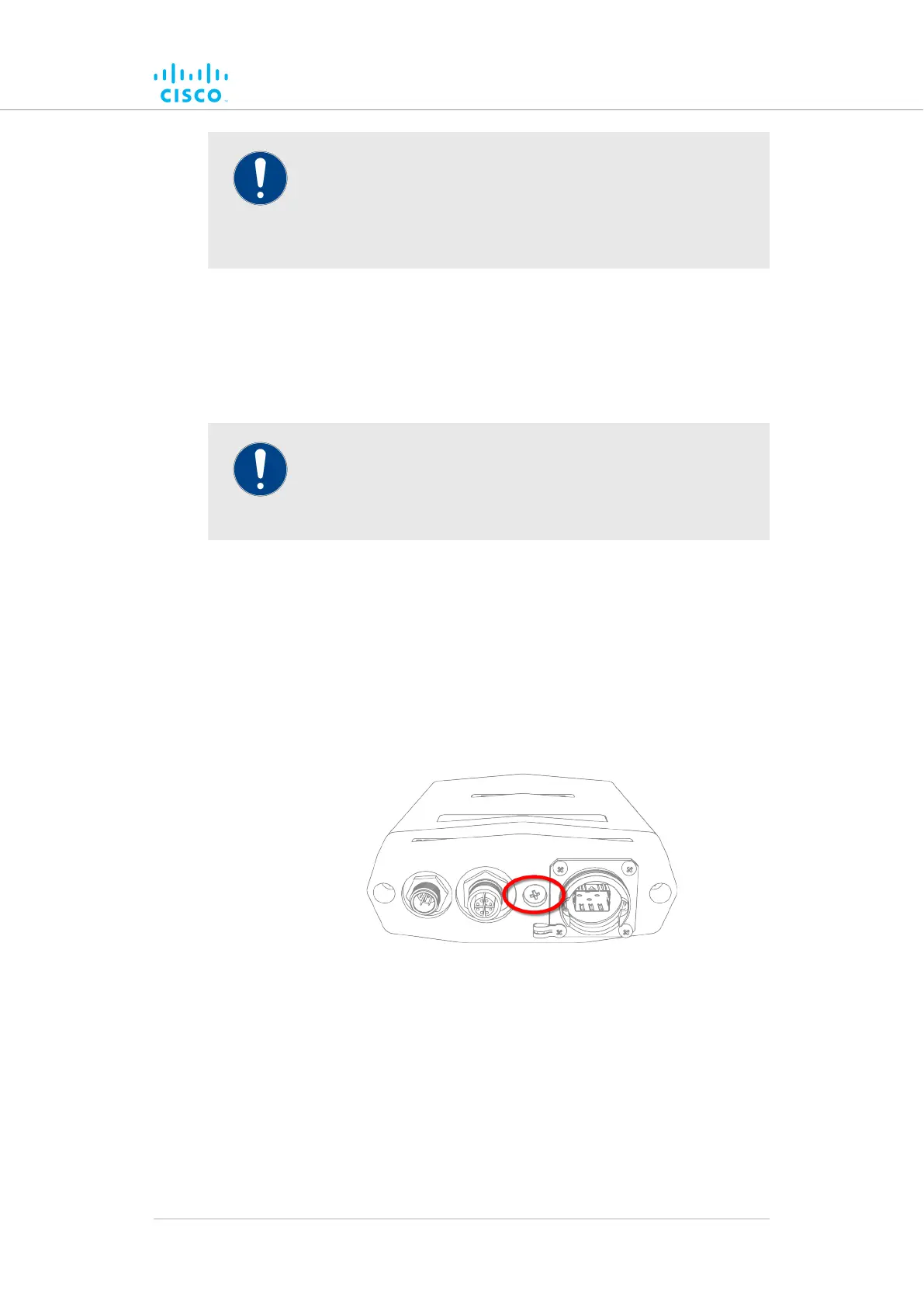
1. Remove the Phillips-head screw labelled RESET at the bottom of
the unit (Figure 8 (page 33)).
Figure 8. Cisco FM4200 Fiber (Hardware RESET protective
screw)
2. Insert a long tool with a thin shaft, such as a screwdriver, into the
RESET button port until the tool touches the bottom.
3. Press the RESET button for one second, then release the button
immediately.
• The unit will reboot.
4. Replace the Phillips-head screw at the bottom of the unit.
Hardware installation
© 2021 Cisco and/or its affiliates. All rights reserved. Page 33 of 189



 To Next Page