To enable the wireless AP feature on the Cisco FM4200 Fiber, do the
steps that follow:
1. Make sure the FM-AP software plug-in is installed on the radio
unit. For instructions on how to install the FM-AP plug-in, refer to
“Plug-in management procedures” (page 161).
IMPORTANT
If the FM-AP plug-in is not installed on the radio unit,
the –Cisco WiFi link will not appear in the left-hand
settings menu.
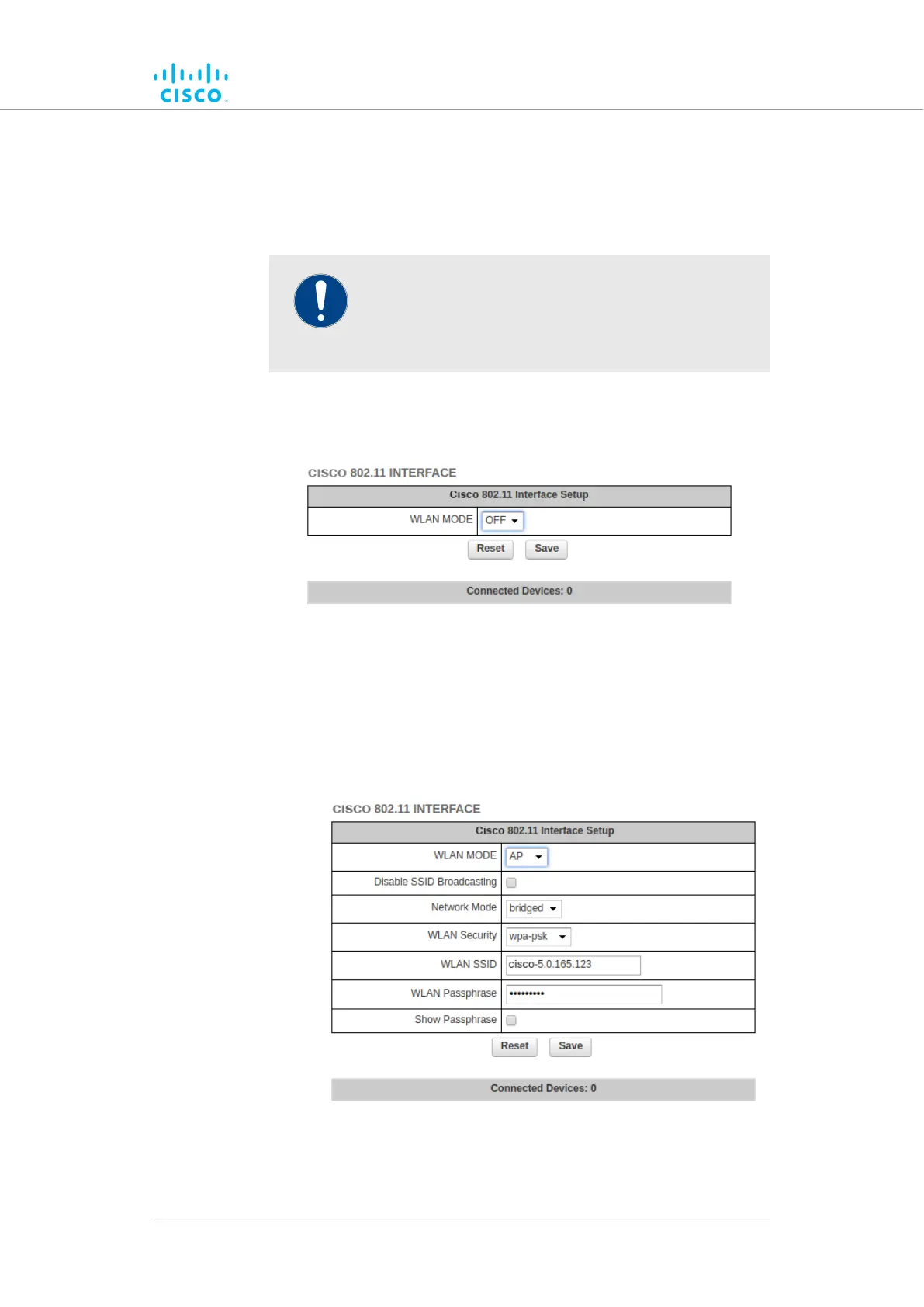
2. Open the CISCO 802.11 INTERFACE dialog (below) by
clicking the –Cisco WiFi link under ADVANCED SETTINGS
in the left-hand settings menu.
To configure the radio unit as a bridged or routed wireless access point
(AP), do the following steps:
1. Configure the radio unit as a wireless access point by clicking the
WLAN MODE drop-down menu and selecting the AP option.
• The CISCO 802.11 INTERFACE dialog will show
additional options (below):
2. If you want to prevent the radio unit from broadcasting its access
point SSID, check the Disable SSID Broadcasting check-box. If
Device configuration using the configurator interface
© 2021 Cisco and/or its affiliates. All rights reserved. Page 121 of 189



 To Next Page