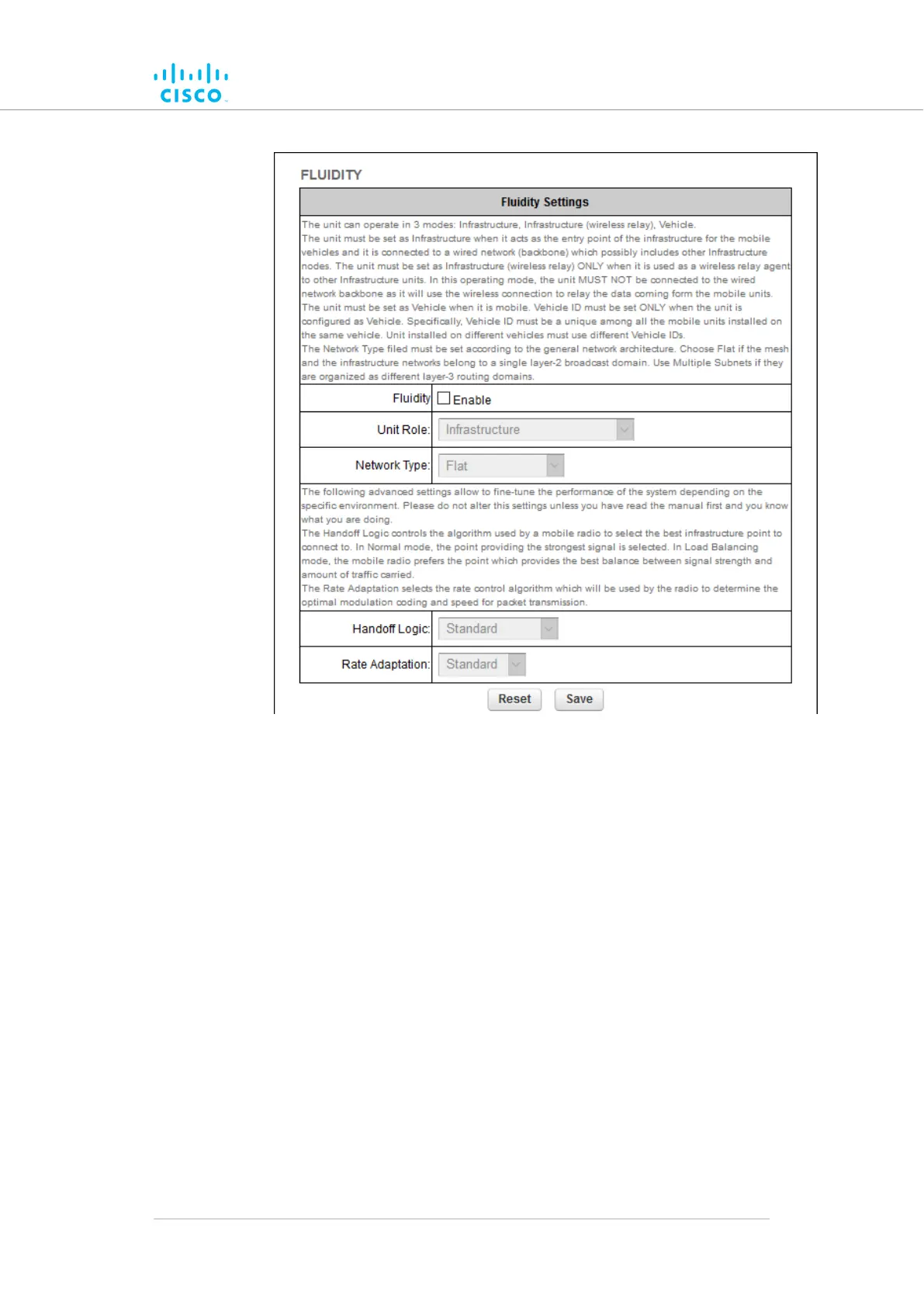
Figure 51. Configurator GUI (FLUIDITY dialog for
transceiver devices)
2. Cisco radio transceivers are shipped from the factory with
Fluidity functionality disabled. Enable Fluidity functionality by
checking the Fluidity check-box.
3. Select the correct role for the unit by clicking the Unit Role: drop-
down and clicking the correct option from the list below:
• Infrastructure: Choose this setting if the unit is connected
to a wired LAN and/or a network that includes other
Infrastructure nodes, and the unit acts as the network
infrastructure entry point for mobile vehicles.
• Infrastructure (wireless relay): Only choose this setting if
the unit is used as a wireless relay agent to other
infrastructure units.
Device configuration using the configurator interface
© 2021 Cisco and/or its affiliates. All rights reserved. Page 134 of 189



 To Next Page