4. Remove the dust covers from the SFP module.
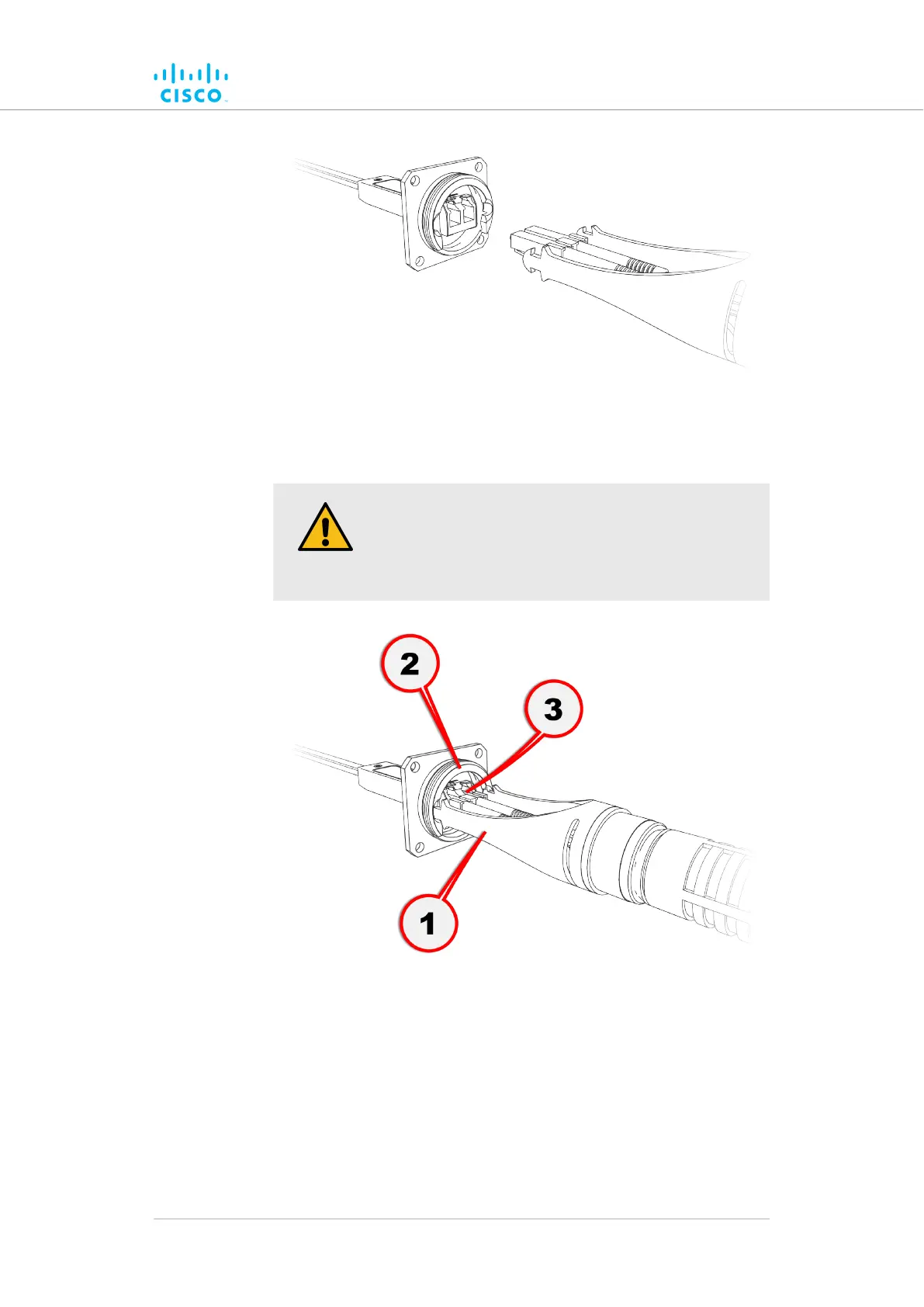
5. Move the metal port connector (1, below) fully forward until the
locking lugs snap into the SFP port (2, below).
CAUTION
Do not attempt to connect the duplex fiber-optic cable
connector to the SFP module until the metal port
connector is fully engaged with the SFP port.
6. Slide the duplex fiber-optic cable connector (3, above) into the
SFP module until you hear a positive Click sound.
7. Slide the round threaded tube forward along the fiber-optic cable.
Screw the tube onto the port connector by hand (below).
Hardware installation
© 2021 Cisco and/or its affiliates. All rights reserved. Page 40 of 189



 To Next Page