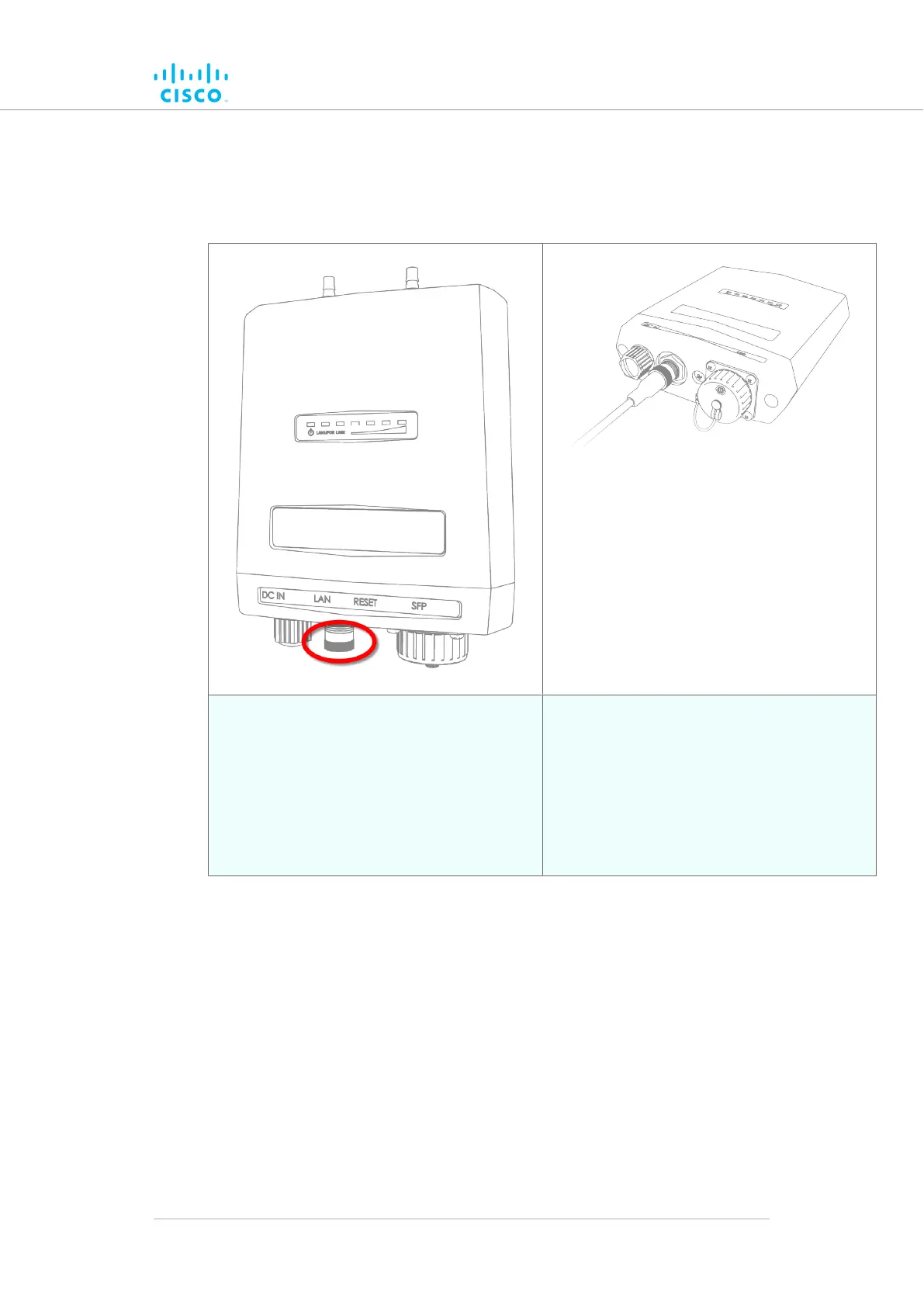
2. Make
sure that the terminal pin assignments for the M12X plug(s)
comply with the accepted standard for M12X LAN/PoE
connectors.
Next, proceed to the steps in the following table:
3. Remove the protective plastic plug from the
port labelled LAN.
4. Wrap PTFE thread-sealing tape around the
threads of the M12X connector on the unit. Use
enough tape to ensure a watertight seal.
5. Insert the M12X connector leading from the
local LAN hardware into the port labelled LAN.
6. Screw the threaded sleeve of the female
connector onto the male connector. Tighten the
connection by hand.
Hardware installation
© 2021 Cisco and/or its affiliates. All rights reserved. Page 43 of 189



 To Next Page