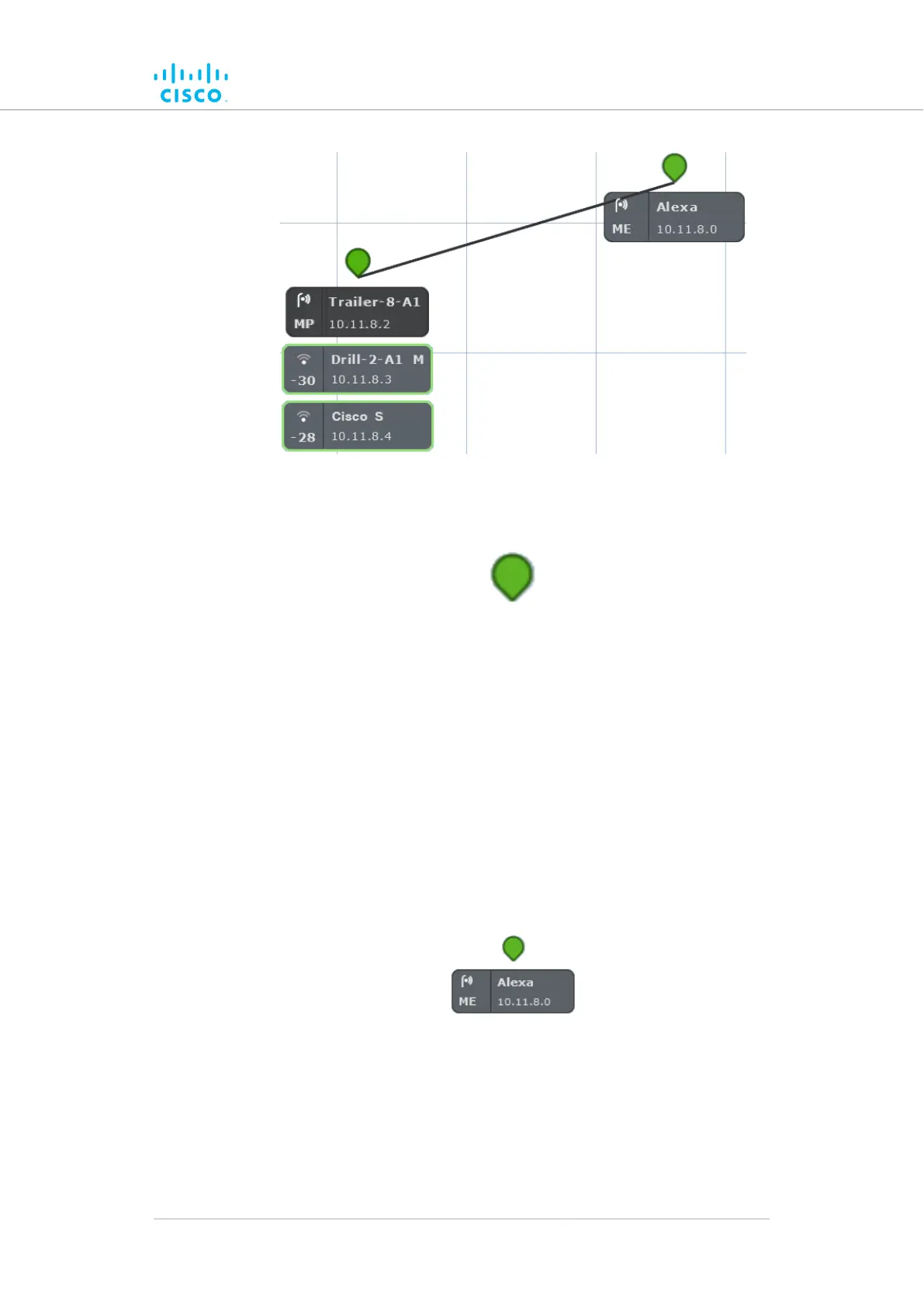
• Stationary (wayside, or infrastructure) Cisco radio transceivers
are shown as colored icons (below).
• Stationary radio transceiver icons are colored according to the
performance of their data links relative to preset KPI thresholds:
• If an icon is white, KPI checking is not currently enabled for
the FM Quadro view.
• If an icon is red, the performance of at least one link is below
standard (red link line).
• If an icon is orange, the performance of at least one link is
acceptable, but not optimal (orange link line).
• If an icon is green, the performance of all links is optimal
(green link lines).
• A tooltip is shown below each stationary transceiver icon (below).
• In clockwise order, the tooltip shows the following information:
• The device type icon. Depending on device type, any of three
icons may be seen:
• The icon below will be shown if the device is a
stationary non-Fluidity radio device:
Device configuration using the configurator interface
© 2021 Cisco and/or its affiliates. All rights reserved. Page 87 of 189



 To Next Page