
EasyManua.ls Logo

Citizen SA-SD - User Manual

Citizen SA-SD
94 pages
Print Icon
To Next Page IconTo Next Page
Loading...
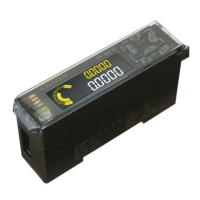
Controller for Contact-type Displacement Sensors
SA-
SD
Operation Manual 2nd Edition
CITIZEN FINEDEVICE CO., LTD.

Table of Contents

Questions and Answers

  • J
    John MurphyAug 20, 2025
    What to do if Citizen Controller measurements are inaccurate?
    • A
      Anthony MartinAug 20, 2025
      Check if the detector is installed securely, without any play. Ensure the measurement terminal isn't loose and the detector isn't experiencing excessive vibration or impacts. For example, if a detector is on a guide rail moved by an air cylinder, collision with the mechanical stopper may cause errors. Install a shock absorber, reduce the air cylinder speed, or take similar measures. Verify the spindle moves correctly; excessive tightening during installation can affect spindle operation.
  • M
    Michaela MillerAug 22, 2025
    What to do if the Citizen SA-SD Controller power does not turn ON?
    • J
      Jonathan McclureAug 22, 2025
      Verify that the power supply is correctly connected and supplying power. Check the power connection polarity (+/-) and ensure the power voltage and current capacity are correct.
  • D
    deanianAug 25, 2025
    What to do if Citizen Controller keys have no effect?
    • C
      Cynthia JohnsonAug 25, 2025
      Check if the key lock is enabled.
  • T
    Thomas WagnerAug 26, 2025
    What to do if Citizen SA-SD Controller displays error E200?
    • P
      Pamela EatonAug 26, 2025
      Verify that all sensor heads are correctly connected and that none of the sensor head cables are broken. If a cable is broken, replace it. If a sensor head has failed, replace it as well.
  • S
    stevencookAug 27, 2025
    What does Citizen SA-SD Controller error E700 mean and how to fix it?
    • K
      katrina84Aug 28, 2025
      Error E700 indicates a short-circuit of the detection output load, causing an overcurrent. Turn the power OFF, and then check the load.
  • M
    Miguel SampsonAug 29, 2025
    How to resolve Citizen SA-SD Controller error E600?
    • K
      Katelyn PhelpsAug 29, 2025
      Turn the power OFF and ON again, then reset the controller while in setting mode. If this doesn't work, the EEPROM may have exceeded its overwrite limit. In that case, replace the controller.
  • M
    millertracyAug 31, 2025
    What to do if Citizen SA-SD displays error E120?
    • J
      James SanchezAug 31, 2025
      Turn the power OFF. Check that the controllers are correctly connected, and then turn the power ON again.
  • K
    Kevin PattersonSep 2, 2025
    Why is Citizen SA-SD Controller showing error E900?
    • D
      Dylan HenrySep 2, 2025
      Error E900 indicates an internal error. Turn the power OFF and ON again, and then reset the controller while in setting mode.
  • C
    coreythompsonSep 4, 2025
    What does Citizen Controller error E500 mean?
    • M
      mcaldwellSep 4, 2025
      Error E500 means an external input cannot perform a preset. Check that the preset was not attempted immediately after the power was turned ON or immediately after a reset was input. Also, verify that the display upper or lower limits are not exceeded and that the alarm is not activated.
  • T
    Tyrone OwensSep 6, 2025
    What causes Citizen SA-SD Controller error E210?
    • U
      ulittleSep 6, 2025
      Error E210 occurs when a sensor head undergoes an upward thrust outside the specified stroke range. Check the sensor head installation and work positions, and adjust them so that the stroke is within the specified range.

Citizen SA-SD Specifications

General IconGeneral
BrandCitizen
ModelSA-SD
CategoryController
LanguageEnglish