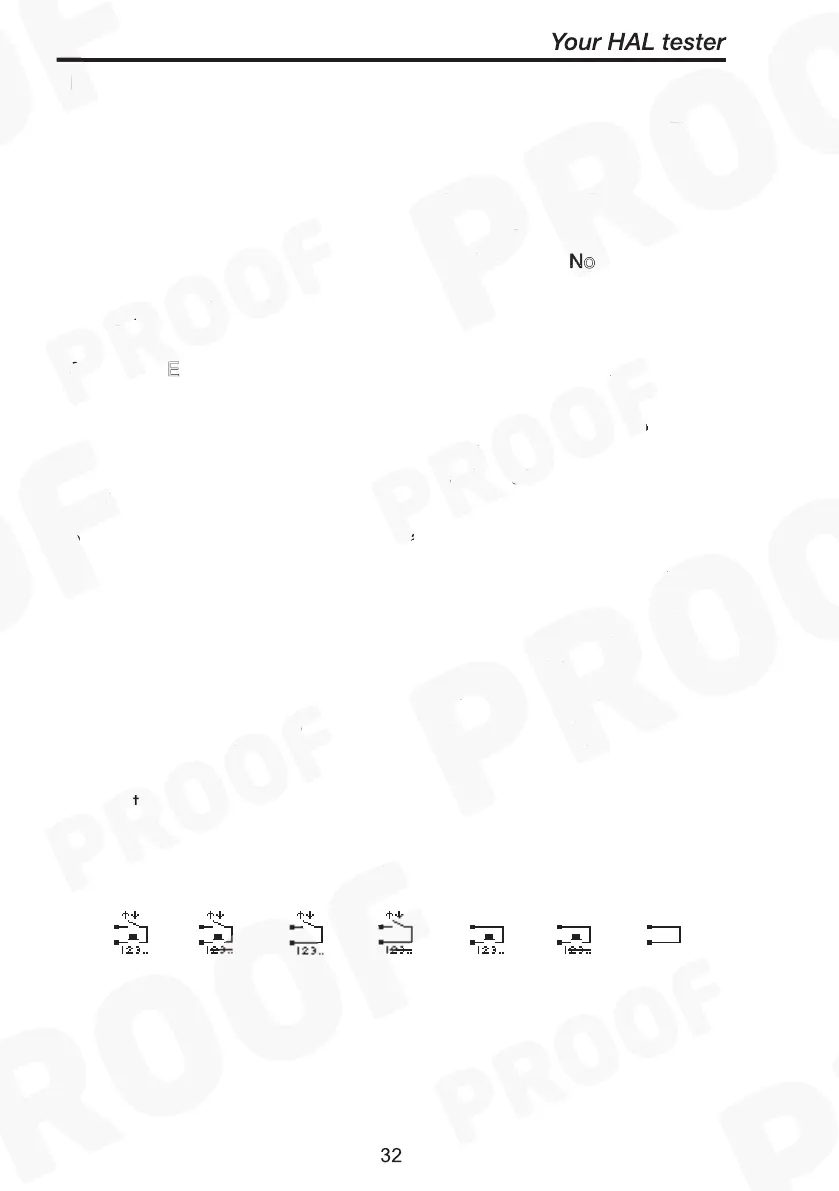
For all units: -
The last icon denotes the S
for the test. They are as Fig.
1. Reset E
ernal safety guard switch to ‘Closed’, followed by
pressing G
to start each repeat of the test. (Start Ext+Green)
2. Reset E
ernal safety guard switch to ‘Closed’, followed by
pressing Green once to start the test (1
st
loop). No subsequent
pressing of Green button needed for any repeat tests. Repeat
loops will immediately convene whilst guard switch is closed.
(Start Ext+Green) for 1
st
loop & (Start None) on any repeats.
3. Reset E
ernal safety guard switch to ‘Closed’ to start test and
each repeat of the test. (Start Ext)
4. Reset E
ernal safety guard switch to ‘Closed’ to start the test
cycle. N
subsequent stimulus needed for repeat tests. Repeats
will automatically be performed, whilst the safety guard is closed.
(Start Ext) for 1
st
loop & (Start None) on any repeats
5. Press G
to start test and each repeat of the test. External
safety guard switch must remain closed for test to begin. (Start
Green)
6. Press G
once to start test. N
subsequent stimulus needed for
any repeat loop tests. Repeat loop tests will automatically start.
External safety guard switch must remain closed for test to begin.
(Start Green) for 1
st
loop & (Start None) on any repeats.
7. N
start stimulus required. The test begins immediately after the
product data has been entered. This mode is usually a follow-on
test from a previous test.
Use this with caution
. (Start None) for all
tests
Fig. 1 Fig. 2 Fig. 3 Fig. 4 Fig. 5 Fig. 6 Fig.7
st



 To Next Page