Roll printer
List
Pass/Fail
OK
Caution
For downloading to a compatible R
, including ‘till roll’ and
thermal printers the user has the option of sending data as a
continuous list or as pass/fail labels. When using a thermal roll printer
selecting:
•
will produce a print with the Product number, Site, Location,
User, Test codes used, Date & time of test done, Test type & its
parameters, Overall Pass/Fail status
• P
ass/Fail labels will produce a print with the Product number, Date,
User, Test status (pass or fail), Next Test due: (left blank) and
Product barcode.
However, the restrictions of paper width means that Product numbers
representing more than 12 digits cannot be printed and a numbered
label will be printed instead. Test codes over 12 and up to 15 digits
can be accommodated since these are displayed as two lines.
All downloading to directly connected printers is through COMMS 3.
Use repeated presses of the Green button to show desired settings for
download format. If appropriate the option field will illuminate.
When the download options are as you wish Press the O
fast key to
display the following menu: -
Roll printer
List
Pass/Fail
OK
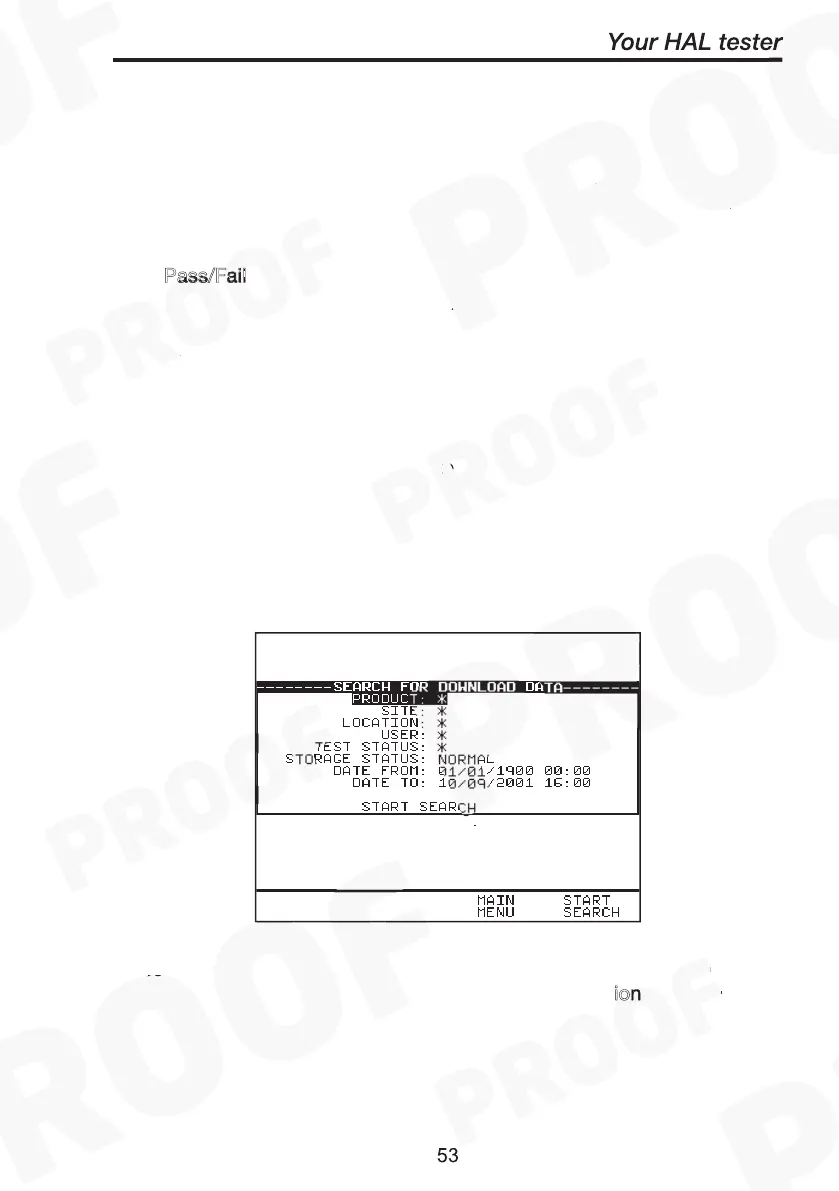
Use the cursor keys to highlight the required search parameters and
press Green to select the desired options list. C
ion: See Printing
Notes before initiating any Start Search.



 To Next Page