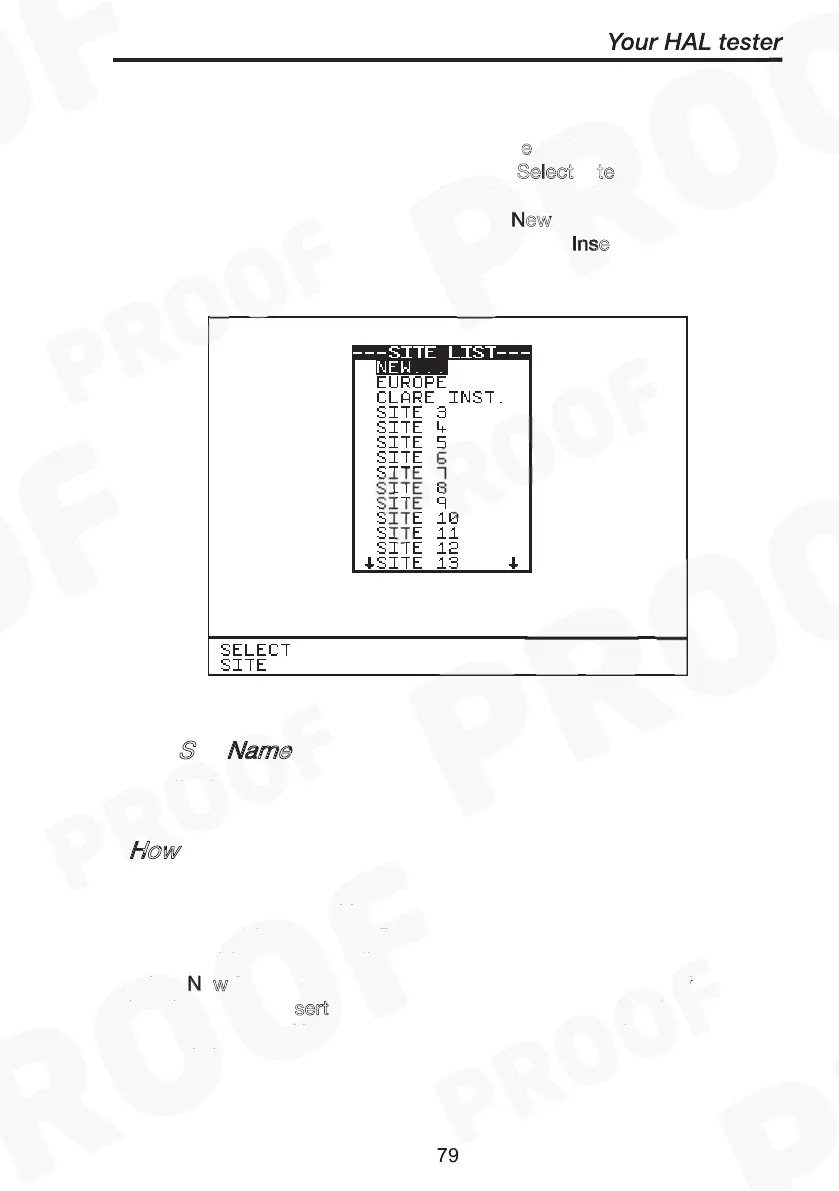
At the Main Menu screen select C
e and press Green. Use the
encoder to highlight a site name and press S
elect S
te fast key or press
Green to select desired site. Selected option will be automatically
updated. For a site not found in list, select N
ew from list and you will be
prompted to enter name of the new site. Press I
nse
to accept each
data field entered and press Green to accept ‘New’ site name. The total
number of sites available in list is 20.
Edit Site Name
How to Change Location Name
Change Location
Select
Location
New
Insert
How to Change Site Name
Change Site
Select Site
New
Insert
Edit
S
Name
To edit Site name see sections on How to use Setup & Edit Site list.
How
At the Main Menu screen select C
and press Green.
Use the encoder to highlight a location name and press S
fast key or press Green to accept desired location. Selected
option will be automatically updated. For a location not found in list,
select N
w from list and you will be prompted to enter name of the new
location. Press I
sert to accept each data field entered and press
green to accept ‘New’ location name. The total number of locations
available in list is 50.
How to Change Site Name
Change Site
Select Site
New
Insert
Edit Site Name
How to Change Location Name
Change Location
Select
Location
New
Insert



 To Next Page