EasyManua.ls Logo

Clarion NX500 - User Manual

Clarion NX500
186 pages
Print Icon
To Next Page IconTo Next Page
Loading...
Owner’s manual & Installation manual
Mode d’emploi et manuel d’installation
Manual de instrucciones y de instalación
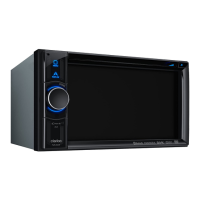
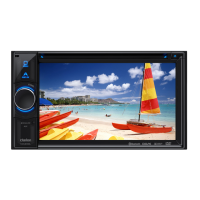
2-DIN DVD MULTIMEDIA STATION
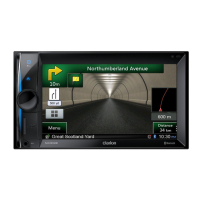
WITH BUILT-IN NAVIGATION
& 6.5” TOUCH PANEL CONTROL
DVD MULTIMEDIA STATION
WITH BUILT-IN NAVIGATION
& 7” TOUCH PANEL CONTROL
STATION MULTIMÉDIA DVD 2-DIN
AVEC NAVIGATION INTÉGRÉE
ET ÉCRAN TACTILE DE 6,5
POUCES
STATION MULTIMÉDIA DVD
AVEC NAVIGATION INTÉGRÉE
ET ÉCRAN TACTILE DE 7 POUCES
ESTACIÓN DVD MULTIMEDIA DOBLE DIN
CON SISTEMA DE NAVEGACIÓN
INCORPORADO Y PANTALLA TÁCTIL DE 6,5”
ESTACIÓN DVD MULTIMEDIA
CON SISTEMA DE NAVEGACIÓN
INCORPORADO Y PANTALLA TÁCTIL DE 7”
NX 500
NZ 500

Table of Contents

Questions and Answers

  • H
    Heather KnappSep 12, 2025
    What to do if Clarion NX500 disc cannot play with the display “PARENTAL VIOLATION” shown?
    • J
      John ManningSep 12, 2025
      If your Clarion Car Receiver displays “PARENTAL VIOLATION” and the disc cannot play, the feature exceeds the set parental level. Release the view limitation or change the parental level.
  • M
    Michelle DaySep 13, 2025
    Why no sound heard with the display “NO FILE” shown on Clarion NX500 Car Receiver?
    • C
      Christine WilliamsonSep 13, 2025
      If you hear no sound and the display shows “NO FILE” on your Clarion Car Receiver, it means no MP3/WMA file is stored in the USB device. Store these files properly in the USB device.
  • J
    Jessica GraySep 15, 2025
    Why is Clarion NX500 Car Receiver iPod/iPhone’s video image disturbed?
    • M
      Matthew RobertsSep 15, 2025
      If the video image from your iPod/iPhone is disturbed on your Clarion Car Receiver, the TV Signal setting of the iPod/iPhone is not set correctly. Set the TV Signal setting (NTSC/PAL) of the iPod/iPhone correctly.

Summary

PRECAUTIONS

CONTROLS

Operational Panel

Diagram and explanation of the unit's physical controls.

CAUTIONS ON HANDLING

OPERATIONS

Basic Operations

Fundamental procedures for using the unit.

Navigation System Operations

Main Menu Screen Operations

Guide to navigating and using the main menu options.

ACCESSORIES

iPod;iPhone Operations

Instructions for connecting and operating iPod and iPhone devices.

AUX In; AV In Operations

Camera In Operations

Instructions for activating and viewing the external camera input.

Setup Operations

TROUBLESHOOTING

GENERAL

Common issues and solutions for the unit.

ERROR DISPLAY

INSTALLATION;WIRE CONNECTION GUIDE

Clarion NX500 Specifications

General IconGeneral
Resolution800 x 480 pixels
TouchscreenYes
GPS AntennaIncluded
AM/FM TunerYes
iPod/iPhone ControlYes, via USB
Rear Camera InputYes
NavigationBuilt-in
BluetoothYes, for hands-free calling and audio streaming
USB PortYes
AUX InputYes
CD/DVD PlayerYes
Steering Wheel Control CompatibleYes
Video OutputYes
Power Output4 x 50 Watts
Dimensions (W x H x D)178 mm × 100 mm
Audio Formats SupportedMP3, WMA, AAC
SD Card SlotYes

Related product manuals