To connect USB storage device, USB mouse.
Network
abnormal
indication
light
Network error occurs or there is no network connection, the
light becomes red to alert you.
HDD
abnormal
indication
light
HDD error occurs or HDD capacity is below specified
threshold value, the light becomes red to alert you.
It is to receive the signal from the remote control.
Here you can view there is external alarm input or not. T
light becomes on when there is an external alarm. The li
become off when the external alarm stops.
2
.
2
R
ea
r
Pa
n
e
l
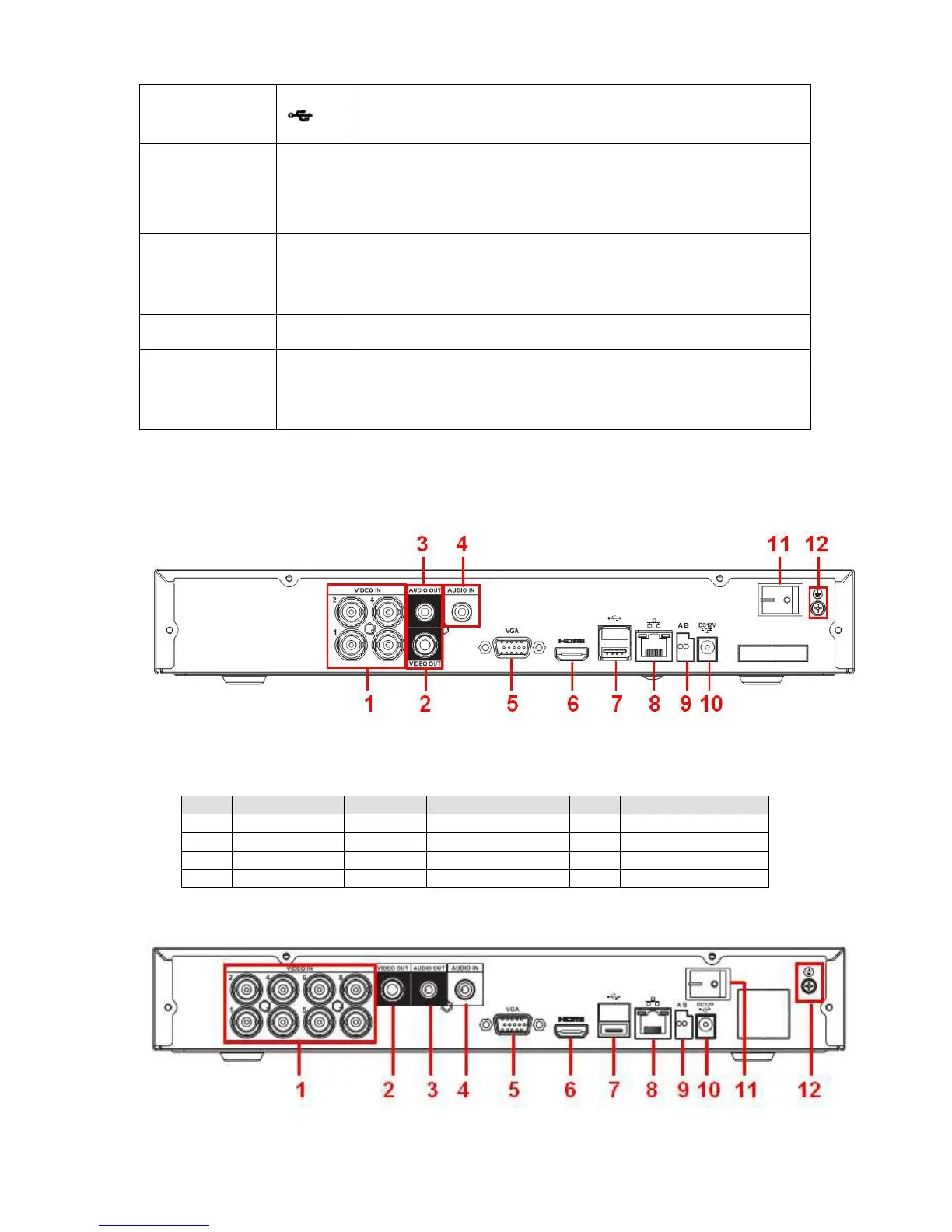
The 4-channel series product rear panel is shown as in Figure 2-2.
Figure
2-2
Please refer to the following sheet for detailed information.
The 8-channel series product rear panel is shown as in Figure 2-3.


 To Next Page