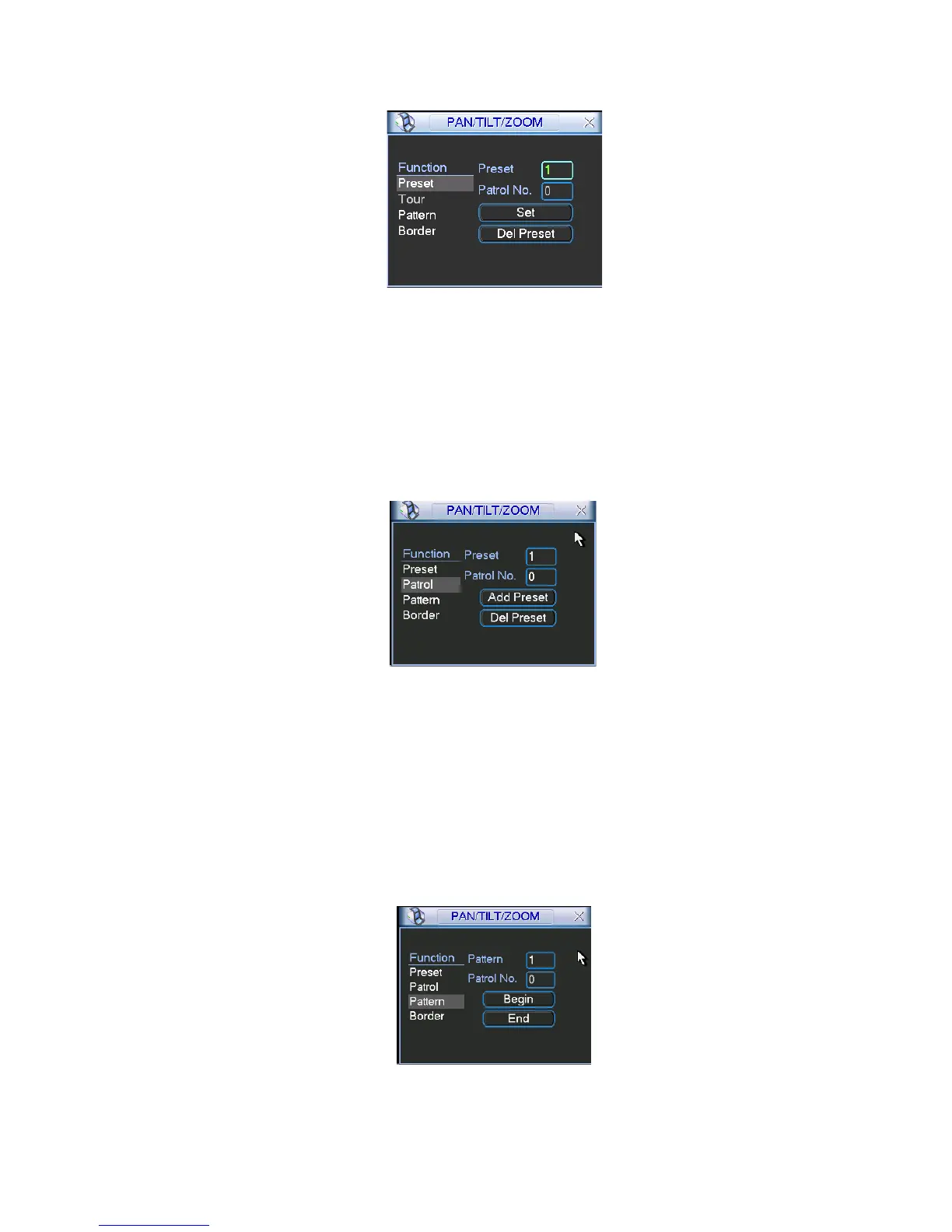
Now you can add this preset to one tour.
4.9.2 Activate Preset
Figure 4-35
In Figure 4-34, please input preset number in the No. blank, and click preset button.
4.9.3 Patrol setup (Tour Setup)
In
X339H339H
339HFigure 4-33, please click patrol button. The interface is shown as in Figure 4-36.Input preset
number and add this preset to a patrol (tour). For each patrol (tour), you can input max 80
presets.
4.9.4 Activate Patrol (tour)
Figure 4-36
In Figure 4-36, input patrol (tour) number in the No. blank and click patrol button
4.9.5 Pattern Setup
In Figure 4-35 click pattern button and then click “begin” button. The interface is shown as in
Figure 4-37. Then you can go to Figure 4-30 to modify zoom, focus, and iris.
Go back to Figure 4-37 and click “end” button. You can memorize all these operations as pattern
1.
4.9.6 Activate Pattern Function
Figure 4-37


 To Next Page