Important:
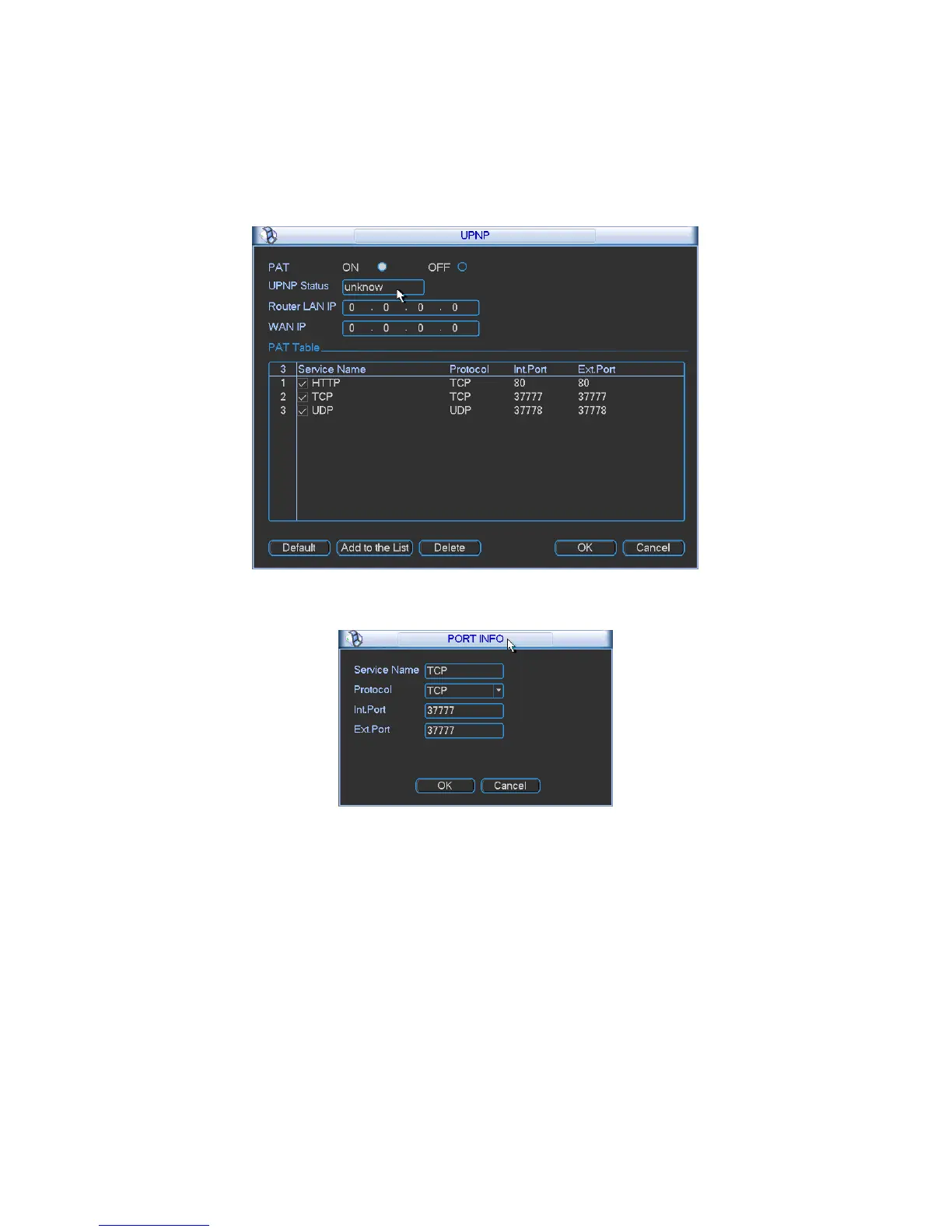
When you are setting the router external port, please use 1024~5000 port. Do not use well-
known port 1~255 and the system port 256~1023 to avoid conflict.
For the TCP and UDP, please make sure the internal port and external port are the same to
guarantee the proper data transmission.
Figure
5-21
Figure
5-22
5.3.4.10 Alarm Centre
This interface is reserved for you to develop.
5.3.5 Detect
Please refer to chapter 4.5 Detect.
5.3.6 Pan/Tilt/Zoom
The pan/tilt/zoom setup includes the following items. Please select channel first. See Figure 5-23.
•
Protocol: Select corresponding PTZ protocol such as PELCOD.
•
Address: input corresponding PTZ address.
•
Baud rate: Select baud rate.


 To Next Page