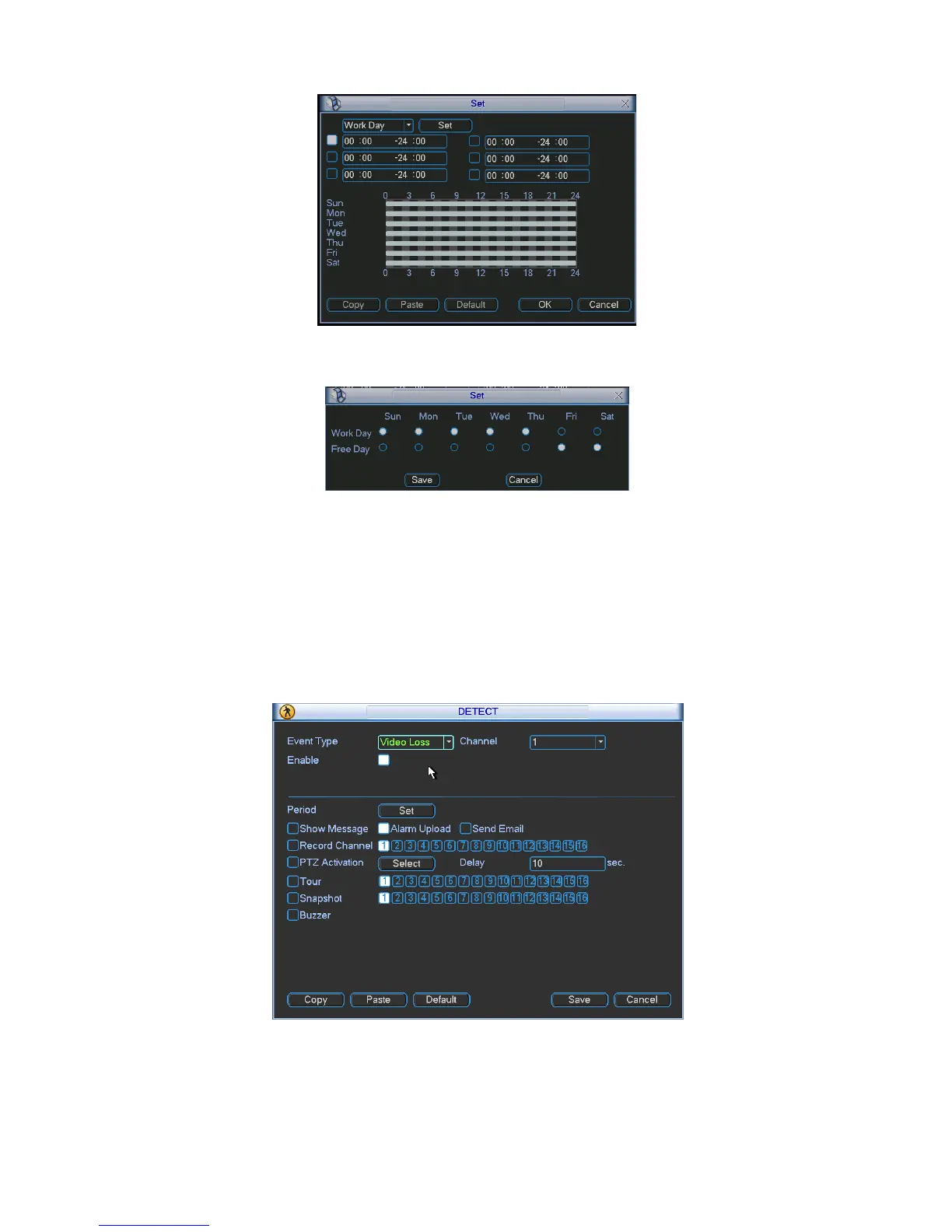
Figure
4-21
4.5.3 Video Loss
Figure 4-22
In Figure 4-18, select video loss from the type list. You can see the interface is shown as in
X311H311 H31
1HFigure 4-23. This function allows you to be informed when video loss phenomenon
occurred. You can enable show message function.
Tips:
You can enable preset/tour/pattern activation operation when video loss occurs.
Please refer to chapter 4.5.2 motion detection for detailed information.
4.5.4 Camera Masking
Figure 4-23
When someone viciously masks the lens, or the output video is in one-color due to the
environments light change, the system can alert you to guarantee video continuity. Camera


 To Next Page